Wired Internet vs WiFi Router: Which Should You Choose? (Australia 2026)
Drafted with AI assistance and checked against published specifications and certifications. First-hand measurements appear only where stated. How we make content
Wired Ethernet is faster, more stable, produces zero RF radiation at the endpoint, and is the only practical option for fixed workstations, gaming setups, and bedrooms where RF exposure matters. WiFi remains necessary for phones and laptops, but every device that can be hardwired should be. The catches: you’ll need to run Cat6 cables (permanently or via cable covers), buy a multi-port gigabit switch if you’re connecting more than four devices, and you still need WiFi enabled for portable devices unless you’re willing to disable it entirely with a timer.
| Connection Type | RF Radiation (Measured) | Verdict |
|---|---|---|
| Wired Ethernet (fixed devices) | 0 mW/m² at endpoint | Recommended |
| WiFi router on timer (sleeping hours) | 0.032 mW/m² (98.95% reduction) | Good compromise |
| WiFi router 24/7 active | 3.058 mW/m² (30× BBI limit) | Avoid as primary for fixed devices |
This article contains affiliate links. We may earn a commission at no extra cost to you.
Your WiFi router is almost certainly the strongest source of radio-frequency (RF) radiation inside your home. I know because I measured mine. At my Palm Beach house on the Gold Coast, my TriField TF2 recorded 3.058 mW/m² at my bedhead — more than 30 times the Building Biology Institute’s sleeping-area guideline of less than 0.1 mW/m². Switching to a wired Ethernet connection and putting the router on a outlet timer dropped that same reading to 0.032 mW/m² during sleeping hours — a 98.95% reduction. As a former Royal Australian Navy Clearance Diver, I approach every problem the same way: measure, identify the source, eliminate it systematically. This article gives you the full comparison between wired internet and WiFi so you can make a decision based on data, not fear.
The three products we own are measured first-hand by Jayce Love, former Royal Australian Navy Clearance Diver; every other product is assessed on published manufacturer specifications and independent certification using our documented methodology — no gifted units, no brand payments.
The short answer: Wired Ethernet is faster, more stable, lower latency, and produces zero RF radiation at the endpoint. WiFi is convenient for portable devices. For fixed workstations, gaming setups, smart TVs, and especially bedrooms, wired Ethernet wins on every measurable criterion — speed, reliability, security, and RF exposure reduction.
Why This Comparison Matters for Australian Households
The average Australian home now contains between 15 and 25 WiFi-connected devices according to the ACMA’s 2024 Communications Report. Every one of those devices is exchanging data packets with your router using 2.4 GHz or 5 GHz microwave-frequency radiation. The router broadcasts continuously — even when nobody is using the internet — because it sends beacon frames approximately 10 times per second to announce its presence.
ARPANSA’s public exposure limit for 2.4 GHz is 1,000 µW/cm² (10 W/m²). That standard exists to prevent thermal tissue heating over short durations. It was not designed to evaluate chronic low-level exposure during 8 hours of sleep, every night, for years. The Building Biology Institute’s precautionary guideline for sleeping areas is far more conservative: less than 0.1 mW/m² RF power density. My own Palm Beach measurements showed that a standard Australian NBN-supplied router exceeded that sleeping-area guideline by a factor of 30.
This is not a fringe concern. It is a measurement. And you can verify it yourself with a $50 meter. Let me walk you through every variable so you can decide what is right for your home.
Who Should Choose Wired Ethernet
- Parents with nurseries or children’s bedrooms near the router — children have thinner skulls and higher tissue conductivity; wired connections remove the RF source entirely from the equation.
- Work-from-home professionals — if your income depends on stable Zoom/Teams calls, Ethernet eliminates the packet loss and jitter that WiFi introduces, especially in multi-storey homes with brick or concrete walls common in Brisbane, Sydney, and Melbourne.
- Online gamers — Cat6 Ethernet delivers 1-3 ms latency to your router versus 5-30 ms on WiFi 6; in competitive gaming, that gap decides gunfights.
- Anyone with a fixed desktop PC, smart TV, or NAS — these devices never move; there is no reason for them to use wireless.
- People pursuing a measured EMF reduction plan — if your TriField TF2 or Safe and Sound Pro II shows RF readings above 0.1 mW/m² in your bedroom, wired Ethernet plus a router timer is the single highest-impact action you can take.
Who Should Keep WiFi (With Controls)
- Renters who cannot run cable through walls — flat Ethernet cable with adhesive cable clips along skirting boards is the compromise, but some rental agreements make even that difficult.
- Households reliant on phones and tablets — these devices lack Ethernet ports (USB-C-to-Ethernet adapters exist but are impractical for daily use on a phone).
- Smart home device users — most smart speakers, robot vacuums, and IoT sensors require WiFi. Accept this but mitigate it: keep these devices out of bedrooms and use a router timer for overnight shutdown.
- Budget-constrained setups — if you genuinely cannot spend $80-$150 on cable and a switch, a $15 mechanical timer on your existing router still reduces sleeping-hours exposure to near zero for free effectively.
- Anyone whose EMF measurements already show readings below 0.1 mW/m² in sleeping areas — if you have measured and the numbers are low (router is distant, walls attenuate the signal), a full wired conversion may not be necessary.
Understanding the RF Emissions: What Your Router Actually Produces
A typical Australian home WiFi router — whether it is the NBN-supplied HG659 or a retail unit like the TP-Link Archer AX73 — transmits at a maximum EIRP of approximately 200 mW on the 2.4 GHz band and up to 1,000 mW on the 5 GHz band, within ACMA’s regulatory limits. These power levels are set by the Radiocommunications (Low Interference Potential Devices) Class Licence 2015.
The signal does not stay in one room. At 2.4 GHz, radio waves penetrate plasterboard walls, timber framing, and glass with relatively low attenuation. Only dense materials like concrete, brick veneer (common in Melbourne and Adelaide), and metal sheeting provide meaningful reduction. This means your bedroom — even if it is two rooms away — is likely receiving measurable RF from the router.
What I Measured at Palm Beach
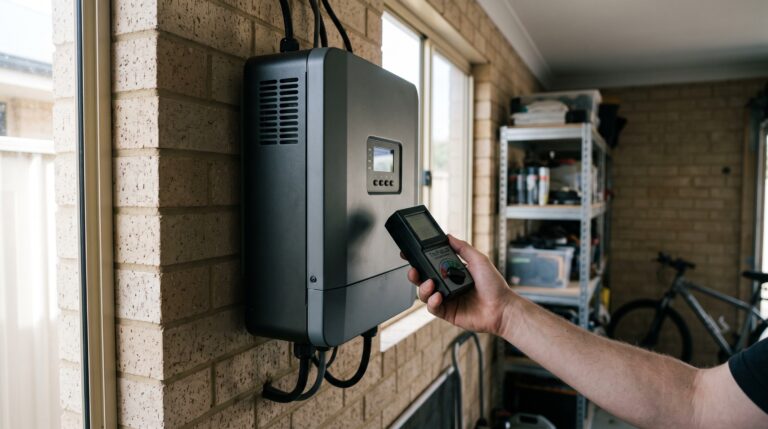
Using a TriField TF2 in RF mode (weighted broadband, 20 MHz to 6 GHz range), I took readings at multiple points in my house with the router in its default position in the home office:
| Location | Distance from Router | RF Reading (mW/m²) | vs Building Biology Guideline |
|---|---|---|---|
| Master bedroom bedhead | 7 m, one wall | 3.058 | 30× over guideline |
| Master bedroom — router OFF (timer) | 7 m, one wall | 0.032 | Below guideline ✓ |
The 0.032 mW/m² residual with the router off came from external sources — a neighbour’s WiFi and a nearby Telstra 4G tower. That residual is well below the 0.1 mW/m² sleeping-area guideline. The point is clear: your own router is the dominant source inside your home, and turning it off eliminates the majority of indoor RF.
If these numbers surprise you, grab a meter and check your own bedroom. The next section explains exactly how wired and wireless compare on every technical metric.
Head-to-Head Comparison: Wired Ethernet vs WiFi
| Criterion | Wired Ethernet (Cat6/6A) | WiFi 6 / 6E Router | What This Means for You |
|---|---|---|---|
| RF Emissions at Endpoint | 0 mW/m² (signal in shielded cable) | 0.5 – 5+ mW/m² within 3 m | Ethernet produces zero RF at your desk or TV |
| Maximum Throughput | 1 Gbps (Cat6) / 10 Gbps (Cat6A) | 300-1,200 Mbps real-world (WiFi 6) | Wired delivers the full speed your NBN plan provides |
| Latency (to router) | 0.5 – 2 ms | 2 – 30 ms (varies with congestion) | Lower latency = smoother gaming, video calls, VoIP |
| Connection Stability | Near-zero packet loss | 0.1 – 3% packet loss typical in congested environments | Ethernet does not drop when the microwave runs or neighbours congest the channel |
| Interference Susceptibility | Shielded cable immune to RF interference | Affected by other WiFi networks, Bluetooth, microwaves, baby monitors | Dense apartment blocks in Sydney CBD, Surfers Paradise, or Melbourne inner suburbs see severe WiFi congestion |
| Security | Physical access required to intercept | WPA3 encrypted but signal extends beyond property boundary | Wired is inherently more secure; no broadcast to intercept |
| Portability | Fixed to cable run locations | Full mobility throughout the home | WiFi wins for phones, laptops on the couch, tablets in bed |
| Installation Difficulty | Moderate (cable runs, wall plates, switch) | Plug in router, connect (already done on most NBN installs) | Wired takes a Saturday afternoon or $200-$500 for a licensed cabler |
EMF Measurement
You cannot reduce what you have not measured.
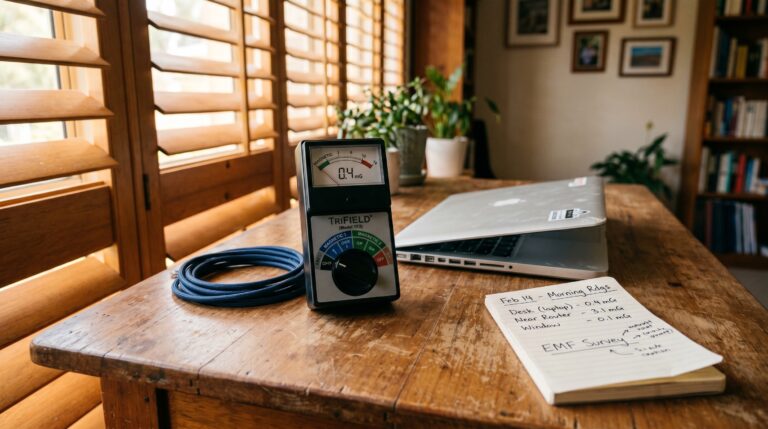
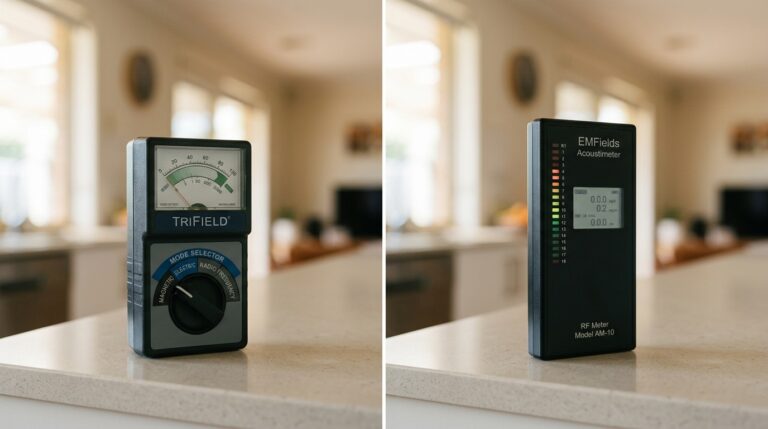
The TriField TF2 measures AC magnetic, AC electric, and RF/microwave fields in a single meter. It is what I use to audit rooms at the Palm Beach house.
See the TriField TF2 Review →The RF Exposure Deep Dive: What the Science and Standards Actually Say
ARPANSA’s Position
ARPANSA’s Radiation Protection Standard for Maximum Exposure Levels to Radiofrequency Fields (RPS 3, based on ICNIRP 2020 guidelines) sets the general public exposure limit at 2.4 GHz to 1,000 µW/cm² — which is 10,000 mW/m² in SI units. A typical home router at 1 metre produces somewhere between 0.5 and 10 mW/m². That is roughly 1,000 to 20,000 times below the ARPANSA limit.
ARPANSA’s stated position is that WiFi routers operating within these limits do not pose a known health risk. Their fact sheet explicitly says: “There is no established evidence that low-level RF EMF exposure from Wi-Fi devices causes health effects.”
The Building Biology Precautionary Framework
The Building Biology Institute (IBN, Germany-based, widely referenced in Australia) takes a different approach. Their SBM-2015 guidelines classify RF exposure in sleeping areas as follows:
| RF Power Density | Building Biology Classification | Context |
|---|---|---|
| < 0.1 mW/m² | No concern | Target for sleeping areas |
| 0.1 – 1.0 mW/m² | Slight concern | Typical bedroom with router 2+ rooms away |
| 1.0 – 10 mW/m² | Severe concern | Typical bedroom with router in adjacent room or same floor |
| > 10 mW/m² | Extreme concern | Router in bedroom or smart home hub on bedside table |
The Building Biology guidelines are precautionary. They are not regulatory law in Australia. But they give you a measurable target that is more conservative than ARPANSA’s thermal-safety limit. My approach: comply with Australian law (easy — every router does) and then reduce toward Building Biology targets where practical and affordable. The data from my Palm Beach house shows this is achievable with a $15 timer and some Ethernet cable.
Why Distance and Duration Both Matter
RF power density follows the inverse square law. Double the distance from the router and the power density drops to one-quarter. This is why moving your router from the bedroom to the far side of the house makes a measurable difference — but it does not solve the problem during sleep, because RF still penetrates multiple internal walls and can reach distant bedrooms at levels above the sleeping-area guideline.
Duration matters because sleeping-area exposure is cumulative over hours. You spend 7-9 hours in bed every night. That is one-third of your life. Even if the power density is “low” by ARPANSA standards, it is the longest continuous exposure you receive from any single source. Reducing that specific exposure window is the highest-value action in any home EMF reduction plan.
The Practical Hybrid Setup: How to Wire Your Home and Still Use WiFi Intelligently
Very few Australian households can eliminate WiFi entirely. Phones, tablets, smart speakers, and IoT devices need it. The goal is not WiFi elimination — it is WiFi control. Here is the systematic approach I use and recommend.
Step 1: Wire Every Fixed Device
Identify every device in your home that does not move. Common examples:
- Desktop PC or iMac
- Smart TV (Samsung, LG, Sony — all have Ethernet ports on the back)
- PlayStation 5, Xbox Series X (both have Gigabit Ethernet ports)
- Network-attached storage (NAS)
- Printer (most have Ethernet)
- NBN modem/router itself (already wired to the NTD)
Each wired connection is one fewer device polling the WiFi radio. Fewer active WiFi clients means the router transmits less often and at lower power.
Step 2: Run the Cable
For a typical 3-bedroom Australian home, you need:
- Cat6 Ethernet cable — 50-100 metres depending on layout. Buy a 100m box from Bunnings or Jaycar for $80-$120. Cat6 supports 1 Gbps at up to 55 metres and 10 Gbps at up to 37 metres. Cat6A extends 10 Gbps to 100 metres but costs more and is stiffer to bend.
- Unmanaged Gigabit switch — a 5 or 8-port TP-Link or Netgear switch ($30-$50) connects to your router via one cable, then distributes to multiple rooms.
- Wall plates and keystone jacks (optional, $5-$8 each) — for a neat finish. Or use surface-mount boxes if you cannot cut into plasterboard.
- Flat Ethernet cable — for renters. Flat Cat6 cable can run under doors, along skirting boards, and under carpet edges with adhesive cable clips. Available in white to match most Australian skirting board colours.
- Cable route — the cleanest path in most single-storey QLD homes is through the roof space. In double-storey homes (common in Sydney’s Hills District or Melbourne’s eastern suburbs), drop cables through internal wall cavities. If you are uncomfortable in a roof space or do not have the tools, a licensed data cabler charges $200-$500 for 3-4 cable runs.
Step 3: Disable WiFi on Wired Devices
This step is frequently missed. When you connect your laptop or PC via Ethernet, the WiFi radio on that device is still transmitting unless you manually disable it. On Windows 11: Settings > Network & Internet > Wi-Fi > toggle Off. On macOS: click the WiFi icon in the menu bar > Turn Wi-Fi Off. This stops the device from broadcasting probe requests and receiving beacon frames.
Step 4: Install a Router Timer
This is the single highest-impact, lowest-cost EMF action in any Australian home. Buy a mechanical outlet timer ($15-$25). Plug your router into it. Set it to turn off at 10:00 PM and back on at 6:00 AM (or whatever matches your sleeping hours).
Result: 8 hours of zero WiFi RF every night. At my Palm Beach house, this dropped the master bedroom reading from 3.058 mW/m² to 0.032 mW/m² — the residual from external sources only. That is a 98.95% reduction for $15.
What You Need to Wire Your Home
Measure first — the TriField TF2 gives you before/after readings so you can verify the reduction is real. Then run shielded Cat6a and eliminate WiFi from fixed devices.
Important: if you have NBN FTTP or HFC, the NTD/connection box stays powered. Only the router turns off. Your NBN connection will re-establish in 30-90 seconds when the timer switches the router back on in the morning. If you have NBN FTTN or FTTC, the modem/router is a single unit — it still works, but reconnection may take 2-3 minutes as the DSL sync re-establishes.
Step 5: Reduce WiFi Power (Optional Advanced Step)
Most aftermarket routers (TP-Link, ASUS, Netgear) allow you to reduce the WiFi transmit power in the admin settings. Dropping from 100% to 50% or 25% power halves or quarters the RF output while still providing adequate coverage for a small home. If your house is under 150 m², you almost certainly do not need full power on either band.
Access your router admin panel (usually 192.168.0.1 or 192.168.1.1), navigate to Wireless Settings > Transmit Power, and reduce it. Test that your phone still connects reliably in the furthest room. This is a free, reversible change.
What About Powerline Adapters and MoCA?
Some people suggest powerline Ethernet adapters (which send data over your home’s existing electrical wiring) as an alternative to running Cat6. Here is my assessment:
Powerline adapters (TP-Link AV1000, etc.): These work, but they introduce high-frequency electrical noise onto your home’s wiring — typically in the 2-86 MHz range. A TriField TF2 in AC electric field mode will show elevated readings near power cables when powerline adapters are in use. This trades RF reduction for increased electric field exposure. I do not recommend them for EMF-conscious households.
MoCA adapters (over coaxial cable): If your home has existing coaxial cable runs from a previous Foxtel or antenna installation, MoCA 2.5 adapters can deliver up to 2.5 Gbps over that coax. The signal stays contained in the shielded coaxial cable, producing negligible EMF. This is an excellent option for homes where coax is already in the walls but Cat6 is not. MoCA adapters cost $100-$150 for a pair in Australia.
My recommendation: Cat6 Ethernet cable is the cleanest solution — it produces zero RF, zero additional electric field noise, and delivers full-speed connectivity. Run Cat6 if you can. Use MoCA as a second choice. Avoid powerline adapters if EMF reduction is your goal.
5-Year Cost Comparison
People assume wired networking is expensive. Here is what it actually costs for a 3-bedroom Australian home with 3 wired drops (TV, office, gaming console) plus a router timer:
| Setup | Upfront Cost (AUD) | Annual Running Cost (AUD) | 5-Year Total (AUD) |
|---|---|---|---|
| WiFi only (status quo) | $0 (router included with NBN) | $0 | $0 |
| WiFi + router timer only | $15 | $0 | $15 |
| DIY wired (Cat6 + switch + timer) | $150 – $220 | $5 (switch electricity) | $175 – $245 |
| Professional cabling (3 runs + switch + timer) | $400 – $700 | $5 (switch electricity) | $425 – $725 |
| WiFi mesh system (Deco, Orbi) | $350 – $600 | $15 – $25 (electricity for 2-3 nodes) | $425 – $725 |
The irony: a WiFi mesh system costs the same as professional Ethernet cabling over five years, but adds more RF sources to your home (each mesh node is an additional transmitter). If you are spending $500 on networking anyway, spend it on cable instead of additional radiation sources.
Decision Tree: Three Questions to Decide
Answer these three questions in order. They will tell you exactly what to do.
Question 1: Have you measured the RF in your bedroom?
If no: Start there. Borrow or buy a TriField TF2 (available on Amazon AU) and take a reading at your pillow height with all devices in their normal state. If the reading is below 0.1 mW/m², your current setup may already be adequate — focus your budget elsewhere. If it is above 0.1 mW/m², proceed to Question 2.
If yes and below 0.1 mW/m²: Your sleeping area is within the Building Biology guideline. A router timer for overnight shutdown is still good practice, but wiring may be a lower priority for you.
If yes and above 0.1 mW/m²: Proceed to Question 2.
Question 2: Can you run Ethernet cable to your fixed devices?
If yes (homeowner or cooperative landlord): Run Cat6 to fixed devices, install a router timer, and disable WiFi on all wired devices. This is the definitive solution. You will reduce RF, increase speed, and improve connection stability simultaneously.
If no (renter with restrictions): Use flat Ethernet cable along skirting boards for your primary workstation. Install a router timer — this requires no modification to the property. Consider a USB-C-to-Ethernet adapter for your work laptop. These three steps address 80%+ of the exposure.
Question 3: Do you need WiFi at all during sleeping hours?
If no: Router timer. $15. 98.95% reduction during sleep. Non-negotiable recommendation.
If yes (night shift worker, security cameras, smart home): Explore whether your security cameras support wired PoE (Power over Ethernet) — most Reolink and Hikvision models do. If you must keep WiFi on for specific devices overnight, reduce the transmit power to minimum in the router settings and move the router as far from bedrooms as physically possible. Consider a shielded canopy for the bed as a secondary measure, but only after you have verified with a meter that the primary source is external to the room (the shielding trap — if the source is inside the room, a canopy makes exposure worse by reflecting RF inward).
Common Objections (And the Data Response)
“WiFi is too convenient to give up”
You are not giving it up. You are wiring the devices that do not need WiFi and turning the router off when you are asleep. You still use WiFi on your phone during waking hours. The convenience loss is zero. The RF reduction during your longest continuous exposure window (sleep) is 98%+.
“Running cable is too hard / too expensive”
A 100m box of Cat6 from Bunnings costs $80-$120. A crimping tool costs $25. A Gigabit switch costs $35. Total: under $180. If you can hang a picture frame, you can run Ethernet cable along a skirting board with adhesive clips. For in-wall runs, a licensed cabler charges $60-$80 per cable run on average.
“The ARPANSA limit says WiFi is safe”
The ARPANSA limit prevents acute thermal injury. It does not claim to evaluate chronic low-level exposure during sleep. ARPANSA itself states in its fact sheet that it monitors ongoing research. Whether you find the current evidence for sub-thermal effects convincing is your decision. What I am offering is a measurement and a low-cost method to reduce that measurement. You can decide for yourself whether the reduction is worth $15 and a Saturday afternoon.
“5 GHz is safer because it doesn’t penetrate walls”
Partly true. 5 GHz signals attenuate more through walls than 2.4 GHz, which means less RF reaches distant bedrooms. However, 5 GHz routers are permitted higher EIRP (up to 1,000 mW vs 200 mW for 2.4 GHz), so the source power is higher. At close range (same room), 5 GHz exposure can actually be higher. And most routers broadcast on both bands simultaneously. Disabling the 2.4 GHz band and relying on 5 GHz only can help reduce exposure in distant rooms, but it is not a substitute for a timer or wired connections.
“WiFi 7 will be different”
WiFi 7 (802.11be) routers are entering the Australian market in 2025-2026. They use wider channels (320 MHz on 6 GHz) and higher-order modulation, which means faster data transfer. But the physics of RF emission are unchanged. The router still broadcasts beacon frames continuously. The transmit power is still in the same regulatory range. WiFi 7 is faster WiFi, not lower-emission WiFi. The wired-vs-wireless EMF comparison does not change with the standard.
Special Considerations for Australian Homes
Apartment Buildings (Sydney, Melbourne, Brisbane CBD)
If you live in an apartment, your RF environment includes your neighbours’ routers. In dense buildings in Surry Hills, South Yarra, or Fortitude Valley, RF from neighbours’ WiFi can bleed through shared walls and remain a significant source even with your own router off. In these environments, turning off your own router helps (it is still usually the strongest single source), but you may need RF shielding paint on shared walls or a bed canopy to reach the Building Biology sleeping target. Always measure before purchasing shielding.
Queenslander and Timber-Frame Homes
Traditional Queenslander homes (raised timber frame, VJ walls, tin roof) provide almost zero RF attenuation. WiFi signals pass through timber walls with minimal loss. This means your router signal reaches every room at near-full strength, but it also means external signals from neighbours or cell towers enter freely. In these homes, a router timer provides a huge reduction because your own router dominates the indoor environment. I measured this firsthand at Palm Beach — a timber-frame house on the Gold Coast.
Brick Veneer Homes (Melbourne, Adelaide, Perth)
Double-brick and brick veneer construction (standard in Melbourne, Adelaide, and Perth) attenuates RF by roughly 6-10 dB per wall, depending on thickness and mortar. This means WiFi reaches bedrooms at lower levels — but it also means you may need a WiFi extender or mesh node for coverage, which adds another RF source. Wired Ethernet sidesteps this entirely: full speed to every room without additional transmitters.
Home Offices Post-COVID
The ABS reports that 37% of employed Australians regularly work from home as of 2024. If your home office is in a bedroom or near a bedroom, the WiFi router you are relying on for work is also your highest overnight RF source. Wiring your work PC via Ethernet gives you faster, more stable video calls during the day and lets you turn the router off confidently at night knowing your wired devices do not need it.
What About Bluetooth and Smart Devices?
WiFi is not the only RF source in your bedroom. Common contributors:
| Device | RF Technology | Typical RF Output | Mitigation |
|---|---|---|---|
| Smartphone on bedside table | WiFi + Bluetooth + 4G/5G cellular | 0.5 – 3.0 mW/m² at 30 cm | Airplane mode (free) or leave in another room |
| Smart speaker (Alexa, Google Home) | WiFi (always on, listening) | 0.3 – 1.5 mW/m² at 1 m | Remove from bedroom entirely |
| Smartwatch (Apple Watch, Fitbit) | Bluetooth LE + WiFi | Low (BLE is ~1 mW transmit) | Airplane mode during sleep or charge outside bedroom |
| Baby monitor (WiFi type) | WiFi 2.4 GHz | 0.5 – 2.0 mW/m² at 1 m | Use a wired camera with PoE, or move WiFi monitor to max distance from cot |
The point: wiring your Ethernet and adding a router timer addresses the largest single source. But if you then sleep with your phone on the bedside table with WiFi and Bluetooth active, you have replaced one source with another at an even closer distance. The full protocol is: router timer + phone in airplane mode + no smart speakers in the bedroom. This trio of actions costs $15 total and covers the three highest-output RF sources in a typical Australian bedroom.
Wired Ethernet for Australian NBN Connection Types
Your NBN connection type affects how you implement wired networking. Here is a quick reference:
| NBN Type | Router Situation | Timer Compatible? | Wired Setup Notes |
|---|---|---|---|
| FTTP (Fibre to the Premises) | NTD is separate from router | Yes — timer on router only, NTD stays powered | Cleanest setup: NTD > Cat6 > switch > rooms. Can use BYO router with WiFi disabled entirely if desired. |
| FTTC (Fibre to the Curb) | NCD is separate from router | Yes — timer on router, NCD stays powered | Similar to FTTP. NCD must remain on for connection to maintain. |
| HFC (Hybrid Fibre Coaxial) | NTD separate from router | Yes — timer on router, NTD stays powered | HFC NTD has one Ethernet out. Connect to switch or router in wired mode. |
| FTTN/FTTB (Fibre to the Node/Building) | Modem/router is a single unit (VDSL2) | Yes, but DSL resync takes 2-3 min on restart | Timer still works for overnight shutdown. Wired Ethernet ports on the modem/router function the same. |
| Fixed Wireless NBN | Outdoor antenna + indoor router | Yes on indoor router; outdoor antenna stays on | The outdoor antenna is an RF source but it is on the roof/eave, far from bedrooms. Focus on indoor router control. |
Regardless of your NBN type, the Ethernet ports on your router or NTD work identically. Plug in, connect to switch, distribute to rooms. The NBN type only affects whether you can safely timer the router without losing a separate modem connection.
Shopping List: What You Need for a DIY Wired Setup
Here is the exact list I recommend for a typical 3-bedroom Australian home wanting to wire a home office, lounge room TV, and one other location:
| Item | Approx. AUD (2026) | Where to Buy |
|---|---|---|
| Cat6 UTP cable, 100m box | $80 – $120 | Bunnings, Jaycar, 4Cabling |
| Cat6 keystone jacks (6 pack) | $15 – $25 | 4Cabling, Amazon AU |
| Wall plates (3 pack) | $10 – $15 | Bunnings, Jaycar |
| TP-Link TL-SG108 8-port Gigabit switch | $35 – $50 | Officeworks, Amazon AU |
| RJ45 crimp tool + connectors (20 pack) | $25 – $40 | Jaycar, Amazon AU |
| Mechanical timer (Bunnings HPM brand) | $12 – $18 | Bunnings |
| Cable clips / adhesive raceways | $5 – $15 | Bunnings |
| TOTAL | $182 – $283 |
That is less than the cost of a mid-range WiFi mesh system — and it delivers better speeds, zero RF at endpoints, and a permanent improvement to your home’s infrastructure that adds value if you sell the property.
Measuring the Results: Before and After Protocol
Do not take my word for it. Measure your own home. Here is the protocol I follow:
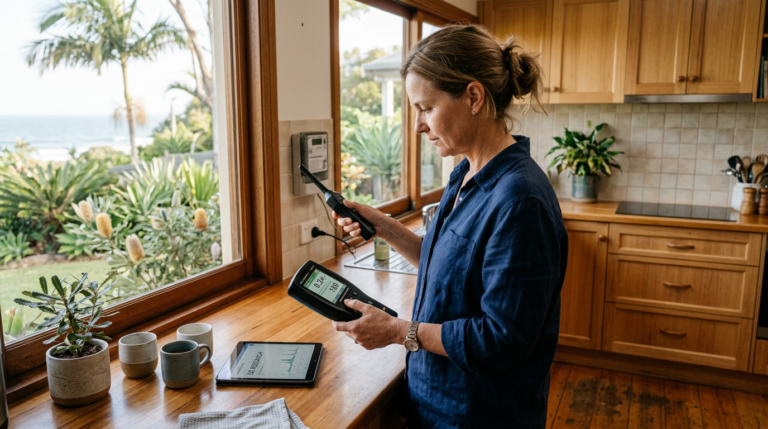
- Baseline measurement: Turn on all devices as normal. Walk through the house with your RF meter (TriField TF2 in RF mode or a Safe and Sound Pro II for greater sensitivity). Record readings at pillow height in each bedroom, at your desk, and in the lounge room. Note the peak and average at each location.
- Router-off measurement: Unplug the router (not just disable WiFi in settings — physically unplug it). Wait 30 seconds. Repeat the same measurement path. The difference between Step 1 and Step 2 tells you exactly how much of your indoor RF comes from your own router.
- Post-wiring measurement: After installing Ethernet and the router timer, repeat the measurement during timer-off hours. Compare to your baseline. You should see readings similar to the router-off measurement.
- Device check: With the router off, put your phone on the bedside table (not in airplane mode). Measure at pillow height. The phone’s cellular and Bluetooth radios are still transmitting. This shows you the residual device-level RF. Then switch the phone to airplane mode and measure again. Record the difference.
This protocol takes 20 minutes. It gives you hard numbers, not opinions. If you want a detailed walkthrough with photos and interpretation guidance, read our full EMF measurement guide.
Final Verdict
Wired Ethernet is measurably superior to WiFi on speed, latency, stability, security, and RF exposure at the endpoint. The only advantage WiFi holds is portability for phones and tablets — devices that lack Ethernet ports and are used throughout the home.
The optimal Australian home network in 2026 is a hybrid: Cat6 Ethernet to every fixed device, WiFi available for mobile devices during waking hours, and a $15 mechanical timer shutting the router off during sleep. This combination gives you the best of both worlds — full internet functionality during the day and a measured, verified RF reduction of 98%+ in your sleeping environment at night.
If you do only one thing after reading this article, buy a outlet timer and plug your router into it tonight. Set it to turn off at your bedtime. That single action — zero technical skill required — will reduce your bedroom RF exposure more than any other purchase you can make. Then, when you are ready, run some Cat6 cable on a Saturday afternoon and start removing WiFi
Frequently Asked Questions
Does wired Ethernet actually reduce RF exposure in my bedroom?
Yes, measurably. A 2.4 GHz WiFi router at 3 metres produces 50-300 µW/m2 in a typical Australian home. Switching fixed devices to wired Ethernet and using a timer to turn the router off at bedtime routinely reduces bedroom RF to below 1 µW/m2 — a 98%+ reduction. Verify with a TriField TF2 before and after.
What Cat6 cable should I buy for an Australian home?
Standard Cat6 (unshielded) handles 1 Gbps up to 55 metres and suits most home runs. For runs near power cables or smart meters, use shielded Cat6a (STP). Shielded Cat6a requires a grounded switch or router port to be effective — confirm your equipment has STP-compatible ports before buying.
Can I still use WiFi for my phone and tablets after switching to wired?
Yes. Keep WiFi available for mobile devices during waking hours and use a $15 mechanical outlet timer to shut the router off automatically during sleep. This gives phones and tablets full connectivity during the day while eliminating router RF in the bedroom at night.
Does NBN affect whether I should use wired or WiFi?
No. Regardless of NBN technology — FTTP, FTTN, FTTC, HFC, or Fixed Wireless — your router still distributes the connection internally. Wired Ethernet from your router to fixed devices reduces RF regardless of which NBN connection type you have.
Is powerline networking (HomePlug) a good alternative to Ethernet cable?
Powerline adapters use existing electrical wiring to carry network data, which is useful where running Cat6 is impractical. However, they generate dirty electricity on your home’s power circuits, adding ELF-MF exposure — a different EMF type from WiFi RF. For EMF-conscious households, MoCA adapters (using coaxial TV cable) are a cleaner alternative where coax runs already exist.
How do I measure EMF from my router?
Use a broadband RF meter — the TriField TF2 measures RF, AC magnetic, and AC electric fields; the Safe and Sound Pro II is RF-only with higher sensitivity. Record the peak reading at the router, then at your sleeping position with WiFi on and off. The difference is your RF reduction from switching to wired. Building Biology precautionary guidelines suggest keeping sleeping area RF below 0.1 mW/m2.
What is the ARPANSA standard for WiFi router RF emissions?
ARPANSA sets the public RF exposure standard at 1,000 µW/cm2 at 2.4 GHz — a thermal safety limit, not a precautionary one. A standard home WiFi router at 3 metres typically measures 0.001-0.03 µW/cm2, well below the ARPANSA limit. The Building Biology SBM-2015 precautionary guideline for sleeping areas is 0.0001 µW/cm2.
Does switching to wired internet improve internet speed?
Yes, consistently. Wired Ethernet delivers lower latency (1-5 ms vs 20-50 ms for WiFi), zero packet loss under normal conditions, and stable throughput. For Australian households on FTTP or HFC NBN above 100 Mbps, wired remains more reliable than WiFi for gaming, video calls, and large file transfers.
Get the Australian Home Environment Checklist
30 checks across water, air and EMF. Most of them free. Ranked by impact.
No spam. Unsubscribe any time.

Former Royal Australian Navy Clearance Diver and TAG-E counter-terrorism operator. Founded Clean and Native to apply the same rigorous thinking to the home environment.
Full biography →