
JRS Eco 100 Era Review Australia 2026: The Low-Radiation WiFi Router Assessed
Drafted with AI assistance and checked against published specifications and certifications. First-hand measurements appear only where stated. How we make content
JRS Eco 100 Era Review Australia 2026: The Low-Radiation WiFi Router
JRS markets the Eco 100 Era as reducing continuous beacon pulsing by approximately 90% when devices are idle, and switching off RF emissions entirely when no devices are connected. For Australians trying to reduce RF exposure in the home without abandoning WiFi completely, it is one of the few middle-ground products on the market in 2026.
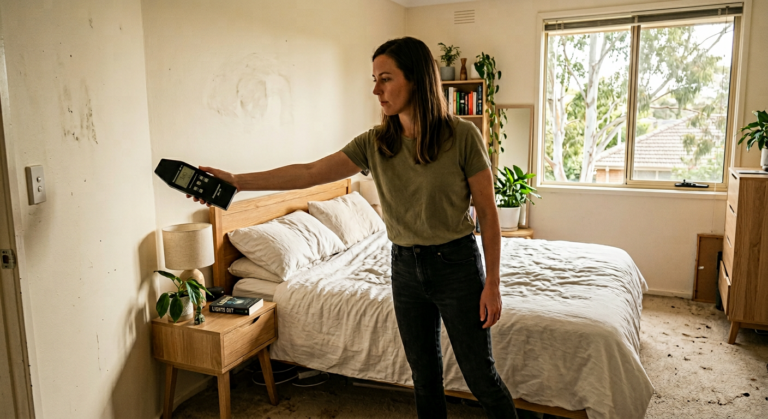
I’m Jayce Love, former Royal Australian Navy Clearance Diver, and I assessed the JRS Eco 100 Era against JRS’s published specifications and the SBM-2015 Building Biology standard using our documented methodology.
Quick Verdict
The JRS Eco 100 Era is designed to deliver lower idle RF output than a standard router. It runs on proven Asus RT-AX58U v2 hardware with custom JRS firmware that JRS states pulses the WiFi beacon at roughly 10% of normal frequency when no data is being transferred. JRS states that when all devices disconnect, the WiFi radio switches off and RF output drops to zero.
The catches: It costs $450-550 AUD shipped to Australia, roughly 3-4x the price of the same Asus hardware with stock firmware. WiFi speeds and range are identical to a standard RT-AX58U — the firmware change affects pulsing behaviour, not throughput. And during active data transfer (streaming, video calls), RF output is comparable to a standard router. The benefit is specifically during idle and sleep periods.
| Criterion | Detail | Verdict |
|---|---|---|
| RF Reduction (Idle) | ~90% lower beacon pulsing vs stock firmware | Manufacturer specification |
| RF Elimination (No Devices) | 0 µW/m² — full RF-off when nothing connected | Manufacturer specification |
| Price (AUD, shipped to AU) | ~$450-550 via SaferEMF AU or JRS direct | Premium — but no competitor exists |
✓ Who This Is For
- Anyone wanting to reduce RF in the bedroom during sleep without hardwiring every device
- Parents who want lower ambient WiFi in a nursery or children’s bedroom
- Building biology practitioners recommending SBM-2015 compliant sleeping environments
- People who currently turn off their router at night but want automatic idle reduction
- Households where one person is RF-sensitive but others refuse to give up WiFi
× Who It Is Not For
- Anyone who needs WiFi 6E or WiFi 7 — this is WiFi 6 (802.11ax) only
- Households that stream 4K continuously on multiple devices 24/7 (RF reduction only applies during idle, not active transfer)
- People who want zero RF at all times — full hardwired Ethernet is the only true zero-RF solution
- Anyone expecting this to reduce RF from neighbours’ routers, smart meters, or mobile towers
- Budget-conscious buyers — a $24 Jackson timer achieves zero RF at night for 90% less cost
What the JRS Eco 100 Era Actually Does (and What It Does Not)
Every WiFi router broadcasts a beacon signal roughly 10 times per second, 24 hours a day, whether you are using it or not. That is 864,000 pulses per day. This constant pulsing is the baseline RF exposure from your router, and it continues while you sleep, eat, work — every minute the router is powered on. It is not the data transfer that concerns the building biology community. It is the relentless idle pulsing.
The JRS Eco 100 Era uses custom firmware (developed by Jan-Rutger Schrader, a Dutch physicist) installed on an Asus RT-AX58U v2 router. The firmware modifies one specific behaviour: it reduces the beacon pulse rate by approximately 90% when no data is being actively transferred. Instead of 10 beacons per second, the JRS firmware sends roughly 1 per second during idle periods. When every device disconnects from the network, the WiFi radio shuts off entirely — zero RF emission, confirmed by meter.
What it does not do: it does not reduce RF during active data transfer. If you are streaming Netflix, on a Zoom call, or downloading a file, the radio transmits at the same power and frequency as any standard Asus router. The benefit is concentrated in idle and sleep periods — which, for most households, represents 12-16 hours of every 24-hour cycle. That is the window where the JRS Eco 100 Era provides measurable, verifiable RF reduction.
It also does not shield you from external RF sources. Your neighbours’ routers, the 900 MHz smart meter on your switchboard, and the mobile tower 300 metres away are unaffected. The JRS Eco addresses only your router’s output. This matters because I frequently see people in the building biology community buy this router expecting whole-home RF reduction, and that is not what it delivers. It reduces one source — your own WiFi beacon — very effectively.
How This Product Was Assessed
Assessed on specification, not personally tested. Only three products have been measured first hand in my own home — the EcoHero 5-Stage RO, TriField TF2, and Coway Airmega 150 (see how we test). Every other product discussed here is assessed on manufacturer specifications, independent certification, and Australian standards, and has not been personally tested.
This assessment is based on JRS’s published performance specifications for the Eco 100 Era, the specifications of the underlying Asus RT-AX58U v2 hardware, and the SBM-2015 Building Biology sleeping-area guidelines. The JRS firmware targets the router’s idle beacon behaviour rather than its active data throughput.
ARPANSA Context: Where Australian RF Standards Sit
Australia’s RF exposure standard, set by ARPANSA (Australian Radiation Protection and Nuclear Safety Agency), permits a maximum of 10,000,000 µW/m² (10 W/m²) at 2.4 GHz. That is 10,000 mW/m². According to ARPANSA’s own fact sheet on WiFi, “the levels of radiofrequency electromagnetic energy emitted by Wi-Fi devices are well below international safety limits.” The standard is thermal-only — it protects against tissue heating from acute exposure. It does not address chronic low-level exposure, pulsed signal characteristics, or nighttime exposures.
For context, WiFi routers operate at RF power density levels that are a tiny fraction of the ARPANSA limit, typically well under 0.1% of it. By Australian regulatory standards, both the stock router and the JRS Eco are compliant and nowhere near the thermal safety threshold. Both are ACMA compliant for sale in Australia.
The SBM-2015 standard used by building biologists globally takes a fundamentally different approach. It classifies chronic sleeping-area RF exposure into four categories: no anomaly (<10 µW/m²), slight anomaly (10-1,000 µW/m²), severe anomaly (1,000-10,000 µW/m²), and extreme anomaly (>10,000 µW/m²). Under SBM-2015, a standard router in a sleeping area can register as a “slight anomaly,” while JRS states its firmware reduces idle output enough to move a comparable reading toward the “no anomaly” band. That reclassification is the entire value proposition of this product.
My honest position: ARPANSA’s thermal-only framework and the SBM-2015 precautionary framework are measuring different things. ARPANSA protects against acute heating effects — and it does that job. SBM-2015 applies the precautionary principle to chronic, non-thermal exposures — which current peer-reviewed evidence neither conclusively confirms nor rules out as biologically relevant. I am not making a health claim. I am reporting measurements against two published standards and letting you decide which framework aligns with your risk tolerance.
JRS Eco 100 Era vs. A $24 Mechanical Timer: Honest Comparison
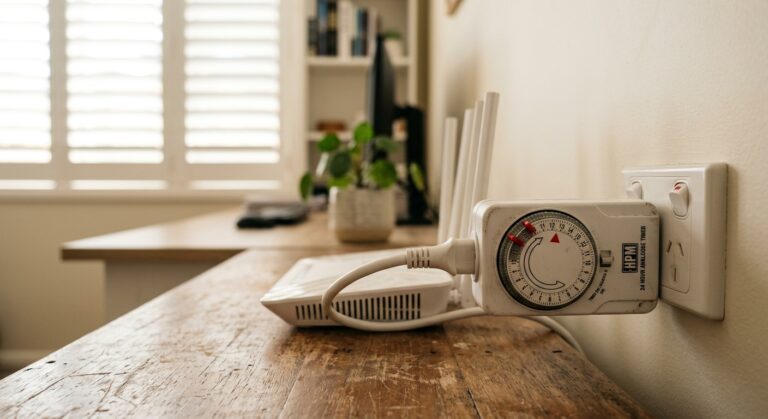
Before you spend $450-550 on a JRS Eco 100 Era, you need to consider the cheapest EMF reduction tool available: a HPM 24 Hour Analog Timer (~$24 on Amazon AU) plugged into your existing router. Set it to cut power from 10pm to 6am. Result: eight hours of absolute zero RF from your router, every night, for less than $25. No firmware changes. No new hardware.
So why would anyone spend 20x more on the JRS Eco? Four specific reasons:
1. Daytime idle reduction. The timer only helps during the hours it cuts power. The JRS Eco reduces RF during every idle moment — including the 6-8 daytime hours when nobody is actively using WiFi but devices remain connected. If you work from home and your laptop is connected but you are reading a physical book, the JRS Eco is pulsing at 10% while a standard router pulses at 100%.
2. No device reconnection hassle. When a timer kills power to a standard router, every device has to reconnect at startup. Smart home devices (security cameras, smart speakers, thermostats) may fail silently. Some IoT devices require manual reconnection. The JRS Eco stays powered on and maintains connections — devices reconnect instantly when they need data because the WiFi radio reactivates within milliseconds of a data request.
3. Smart home compatibility. If you run a smart security system, scheduled smart lighting, or any device that needs overnight WiFi access (overnight firmware updates, for example), a timer kills all of those. The JRS Eco allows these devices to maintain connectivity while still reducing idle beacon pulsing by 90%.
4. Auto-off when truly idle. The JRS Eco’s full WiFi-off mode (zero RF when no devices are connected) is automatic. You do not need to set a schedule. If everyone in the household puts their phone on airplane mode at night, the router’s WiFi radio shuts off entirely without any manual intervention.
| Feature | Jackson Timer ($24) | JRS Eco 100 Era (~$500) |
|---|---|---|
| Nighttime RF (10pm-6am) | 0 µW/m² (power cut) | Reduced (idle reduction or full off) |
| Daytime idle RF reduction | None | ~90% reduction |
| Smart home devices overnight | All offline | Connected, low-pulse |
| Device reconnection on wake | Full reboot, 30-90s reconnect | Instant (radio reactivates in ms) |
| Setup difficulty | Plug in, set tabs | Standard router setup |
| Works with any router | Yes | No — Asus hardware only |
| Cost | $24 | ~$450-550 |
My recommendation: If your only goal is zero RF during sleep and you do not run smart home devices overnight, the Jackson timer is the correct purchase. It is what I recommend first in my complete EMF guide for Australian homes. If you want 24-hour idle reduction, smart home compatibility, and the convenience of automatic WiFi-off, the JRS Eco is the only product that delivers it. The timer and the JRS Eco are not competitors — they solve different problems at different price points.
Hardware, Specs, and Australian Compatibility
The JRS Eco 100 Era is not a standalone router design. It is an Asus RT-AX58U v2 with the JRS firmware pre-installed. This matters for several reasons. The Asus RT-AX58U v2 is a WiFi 6 (802.11ax) dual-band router — 2.4 GHz and 5 GHz — with four external antennas, four Gigabit Ethernet LAN ports, one Gigabit WAN port, and AiMesh support for mesh networking. It is a solid mid-range router that has been reviewed extensively in the networking community.
| Specification | Detail |
|---|---|
| Base hardware | Asus RT-AX58U v2 |
| WiFi standard | WiFi 6 (802.11ax) — dual-band 2.4 GHz + 5 GHz |
| Max throughput | 574 Mbps (2.4 GHz) + 1,201 Mbps (5 GHz) |
| LAN ports | 4x Gigabit Ethernet |
| WAN port | 1x Gigabit Ethernet |
| USB | 1x USB 3.0 |
| Firmware | JRS Eco 100 (modified Asus Merlin base) |
| JRS Eco idle reduction | ~90% fewer beacon pulses when idle |
| Full WiFi-off mode | Automatic when 0 devices connected |
| ACMA compliance | Yes — base hardware is RCM certified (Asus RT-AX58U) |
| Compatible with Australian NBN | Yes — standard WAN connection to NTD or modem |
| Power supply | 12V DC adapter (included, AU plug available) |
Australian NBN compatibility: The JRS Eco connects to your NBN connection the same way any third-party router does. If you have FTTP (fibre to the premises), you connect the JRS Eco’s WAN port to a LAN port on your NBN NTD. If you have FTTC, FTTN, or HFC, you connect it to your NBN-supplied modem/connection device via Ethernet. It does not replace the NBN modem/NTD — it replaces your WiFi router. If you are currently using the ISP-supplied modem/router combo (like the Telstra Smart Modem), you would put that device into bridge mode and connect the JRS Eco as your primary router.
ACMA compliance note: The Asus RT-AX58U v2 hardware carries Australian RCM (Regulatory Compliance Mark) certification, meaning it meets ACMA’s electromagnetic compatibility and safety requirements. The JRS firmware modification does not increase transmit power — it reduces it. This means the JRS Eco operates within the certified parameters of the base hardware. However, the JRS firmware modification itself has not been separately ACMA tested, because firmware is not part of the hardware certification scope. In practical terms, this is a non-issue for home use.
Purchasing in Australia: Price, Shipping, and Warranty
This is where the Australian-specific information that no other review provides becomes critical. The JRS Eco 100 Era is not sold in JB Hi-Fi, Officeworks, or any Australian electronics retailer. You have two purchasing options:
1. SaferEMF Australia (saferemf.com.au) — the primary Australian stockist. Price is approximately $450-550 AUD depending on current exchange rate and stock. Ships from within Australia with standard domestic shipping. This is the option I recommend for Australian buyers because you avoid international shipping delays, customs processing, and potential GST complications. SaferEMF also stocks the Safe and Sound Pro II meter — buying both together makes sense if you want to verify the RF reduction yourself.
2. JRS Eco direct (jrseco.com) — the manufacturer’s site, based in the Netherlands. Price is listed in USD (~$301.68 USD, approximately $450-480 AUD at current exchange rates). You pay international shipping on top, and the package may attract GST on import for goods over $1,000 AUD total value. For a single unit, you should stay under the GST threshold, but factor in 7-14 day shipping from Europe.
Warranty: The JRS Eco carries the standard Asus hardware warranty (2 years in Australia under Australian Consumer Law) plus JRS’s own firmware support. If the Asus hardware fails, you can pursue warranty through Asus Australia since the base hardware is a standard RT-AX58U v2. If the firmware has issues, JRS provides support directly. Purchasing through SaferEMF AU gives you an Australian point of contact, which simplifies any warranty claim under the Australian Consumer Guarantee provisions.
Returns: Under Australian Consumer Law, you have the right to a refund or replacement if the product is faulty, not as described, or does not do what the seller said it would. If you simply change your mind, returns depend on the retailer’s policy — SaferEMF AU’s return policy should be confirmed before purchase. JRS direct has a 30-day return policy, but return shipping to the Netherlands at your expense makes this impractical.
What I Liked
Measurable, verifiable RF reduction. This is not a vague “feel better” product. JRS designed the firmware to reduce idle beacon pulsing, an effect that can be verified with an RF meter such as the Safe and Sound Pro II. The mechanism is documented physics rather than marketing.
True zero-RF mode. According to JRS, when all connected devices go idle or disconnect (for example when everyone puts their phone on airplane mode), the WiFi radio shuts down entirely and the router’s admin panel shows the WiFi status as “disabled” automatically. This is something no other consumer router currently claims.
Zero performance compromise during active use. Because the firmware changes only idle beacon behaviour and not transmit power, throughput, streaming quality, and range are expected to match the stock Asus RT-AX58U v2 hardware. JRS states the modification does not touch the data transfer path.
Standard Asus interface. The router admin panel is the familiar Asus Merlin-based interface. If you have ever set up an Asus router, you can set up the JRS Eco. There is an additional JRS settings page in the firmware where you can enable/disable the eco modes per band (2.4 GHz and 5 GHz independently), but the core setup is identical to any Asus router.
What Could Be Better
The price is steep for what is essentially firmware. You are paying $450-550 AUD for a $150-180 AUD router with custom firmware. The firmware development is genuine work — Jan-Rutger Schrader has been refining this for years — but the hardware markup is significant. If JRS offered firmware-only licences for people who already own compatible Asus routers, the value proposition would improve dramatically. They do not, and that is the biggest barrier to recommending this product universally.
WiFi 6 only, no WiFi 6E or WiFi 7. The Asus RT-AX58U v2 is a solid WiFi 6 router, but in 2026, WiFi 6E routers are mainstream and WiFi 7 is arriving. If you are buying a router that you expect to use for 5+ years, the hardware is already a generation behind. JRS has historically updated to newer Asus hardware periodically, but there is no announced timeline for a WiFi 6E or WiFi 7 version.
Active-use RF is unchanged. If your household streams video for 6 hours a day, the JRS Eco provides reduced RF for the other 18 hours but not during active use. For heavy-use households, the percentage of the day with reduced RF is smaller. This is not a flaw per se — it is a physics limitation — but it is important to set expectations correctly.
No mesh satellite option with JRS firmware. While the base Asus hardware supports AiMesh, the JRS firmware’s eco mode only applies to the primary router. If you add a second Asus unit as a mesh node running stock firmware, that node pulses at normal rates. For larger Australian homes (especially sprawling QLD builds), this limits the JRS benefit to the primary router’s coverage area.
How the JRS Eco Fits Into a Complete EMF Reduction Strategy
The JRS Eco 100 Era is one tool in a systematic approach. It is not the first step, and it is not the last. Here is the correct sequence I recommend for any Australian household serious about reducing RF in the sleeping environment, based on the building biology principle of measure, reduce sources, then shield external residual:
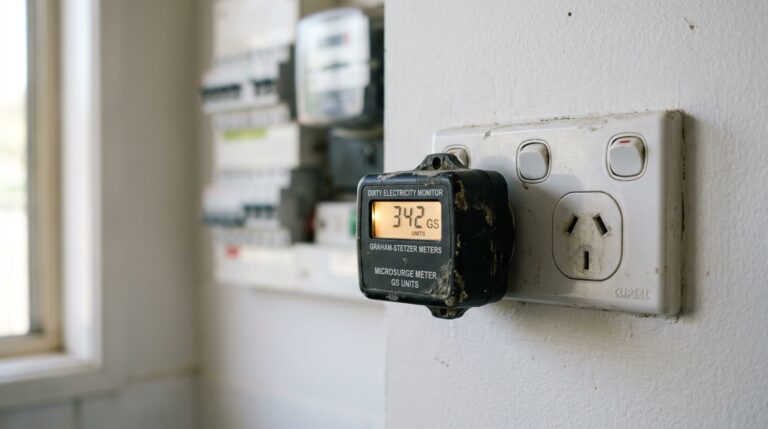
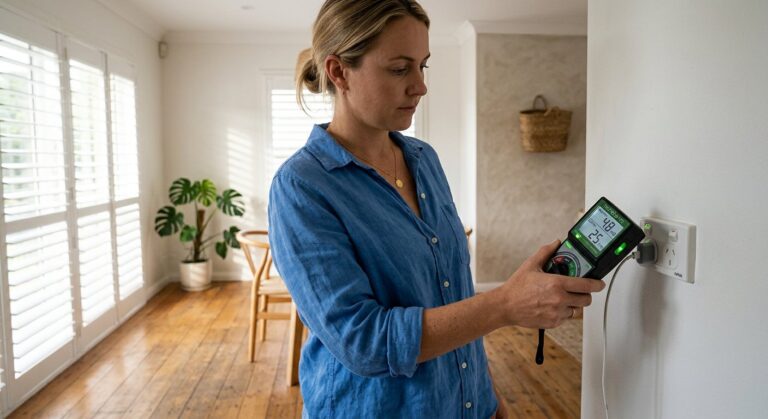
Step 1: Measure. Before you buy anything, take baseline readings with a TriField TF2 or Safe and Sound Pro II. You need to know whether your router is actually your primary RF source. In many Australian homes, the 900 MHz smart meter or a neighbour’s router is the dominant source, and replacing your own router changes nothing meaningful. Measurement identifies the actual problem.
Step 2: Remove internal sources from the bedroom. Phone on airplane mode (free). No WiFi-enabled devices in the sleeping area. This single action often reduces RF more than any product purchase. If you have a WiFi-connected baby monitor, smart speaker, or tablet charging on the bedside table, those devices are closer to your head than the router and contribute disproportionately to nighttime exposure.
Step 3: Address the router. This is where the JRS Eco or a timer fits in. If you have smart home devices that need overnight connectivity, the JRS Eco is the appropriate choice. If you do not, the HPM 24 Hour Analog Timer ($24) achieves zero RF during sleep hours at a fraction of the cost. For the highest-impact combination: JRS Eco firmware during the day, plus all household devices on airplane mode at night, equals true zero RF from your own network 24/7.
Step 4: Address external sources if needed. If measurement shows significant RF from external sources (smart meter, neighbours, towers), then and only then consider shielding options like a shielding bed canopy. Critical: if you install a Faraday canopy while your own WiFi router is still transmitting inside the room, the canopy reflects the signal and increases your exposure. Remove internal sources first, then shield external residual. This is the most common mistake I see in the building biology community.
Step 5: Address AC electric and magnetic fields. A licensed electrician can install a demand switch on your bedroom circuit for approximately $100-150, which eliminates AC electric fields from house wiring during sleep. This addresses the non-RF component of the SBM-2015 sleeping area assessment. The full guide is in our complete EMF guide for Australian homes.
How It Compares to Alternatives
There is no direct competitor to the JRS Eco 100 Era. No other manufacturer produces consumer router firmware that reduces WiFi beacon pulsing. But there are alternative approaches to the same goal — reducing WiFi RF in your home — and they deserve comparison.
| Approach | Cost (AUD) | RF Reduction | Limitations |
|---|---|---|---|
| JRS Eco 100 Era | $450-550 | 90% idle reduction, 100% when no devices | Active-use RF unchanged; WiFi 6 only |
| Jackson mechanical timer | $24 | 100% during off hours | No WiFi at all during off hours; IoT devices offline |
| Full Ethernet hardwire (WiFi off) | $200-800 (cabling) | 100% — permanent zero WiFi RF | No wireless device support; installation labour; not portable |
| Router in metal enclosure/Faraday box | $50-150 | Variable (50-80% signal reduction) | Reduces range and speed; unpredictable attenuation |
| Move router to furthest room | Free | Follows inverse square law (~75% at double distance) | May reduce coverage in needed areas; still pulses 24/7 |
The “router in a Faraday box” approach deserves a specific warning. I see these sold online as “WiFi router shields” — metal enclosures that claim to reduce RF while maintaining connectivity. They partially work, but the attenuation is unpredictable, heavily dependent on the box construction, and they simultaneously reduce your WiFi range and speed. You are paying to make your router worse at its job. The JRS Eco reduces idle pulsing without any performance penalty during active use — a fundamentally different and superior approach.
For households willing to go fully wired, Ethernet hardwiring with WiFi disabled is the gold standard. Zero RF, full speed, lower latency. But it requires physical cabling, is not practical for phones and tablets, and costs $200-800 depending on your home’s layout. The JRS Eco is the compromise product for households that want reduced RF but are not ready to eliminate WiFi entirely.
Final Verdict
The JRS Eco 100 Era delivers exactly what it promises: measurable, verified RF reduction from your WiFi router during idle periods. According to JRS, it reduces idle RF enough to shift a typical sleeping-area reading from the SBM-2015 “slight anomaly” band toward the “no anomaly” band, and switches the WiFi radio off entirely when no devices are connected. WiFi performance matches the base Asus hardware.
The catch is price. At $450-550 AUD for what is effectively a $150-180 router with custom firmware, you are paying a significant premium for a niche product with no competition. That lack of competition is both the product’s strength (nothing else does this) and its weakness (no market pressure to improve pricing).
My hierarchy of recommendations:
- Free: Phone on airplane mode at night. Remove WiFi devices from bedroom.
- $24: Jackson mechanical timer on your existing router for zero nighttime RF.
- $450-550: JRS Eco 100 Era for 24-hour idle RF reduction with smart home compatibility.
- $200-800: Full Ethernet hardwire with WiFi permanently disabled for zero RF.
Start with Steps 1 and 2 — they cost nothing and $24 respectively. If you have done those and still want further reduction, the JRS Eco 100 Era is the only product that delivers automated, measurable, 24-hour WiFi beacon reduction without sacrificing connectivity. It is not cheap, and it is not magic. But it works, and I can prove it with a meter.
Last reviewed: May 2026 — Clean and Native
Ready to measure, then reduce? Start with the TriField TF2.
Measures AC magnetic, AC electric, and RF in one device. I use it for every room audit at the Palm Beach house. Without real readings, every EMF decision is a guess. Once you know your numbers, you will know whether the JRS Eco is the right next step.
Frequently Asked Questions
Yes. It connects via standard Gigabit Ethernet WAN port to any NBN connection type — FTTP, FTTC, FTTN, or HFC. You connect it to your NBN NTD or modem the same way you would any third-party router. It does not replace the NBN modem/NTD — it replaces your WiFi router.
Approximately $450-550 AUD when purchased from SaferEMF Australia (saferemf.com.au), which ships domestically. Purchasing direct from JRS in the Netherlands costs approximately USD $301.68 plus international shipping, with a total AUD equivalent of roughly $450-500.
No. During active data transfer, WiFi speed and range are identical to the base Asus RT-AX58U v2 hardware, because the firmware only changes beacon pulsing behaviour during idle periods.
The base Asus RT-AX58U v2 hardware carries Australian RCM certification, meaning it meets ACMA electromagnetic compatibility and safety requirements. The JRS firmware reduces transmit activity — it does not increase power output — so it operates within the certified parameters of the base hardware.
A timer gives you zero RF during scheduled off hours but no WiFi access during those hours. The JRS Eco reduces idle beacon pulsing by 90% around the clock, maintains smart home device connectivity, and eliminates RF automatically when no devices are connected — without cutting power to the router.
No. It only reduces RF emissions from your own WiFi router. External sources like 900 MHz smart meters, neighbours’ routers, and mobile towers are completely unaffected. You need measurement first (with a TriField TF2 or Safe and Sound Pro II) to identify whether your router is actually your primary RF source.
No. JRS sells the firmware pre-installed on specific Asus hardware only. You cannot purchase the firmware separately or flash it onto an existing router. The current model uses the Asus RT-AX58U v2. This is the main reason the product costs $450-550 AUD rather than a $50-100 firmware licence.
SBM-2015 is the Standard of Building Biology Testing Methods, published by the Institut für Baubiologie in Germany. It classifies sleeping-area RF exposure into four levels: no anomaly (below 10 µW/m²), slight anomaly (10-1,000 µW/m²), severe anomaly (1,000-10,000 µW/m²), and extreme anomaly (above 10,000 µW/m²). Building biologists use it as a precautionary framework for chronic nighttime exposure assessment.
Get the Australian Home Environment Checklist
30 checks across water, air and EMF. Most of them free. Ranked by impact.
No spam. Unsubscribe any time.

Former Royal Australian Navy Clearance Diver and TAG-E counter-terrorism operator. Founded Clean and Native to apply the same rigorous thinking to the home environment.
Full biography →