Best Laptop EMF Shields Australia 2026
Drafted with AI assistance and checked against published specifications and certifications. First-hand measurements appear only where stated. How we make content
Disclosure: Clean and Native earns a commission on qualifying purchases at no extra cost to you. Our picks are based on independent research — we never recommend products we wouldn’t use ourselves.
Quick Verdict
Three AU-available laptop EMF shields cover the full budget range. For most WFH users who primarily use their laptop on a desk, the FreedomTech ($99.95, AU stock) is the pragmatic pick — RF and heat coverage at the lowest AU price. If you regularly use a laptop on your lap or want verified numbers, the HARApad Edge (independently tested 40 dB RF attenuation, ELF coverage) is the strongest evidence-backed choice. The DefenderShield DefenderPad ($150–$210) offers the widest RF frequency range including 5G mmWave, and is the best option if you want the most comprehensive coverage available.
- Budget pick: FreedomTech — $99.95 AUD, AU stock, RF + heat
- Best tested: HARApad Edge — 40 dB RF tested, ELF + RF + heat, Amazon AU
- Most comprehensive: DefenderShield DefenderPad — 0–110 GHz RF, ELF, heat, Amazon AU
- Who needs one most: anyone who regularly uses a laptop on their lap for 2+ hours per day
- ARPANSA position: no established health risk at typical laptop exposure levels — but distance reduction (desk vs lap) is the most effective mitigation

Laptop EMF shields have moved from niche wellness product to mainstream accessory. As Australians spend more time working from home — often with laptops balanced on laps rather than positioned on desks — the market for lap-positioned shielding has grown alongside search volume. This guide covers the three best options currently available in Australia, what the science actually says about laptop emissions, and the situations where a shield provides meaningful mitigation versus where simple positioning adjustments do more.
What Does a Laptop Actually Emit?
Understanding the three distinct emission types is essential for choosing the right shield — each is produced by different laptop components and requires different shielding materials.
ELF — Extremely Low Frequency
3–300 Hz. Produced by the AC power adaptor, battery charging circuitry, and screen components. Magnetic field emission — passes through most materials unless attenuated by metal alloys or ferrite layers. The highest ELF comes from the power adaptor end of the laptop, not the keyboard area.
RF — Radiofrequency
300 MHz to 110 GHz. Produced by WiFi (2.4 GHz and 5 GHz), Bluetooth (2.4 GHz), and cellular modems (if fitted). RF antennas typically transmit from the sides and hinge area — not downward through the base. A lap-positioned shield intercepts any downward RF component. Your WiFi connection is not affected by the shield.
Heat — Infrared
Non-ionising infrared radiation from the CPU/GPU heat sink and battery. The thermal component is significant — laptop bases routinely reach 40–55°C under load. Heat shields typically use silicone thermal barriers or aluminium foil layers. This is the most immediately tangible benefit for most users.
ARPANSA Position on Laptop EMF
ARPANSA notes that office workers using computers are typically exposed to fields far below public exposure limits (200 µT ELF). The general principle is distance reduction: “You can reduce your exposure to electric and magnetic fields by increasing your distance from the source.” Sitting a laptop on a desk rather than your lap achieves the same emission-reduction goal as a shield — and should be combined with one where lap use is unavoidable.
The 3 Best Laptop EMF Shields in Australia (2026)
1. FreedomTech Laptop Radiation Shield — Best Budget
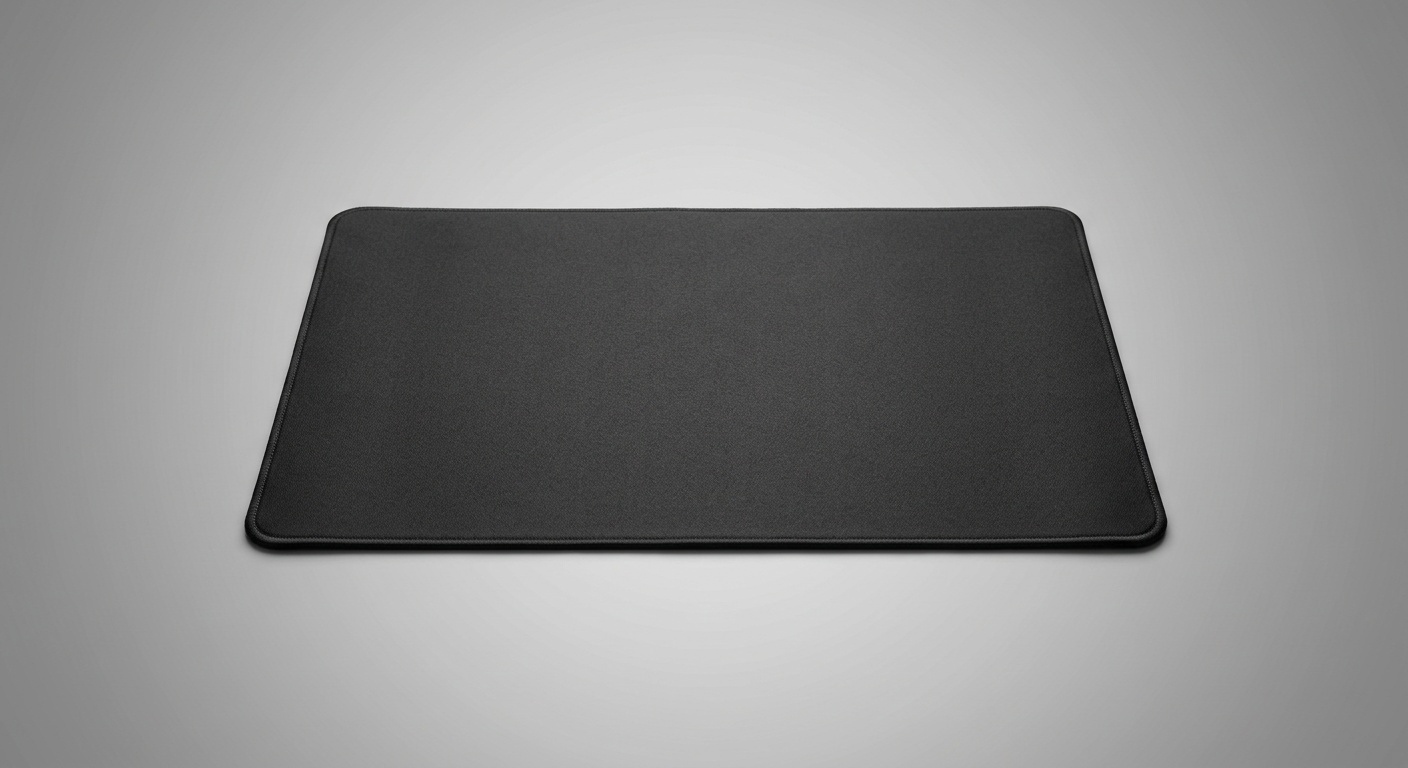
FreedomTech Laptop Radiation Shield
The most affordable AU-stocked laptop EMF shield. FreedomTech is an Australian-market brand that ships domestically — no customs delays or import duties. The shield targets RF and heat emissions, making it the straightforward choice for WFH users who want basic EMF reduction without paying a premium for lab certifications. The brand is honest about what it doesn’t do: no absolute shielding claims, and ELF (low-frequency from the battery circuit) is not targeted.
Pros
- Lowest AU price — $99.95 from local stock
- No customs, no import duties, fast AU shipping
- Honest about limitations — no overclaiming
- WiFi connection unaffected (downward-only shielding)
- Lightweight and easy to travel with
- 30×40 cm — fits laptops up to 16″
Cons
- No independent lab certification (FCC/CE/IAPMO)
- Does not target ELF (battery circuit low-frequency emissions)
- No dB attenuation figure published
- Materials not fully disclosed
2. HARApad Edge — Best Verified Attenuation
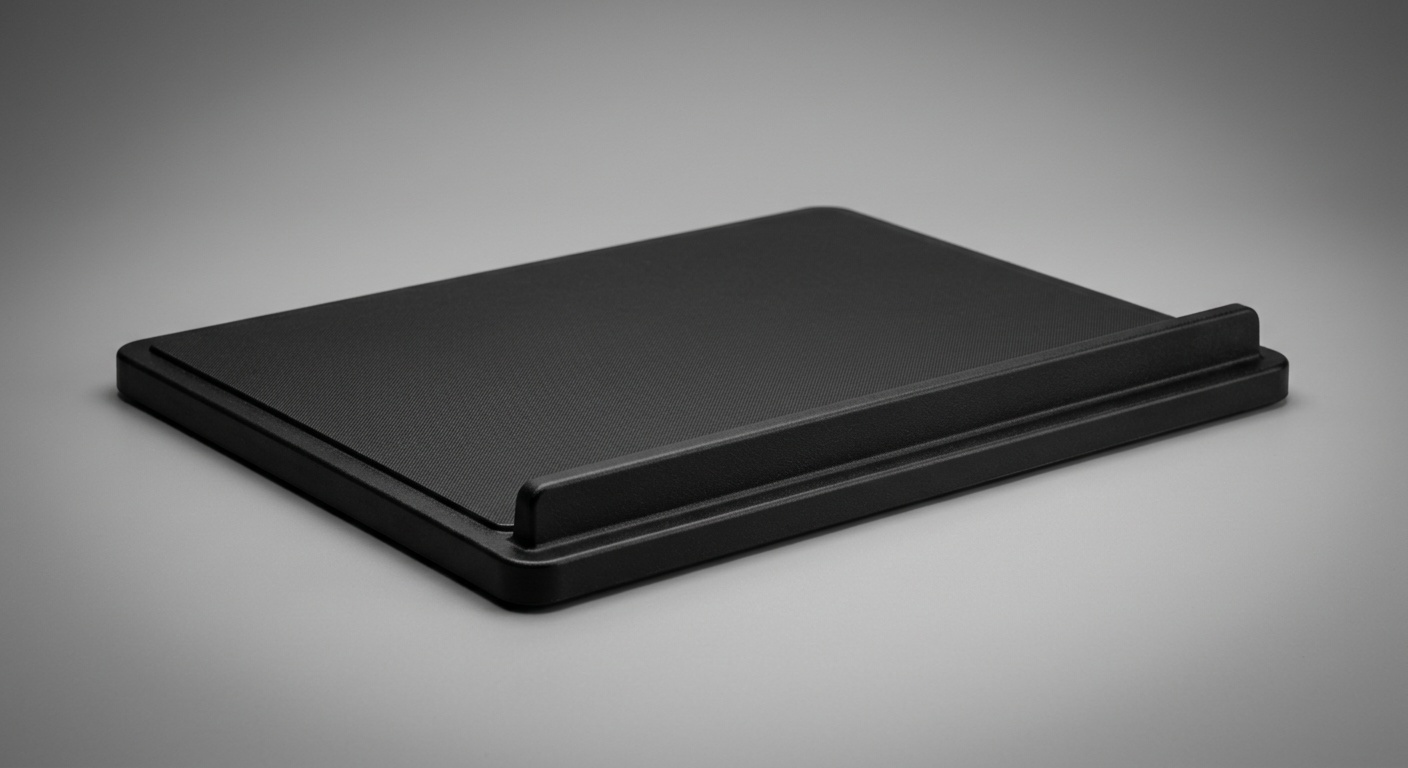
HARApad Edge
The HARApad Edge stands apart with a unique raised front wall that extends shielding upward toward the abdomen — relevant for anyone placing a laptop on their lap. The 40 dB RF attenuation figure is independently tested, making it the most transparently verified shield in this comparison. Military-grade alloys (lead- and tungsten-free) handle ELF, while a separate RF fabric layer addresses WiFi and Bluetooth emissions. Available on Amazon AU (ASIN B0822Z1SDC).
Pros
- 40 dB RF attenuation — independently tested, specific figure published
- ELF shielding via military-grade alloys (lead- and tungsten-free)
- Raised front wall — multi-directional shielding toward abdomen
- Addresses both ELF and RF in one unit
- Available on Amazon AU with Prime shipping
- No harmful materials — tested lead/tungsten-free
Cons
- Heavier than flat pads due to alloy layer
- Raised wall can feel bulky on a desk
- No FCC or CE certification (independent lab tested only)
- AU price unconfirmed — verify live on Amazon AU
3. DefenderShield DefenderPad — Most Comprehensive
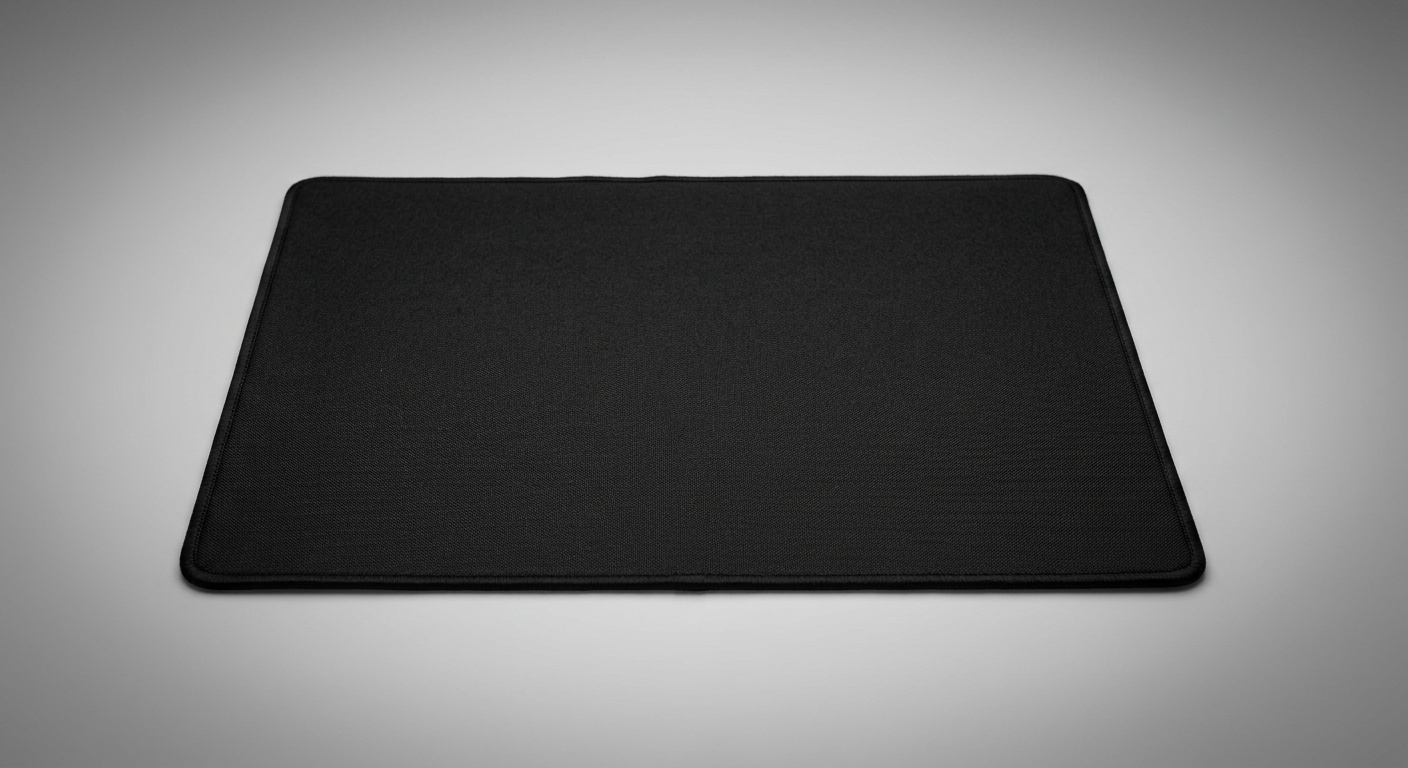
DefenderShield DefenderPad
The DefenderPad is the most comprehensive laptop EMF shield available in Australia: it targets ELF (battery circuit low-frequency), RF across 0–110 GHz (covering WiFi 6E, Bluetooth 5, and 5G millimetre-wave), and infrared heat — all in one unit. DefenderShield’s proprietary Ultra Armor® multi-layer construction uses a food-grade PU outer and a silicone thermal barrier. Available from Earthing Oz (AU stock, ~$135–$199) or Amazon AU (ASIN B07LCWD8DY, ~$150–$210).
Pros
- Widest RF coverage: 0–110 GHz (includes 5G mmWave, WiFi 6E)
- Addresses all three emission types: ELF, RF, and heat
- Independently lab tested — “up to 99%” claim
- Food-grade PU outer + silicone thermal barrier
- Available AU stock via Earthing Oz and Amazon AU
- Fits up to 17″ laptops (largest coverage in class)
- Most established brand in laptop EMF shielding globally
Cons
- No specific dB attenuation figure published (unlike HARApad’s 40 dB claim)
- No FCC, CE, or IAPMO certification cited
- Premium price — $150–$210 AUD
- “Up to 99%” claim not independently reproducible without dB figure
How They Compare
| Shield | AU Price | ELF | RF | Heat | Tested dB | Max Size |
|---|---|---|---|---|---|---|
| FreedomTech | $99.95 | ✗ | ✓ | ✓ | Not published | 16″ |
| HARApad Edge | Check live | ✓ | ✓ 40 dB | ✓ | 40 dB (RF) | Most sizes |
| DefenderPad | $150–$210 | ✓ | ✓ 0–110 GHz | ✓ | Up to 99%* | 17″ |
*DefenderShield “up to 99%” — independently lab tested but no specific dB figure published.
FreedomTech vs HARApad Edge: If independently verified attenuation figures matter to you, HARApad’s published 40 dB RF figure is a meaningful differentiator. FreedomTech’s strength is price ($99.95 vs check live on Amazon AU) and local stock — no wait on international shipping. Both work for typical WFH users; HARApad is the choice if you want lab-backed numbers for an ELF-sensitive environment.
HARApad vs DefenderPad: The DefenderPad covers a wider RF frequency range (0–110 GHz vs HARApad’s WiFi/BT bands) — relevant if your laptop has a 5G mmWave modem. HARApad’s 40 dB RF claim is a more transparent data point than DefenderShield’s “up to 99%” — the latter lacks a decibel figure, making it harder to compare scientifically. For standard WiFi and Bluetooth exposure reduction, both perform at the same tier; DefenderPad adds 5G mmWave coverage and a silicone thermal barrier.
Do Laptop EMF Shields Work?
The honest answer is: for RF and heat, yes — measurably. For ELF, it depends on the shielding material. The context is important.
RF shielding via a Faraday cage principle is well-established physics — a conductive mesh reduces RF field strength by the shield’s attenuation factor (measured in dB). HARApad’s 40 dB RF claim means a 10,000-fold reduction in RF power density through the shield layer. DefenderShield’s “up to 99%” translates to roughly 20 dB — less specific but in the same order of magnitude. These are downward-directed emissions only; laptop WiFi antennas transmit from the hinge/sides, so your connection speed and signal strength are unaffected by the shield.
ELF shielding requires different materials. RF fabric (metallic mesh) doesn’t attenuate magnetic fields at 50 Hz — magnetic shielding requires mu-metal, ferrite, or dense alloys. This is why HARApad uses military-grade alloys specifically for ELF, while FreedomTech (which uses fabric-based shielding) doesn’t claim ELF protection.
Important Caveat on Evidence
There is no peer-reviewed clinical evidence that laptop EMF at typical consumer exposure levels causes harm. ARPANSA notes: “no established adverse health effects” at occupational EMF exposure levels. The IARC Group 2B classification for ELF magnetic fields is based on epidemiological associations, not causal mechanisms. Purchasing a shield for precautionary risk reduction is rational; purchasing one under the belief that laptops pose a confirmed health risk is not supported by the current evidence base.
Lap Use vs Desk Use — Why Position Is the Primary Variable
EMF field strength follows an inverse square law: doubling the distance reduces exposure by a factor of four. A laptop on your lap sits 0–2 cm from the body; on a desk, the distance from your lap increases to 30–50 cm or more. That natural distance reduction cuts ELF exposure by a factor of 225–625 relative to lap use — before any shield is applied.
This is why ARPANSA’s primary mitigation advice is distance, not shielding. A shield fills the gap when desk use isn’t practical: on the couch, in transit, during video calls where a raised position isn’t possible. For those scenarios, a shield provides meaningful reduction of both RF and heat on the lap-contact surface — the most direct exposure pathway.
The target areas for lap-use shielding are the reproductive organs (positioned directly below the shield on the lap), the upper thighs, and the lower abdomen. The HARApad’s raised front wall specifically addresses the abdominal angle — a design feature absent from flat pads like the FreedomTech or standard DefenderPad configurations.
Who Should Buy a Laptop EMF Shield in Australia?
Buy a shield if: you regularly use a laptop on your lap for 2 or more hours per day; you’re pregnant and using a laptop in a lap-positioned workflow; you work in a profession with prolonged laptop contact (writers, developers, students) and prefer precautionary exposure reduction; or you want to address heat discomfort from a laptop base running at 40–50°C.
A shield is lower priority if: you exclusively use your laptop on a desk — distance alone provides the most significant exposure reduction. In that case, spending the money on a laptop stand (which increases screen height and body distance simultaneously) provides more ergonomic and EMF benefit than a shield.
Students and WFH professionals on a budget: The FreedomTech at $99.95 from AU stock is the pragmatic entry point. If you’re doing targeted research and want independent attenuation data, step up to the HARApad Edge.
Frequently Asked Questions
Do laptop EMF shields block WiFi signals?
No. Laptop WiFi and Bluetooth antennas transmit from the hinge area and sides of the laptop — not downward through the base. A shield only intercepts emissions passing through the base toward your lap. Your connection speed, signal strength, and Bluetooth pairing are unaffected. FreedomTech explicitly confirms this on their product page.
Does a laptop EMF shield need to be grounded to work?
No. All three shields reviewed here work passively — no grounding connection is required. RF shielding via conductive mesh works through reflection and absorption regardless of ground connection. ELF shielding via alloy layers similarly requires no earth connection.
What is ELF and why does it matter for laptops?
ELF (Extremely Low Frequency) fields are generated by the laptop’s power supply, battery charging circuitry, and AC adaptor — operating at 50 Hz (the Australian mains frequency). They’re magnetic fields, which means they pass through most materials including fabric and standard RF mesh. Only dense metal alloys (mu-metal, military-grade alloys like those in the HARApad) attenuate them. ELF is what the IARC has classified as Group 2B “possibly carcinogenic” based on epidemiological associations in occupational studies — though ARPANSA notes no established causal link at typical consumer exposure levels.
Which laptop EMF shield has the best independent testing?
The HARApad Edge publishes the most specific, independently tested number: 40 dB RF attenuation. A decibel figure is more useful than a percentage claim because it represents a logarithmic measurement on a defined scale. DefenderShield’s “up to 99%” (approximately 20 dB) is independently lab tested but lacks a specific dB figure, making direct comparison harder. FreedomTech publishes no attenuation data at all.
Is it safe to use a laptop on my lap without a shield?
ARPANSA does not classify standard laptop use as a health risk. Laptop EMF levels are well below Australian public exposure limits (200 µT for ELF). The precautionary principle — reducing exposure when practical — is the basis for shield use, not an established harm mechanism. The most practical mitigation for desk users is increasing distance (use a stand). Shields are most relevant for lap-use scenarios where distance mitigation is not practical.
Can I use a laptop EMF shield on a desk?
Yes — all three shields work equally well on a desk. In a desk configuration, the shield sits between the laptop base and the desk surface. For desk users, the shield primarily reduces heat transferred to the desk and intercepts any downward RF emissions, though at desk-use distances the EMF exposure is already substantially reduced by distance alone.
Does the DefenderShield DefenderPad work with 5G laptops?
Yes. The DefenderPad covers 0–110 GHz, which includes 5G sub-6 GHz (n78, n41 bands used in Australia) and 5G mmWave (24–100 GHz). Most current Australian laptops with 5G modems operate in sub-6 GHz bands; mmWave modems are rare in consumer laptops as of 2026. If your laptop has 5G connectivity, the DefenderPad is the most complete choice from this comparison.
Are there AU-made laptop EMF shields?
FreedomTech is the closest to an AU-market shield — they stock and ship from Australia and are designed for the Australian market. However, they don’t publish manufacture location. DefenderShield is a US brand available via Amazon AU and Earthing Oz. HARApad is a US brand available on Amazon AU. Earthing Oz (earthingoz.com.au) also stocks SafeSleeve laptop cases (starting ~$160 AUD) as an alternative form factor.
What is the difference between a laptop EMF shield and a laptop stand?
A laptop stand increases screen height and creates distance between the laptop base and your body — primarily through physical separation rather than shielding material. Stands are more effective for desk-based users as they simultaneously improve ergonomics (reducing neck and wrist strain) and increase EMF distance. Shields are more relevant for lap-use scenarios. For desk work, a stand is typically the higher-priority purchase; for couch or travel use, a shield is the right tool.
Get the Australian Home Environment Checklist
30 checks across water, air and EMF. Most of them free. Ranked by impact.
No spam. Unsubscribe any time.

Former Royal Australian Navy Clearance Diver and TAG-E counter-terrorism operator. Founded Clean and Native to apply the same rigorous thinking to the home environment.
Full biography →