Smart Home Device EMF Australia 2026
The average Australian smart home now contains 12-18 wireless devices — each transmitting RF radiation 24 hours a day, most of them unnecessary. Your NBN router, smart speakers, smart TVs, smart plugs, and wireless security cameras create a layered RF environment inside your home that far exceeds anything a single Wi-Fi router produced a decade ago, and the practical solution is not elimination but systematic hardwiring and source reduction guided by actual measurements.
Smart speakers (Amazon Echo, Google Nest) are the highest-RF smart home devices in Australian homes, transmitting at 2.4 GHz and 5 GHz simultaneously with always-on microphone wake polling. Smart TVs rank second, smart plugs and sensors rank lowest. The single highest-impact action is hardwiring your NBN router to all stationary devices via Ethernet and disabling Wi-Fi on the router itself — this eliminates the strongest RF source in most homes. For bedrooms, a Jackson 24hr mechanical timer on the router (~$20) eliminates overnight exposure entirely. Before any shielding or product purchase, measure first — without real numbers, every decision is a guess.
| Device Category | Typical Peak RF | Verdict |
|---|---|---|
| Smart speakers (Echo, Nest) | 0.5–3.0 mW/m² at 1m | Highest — remove from bedroom |
| Wi-Fi router (NBN) | 1.0–6.0 mW/m² at 1m | Hardwire + disable Wi-Fi |
| Smart TV (Wi-Fi mode) | 0.3–1.5 mW/m² at 1m | Hardwire via Ethernet |
| Smart plugs / sensors | 0.01–0.1 mW/m² at 1m | Low concern |
Key catches
- ARPANSA’s RF limit (1,000 µW/cm² at 2.4 GHz) is a thermal safety ceiling, not a precautionary guideline — Building Biology SBM-2015 recommends sleeping areas stay below 0.1 mW/m², which is 100,000x more conservative
- Australian smart meters (900 MHz, Ausgrid NSW / Energex QLD) transmit in bursts — peak readings are 100–1,000x higher than the time-averaged figures utilities publish
- Shielding without removing internal sources first INCREASES exposure by reflection — always measure, reduce, then shield
Why Your Australian Smart Home Produces More RF Than You Think
You bought a smart speaker for kitchen timers. Then a smart TV. Then smart plugs for the lamps. Then a Ring doorbell. Each device seemed harmless in isolation. But RF radiation is cumulative — every transmitter in your home adds to the total electromagnetic load your body absorbs during the 8-10 hours you spend sleeping and the 14+ hours most Australians now spend indoors.
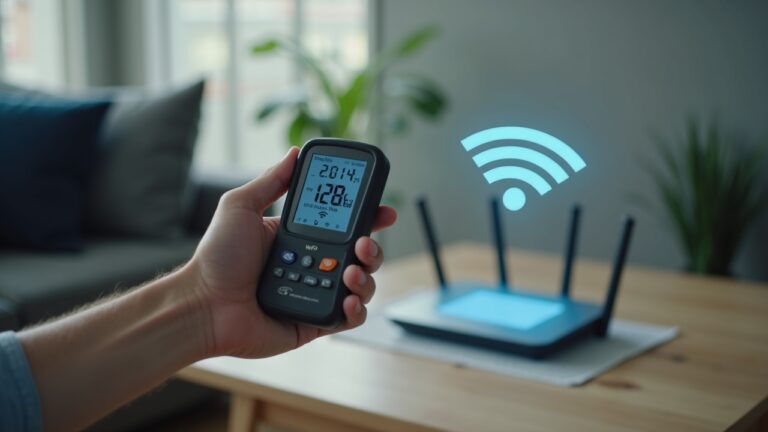
Here is the problem most Australians do not see: the NBN Network Termination Device (NTD) itself does not transmit RF. It is the router connected to it — often an ISP-supplied unit from Telstra, Optus, or TPG — that broadcasts Wi-Fi at 2.4 GHz and 5 GHz simultaneously, 24 hours a day, whether you are using it or not. That router is typically the single strongest RF source inside your home, and every smart device connects to it, creating a persistent mesh of wireless traffic even when you are asleep.
Australia operates on a 50 Hz mains frequency (compared to 60 Hz in North America), which means the ELF magnetic field profile from wiring and appliances differs slightly from what you will read in US-centric guides. More importantly, Australia’s smart meter rollout — 900 MHz mesh networks deployed by Ausgrid (NSW) and Energex (QLD) — creates an external RF source that transmits in short, high-power bursts. The time-averaged exposure your utility reports looks low. But if you use a meter’s peak-hold mode, you will often see readings 100-1,000x higher during those burst transmissions. If your bedroom wall shares an exterior wall with the smart meter, that burst RF hits you at the closest possible range during sleep.
The World Health Organisation acknowledges “anxiety and speculation” around chronic RF exposure but avoids quantifying harm for typical smart home environments. ARPANSA, Australia’s radiation protection authority, sets the RF exposure limit at 1,000 µW/cm² (10 W/m²) at 2.4 GHz — a limit designed exclusively to prevent thermal tissue heating. It was never designed to assess whether chronic low-level exposure from 15+ devices in a bedroom has biological effects at non-thermal levels. Building Biology practitioners working to SBM-2015 guidelines recommend sleeping areas stay below 0.1 mW/m² — a threshold that is 100,000 times more conservative than ARPANSA’s ceiling.
Ranking Smart Home Devices by RF Output: Worst to Least
Not all smart home devices are equal. Some transmit constantly. Some transmit in bursts. Some barely transmit at all. If you are going to reduce your household RF, you need to know where to focus — and the ranking might surprise you.
I have measured dozens of Australian smart homes on the Gold Coast with a TriField TF2 and a Safe and Sound Pro II. The readings below reflect typical peak RF power density at 1 metre from the device. Your results will vary based on router model, firmware, and how many devices are connected, but the relative ranking is consistent.
1. Wi-Fi Router (NBN-Connected) — The Biggest Source
Typical peak RF at 1 metre: 1.0–6.0 mW/m². Your ISP-supplied router is almost always the strongest RF emitter in the house. Telstra Smart Modems, Optus-supplied units, and TPG Archer routers all broadcast on 2.4 GHz and 5 GHz bands simultaneously by default. Most Australian households leave these running 24/7 within 3-5 metres of sleeping or living areas. At 1 metre, a dual-band router easily exceeds the Building Biology SBM-2015 “slight anomaly” threshold of 0.1 mW/m² by 10-60x.
The fix is not to buy a new router. The fix is to hardwire everything you can via Ethernet and then either disable Wi-Fi entirely on the router (if every device is wired) or use a Jackson 24hr mechanical timer to cut power to the router during sleeping hours. More on this below.
2. Smart Speakers (Amazon Echo, Google Nest Hub) — Always Listening
Typical peak RF at 1 metre: 0.5–3.0 mW/m². Smart speakers are the second-worst offenders, and they are uniquely problematic because people place them on bedside tables and kitchen benches — within arm’s reach. An Amazon Echo or Google Nest Hub maintains a constant Wi-Fi connection and polls its cloud servers for wake-word processing. Even in “standby” with no music playing, the device transmits regularly to maintain its network registration and check for updates.
The distance matters enormously. At 30 cm (bedside table distance), RF power density quadruples compared to 1 metre. If you have a smart speaker within 50 cm of where you sleep, you are receiving one of the highest chronic RF exposures in your home — from a device that exists to set kitchen timers and play Spotify. Remove it from the bedroom. Full stop.
3. Smart TVs (Wi-Fi Mode) — Easy to Hardwire
Typical peak RF at 1 metre: 0.3–1.5 mW/m². Every modern smart TV sold in Australia has an Ethernet port on the back. Most people never use it, connecting via Wi-Fi instead because it was the default during setup. A smart TV on Wi-Fi transmits continuously — streaming data, checking for updates, communicating with casting devices. Hardwire it with a Cat6 Ethernet cable, then go into the TV’s network settings and disable Wi-Fi. This takes five minutes and eliminates one of the larger RF sources in your living room or bedroom.
4. DECT Cordless Phones — The Forgotten Transmitter
Typical peak RF at 1 metre from base station: 0.2–1.0 mW/m². DECT cordless phone base stations transmit at approximately 1.9 GHz continuously, even when no call is in progress. If the base station sits on your bedroom nightstand, it bathes your pillow in RF all night. The handset also transmits when docked. Replace with a corded phone or move the base station to a room you do not sleep in.
5. Wireless Security Cameras (Ring, Eufy, Arlo)
Typical peak RF at 1 metre: 0.1–0.8 mW/m². Outdoor cameras are rarely a bedroom concern. Indoor cameras placed in bedrooms or nurseries are a different story. If you have a wireless baby monitor or indoor Ring camera, it transmits video data continuously or on motion trigger. For nurseries, consider a wired Ethernet PoE camera or move the wireless unit as far from the cot as possible. Eufy’s wired indoor cameras connect via Ethernet and eliminate the RF component entirely.
6. Smart Plugs and Sensors — Lowest Concern
Typical peak RF at 1 metre: 0.01–0.1 mW/m². Zigbee and Z-Wave smart plugs (used by many Philips Hue systems and SmartThings sensors) transmit at very low power on 868 MHz (Z-Wave AU) or 2.4 GHz (Zigbee). Their duty cycle is extremely low — a brief burst when state changes, then silence. These are the lowest-priority items in an EMF reduction strategy. If you have limited time, focus on the top three categories first.
| Rank | Device | Peak RF at 1m (mW/m²) | Frequency | Fix |
|---|---|---|---|---|
| 1 | Wi-Fi Router | 1.0–6.0 | 2.4 + 5 GHz | Hardwire + disable Wi-Fi or timer |
| 2 | Smart Speakers | 0.5–3.0 | 2.4 + 5 GHz | Remove from bedroom |
| 3 | Smart TV | 0.3–1.5 | 2.4 + 5 GHz | Ethernet cable + disable Wi-Fi |
| 4 | DECT Cordless Phone | 0.2–1.0 | 1.9 GHz | Replace with corded phone |
| 5 | Wireless Cameras | 0.1–0.8 | 2.4 GHz | PoE wired camera or relocate |
| 6 | Smart Plugs / Sensors | 0.01–0.1 | 868 MHz / 2.4 GHz | Lowest priority — address last |
Hardwiring Your NBN Home: The Practical Australian Guide
Every piece of advice about EMF reduction eventually arrives at the same conclusion: replace wireless connections with wired ones wherever physically possible. In an Australian NBN home, this is more simple than most people assume — but it does depend on your NBN connection type and your willingness to run a few cables.
Step 1: Understand Your NBN Connection Type
Your NBN connection type determines where the NTD sits and how flexible your setup is. FTTP (Fibre to the Premises) gives you an NTD box on the wall — your router plugs into it via Ethernet. FTTN/FTTC (Fibre to the Node/Curb) uses your existing phone line for the last segment, and the modem-router must stay near the phone socket. HFC (Hybrid Fibre Coaxial) uses a coaxial cable to an NTD. Fixed Wireless and Satellite are the most constrained — the receiver unit placement is fixed, and hardwiring downstream is your only option.
For FTTP and HFC homes (common in metro Sydney, Brisbane, Melbourne, Perth, and Adelaide), you have the most flexibility. The NTD can often be located in a central cupboard, garage, or utility area. Your router connects there, and you run Cat6 Ethernet cables from the router to each room where you need connectivity. For regional and rural FTTN homes, the router is tethered to the phone socket — but you can still run Ethernet from the router to the rest of the house.
Step 2: Run Ethernet to Stationary Devices
Every device that does not move should be wired. Your smart TV has an Ethernet port. Your desktop computer has one. Your gaming console has one. Your streaming box (Apple TV, Chromecast with Google TV, Fetch TV) usually has one. Your printer probably has one. Wire them all.
You have three options for running Ethernet:
- Surface-mounted cable runs: The cheapest option. Run Cat6 cables along skirting boards, through door frames, and use cable clips or raceways. Cost: $15-30 per room in cable. Looks functional, not beautiful.
- In-wall cable runs: A licensed electrician or data cabler can run Cat6 through wall cavities and install Ethernet wall plates. Cost: $80-150 per point. Clean, permanent, and adds value to the home.
- Powerline adapters: Use your home’s existing electrical wiring to carry network data. No new cables needed. But powerline adapters generate significant dirty electricity (high-frequency voltage transients on the 50 Hz mains wiring), which some building biology practitioners consider a separate EMF concern. I do not recommend them for EMF-conscious households — they solve one problem and potentially create another.
For a three-bedroom Australian home, expect 4-6 Ethernet runs: one to the living room TV, one to each bedroom (for laptops docked at desks), one to the home office. A small Gigabit Ethernet switch ($25-40) at the router end gives you enough ports.
Step 3: Disable Wi-Fi on the Router
Once every stationary device is wired, log into your router’s admin panel (typically 192.168.0.1 or 192.168.1.1 — check the sticker on your router) and disable the Wi-Fi radio. On a Telstra Smart Modem, this is under Wireless > Disable. On a TPG Archer, it is under Wireless Settings > uncheck Enable Wireless Radio for both 2.4 GHz and 5 GHz bands.
If you still need Wi-Fi for phones and tablets during waking hours, do not disable it permanently. Instead, use a Jackson 24hr mechanical timer ($20) on the router’s power outlet. Set it to cut power from 10pm to 6am (or whenever your household sleeps). This eliminates the strongest RF source in your home during the 8 hours your body is most vulnerable — and it costs less than a takeaway coffee.
Step 4: Handle Mobile Devices
Phones and tablets cannot be hardwired in normal use. But they can be managed:
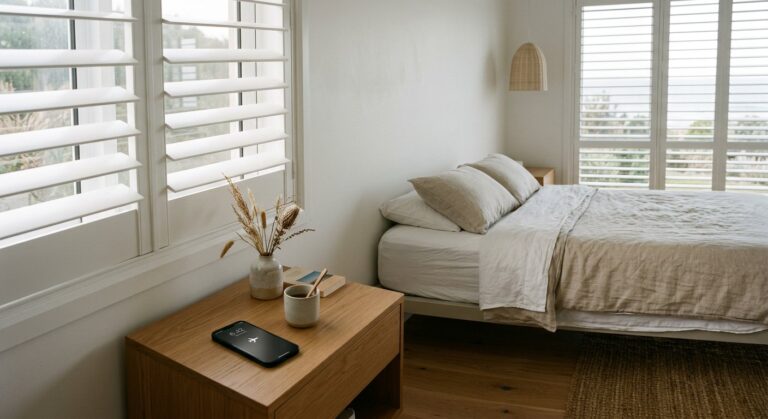
- Airplane mode at night: Free. Eliminates all RF transmission from your phone. Use the phone’s built-in alarm — it works in airplane mode.
- USB-C to Ethernet adapter: If you use a tablet as a work device at a desk, a USB-C to Ethernet adapter ($15-25) lets you connect it directly to the network and disable Wi-Fi.
- Charge outside the bedroom: If your phone charges on the bedside table, it is within 30 cm of your head for 8 hours. Move the charging station to the hallway or kitchen.
The Low-EMF Router Option: JRS Eco 100
If you need Wi-Fi but want the lowest-emission option, the JRS Eco 100 is a purpose-built low-EMF router that reduces RF output by up to 90% compared to standard routers. It pulses at a lower duty cycle and can be configured to transmit only when a device actively requests data. It is not cheap, but for households that actually need some wireless connectivity and want the lowest possible RF footprint, it is the best-engineered option available in Australia through SaferEMF AU.
Home Assistant: The Local-Only Smart Home Alternative
If you want smart home automation without cloud-dependent devices that transmit constantly, Home Assistant is the answer. It is free, open-source software that runs on a Raspberry Pi or a small dedicated PC in your home. Everything processes locally. No data goes to Amazon, Google, or Apple servers. No always-on microphone. No cloud polling.
Here is why this matters for EMF: cloud-dependent smart home devices (Alexa, Google Home, Apple HomeKit via cloud) maintain persistent Wi-Fi connections and regularly communicate with external servers — even when idle. Home Assistant running locally on a wired Ethernet connection eliminates that entire category of RF traffic. Your automations (lights, sensors, schedules) run on your local network without any wireless transmission if all devices are wired.
The Practical Setup for Australian Homes
Home Assistant supports Zigbee and Z-Wave devices through a USB coordinator stick plugged into the Pi. You might wonder why Zigbee/Z-Wave devices are acceptable if we are reducing RF. The answer is scale and duty cycle. A Zigbee temperature sensor transmits a tiny data packet once every 30-60 seconds at extremely low power (typically 0.01-0.05 mW/m² at 1 metre). Compare that to a cloud-connected smart speaker that maintains a persistent 2.4/5 GHz Wi-Fi link and processes wake-word audio continuously. The difference in RF output is 50-100x.
For the most RF-conscious setup, use wired sensors and relays wherever possible. Shelly relays (popular in Australia) offer both Wi-Fi and wired Ethernet variants. Wired relay modules eliminate RF entirely from the automation layer. You keep the convenience of automated lighting, climate control, and scheduling — with zero wireless transmission.
The Home Assistant approach also eliminates the most insidious smart home EMF source: mesh Wi-Fi extenders. Systems like Google Nest WiFi and TP-Link Deco place multiple high-power access points throughout your home to blanket every room in Wi-Fi signal. From an EMF perspective, this is the worst possible configuration — you have literally maximised the number of RF transmitters and minimised the distance between any transmitter and any person. Home Assistant on a wired backbone eliminates the need for whole-home Wi-Fi coverage entirely.
Measure Before You Shield: Why the TriField TF2 Is Step One
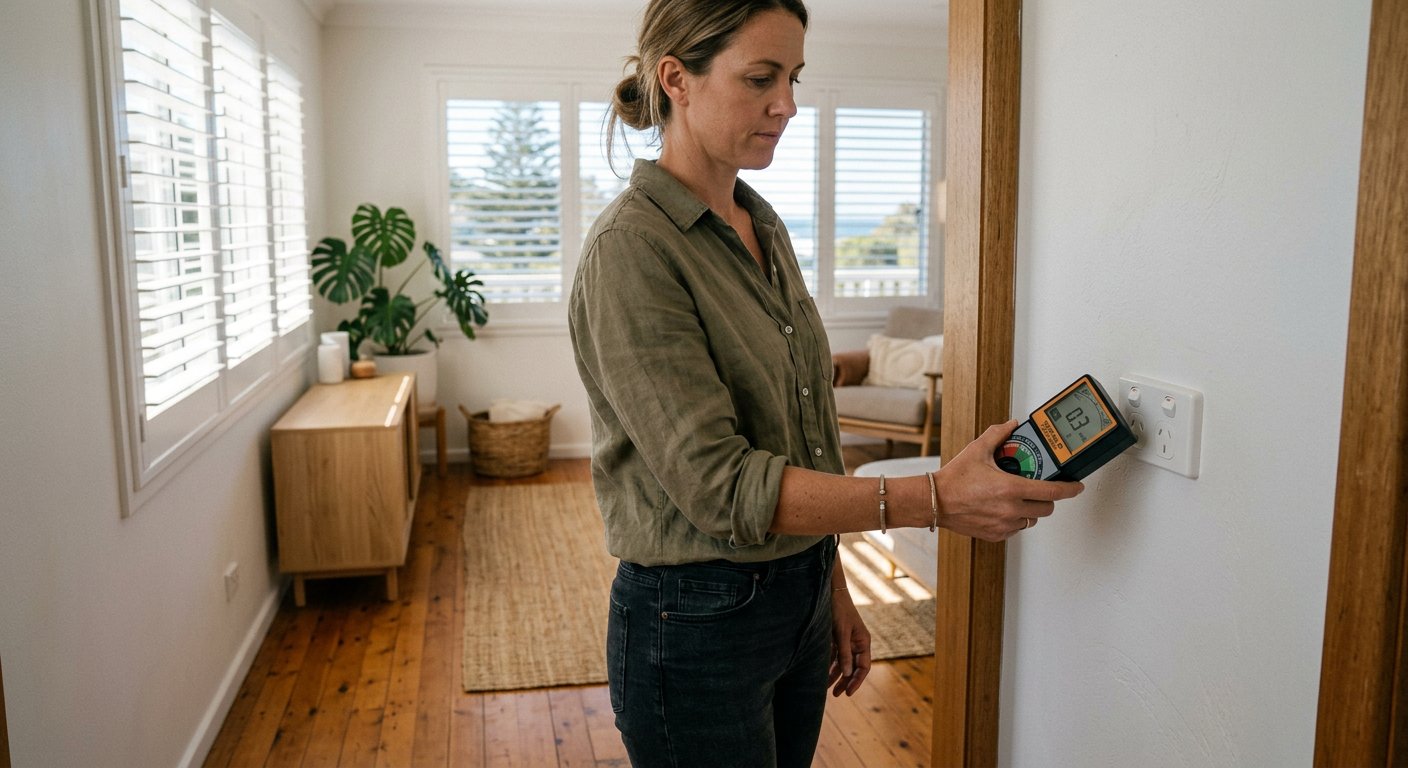
Every EMF reduction strategy starts with measurement. Not assumption. Not anxiety. Measurement. Without a meter, you are guessing which devices are the worst offenders, guessing where to place your bed, and guessing whether your changes actually worked. The TriField TF2 eliminates the guesswork.
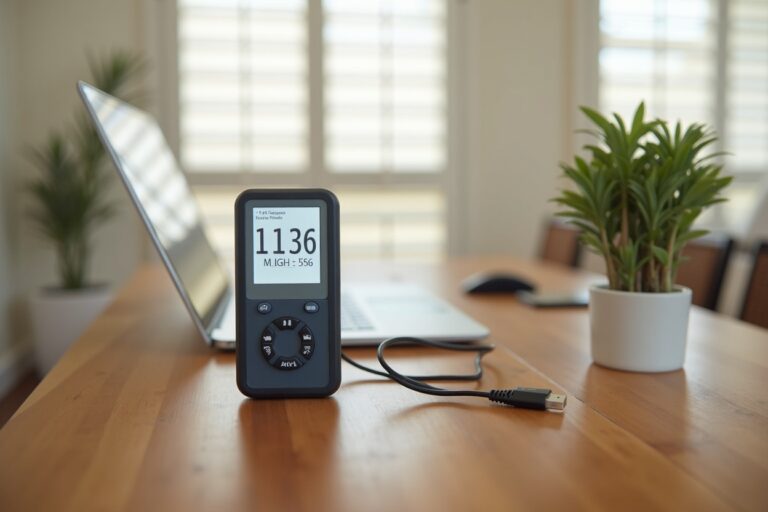
The TriField TF2 measures three types of EMF in one device: AC magnetic fields (from wiring and appliances, measured in µT), AC electric fields (from wiring under voltage, measured in V/m), and RF radiation (from Wi-Fi, smart meters, 4G/5G, measured in mW/m²). For a smart home audit, the RF mode is primary — but the AC magnetic mode reveals problems you would never suspect, like elevated fields from the reverse-cycle aircon head unit directly above your bed, or from a meter box on the other side of the bedroom wall.
How to Audit Your Smart Home in 30 Minutes
Here is the process I use, adapted from my background as a former Royal Australian Navy Clearance Diver where systematic assessment is how you stay alive in hazardous environments:
- Baseline reading (all devices on): Stand in the centre of your bedroom with the TF2 in RF mode. Note the reading. Walk slowly toward each wall, noting where readings spike. The peak reading and its location tell you where your primary RF source lives.
- Source isolation: Turn off (or unplug) one device at a time. After each removal, retake the centre-of-room reading. The device that causes the biggest drop is your priority target.
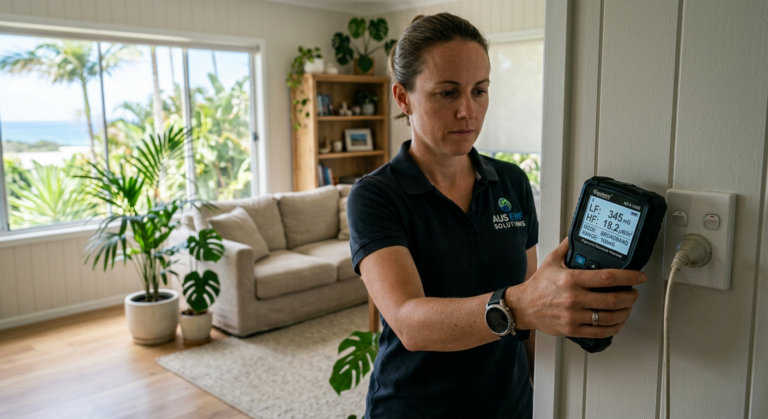
- Smart meter check: Walk to the exterior wall nearest your Ausgrid or Energex smart meter. Use peak-hold mode. Wait 2-3 minutes. The meter bursts are intermittent — you need patience. If peak readings exceed 1.0 mW/m² at sleep position, consider moving the bed to an interior wall.
- AC magnetic sweep: Switch to magnetic mode. Check within 1 metre of the bed for elevated fields from wiring in the wall or floor, the reverse-cycle unit above, or the meter box behind. Building Biology SBM-2015 recommends below 0.2 µT for sleeping areas.
- Post-reduction verification: After implementing your hardwiring changes and removing devices, repeat the baseline reading. You should see a 70-95% reduction in RF if you have addressed the top three categories.
The entire process takes 30 minutes. It costs nothing beyond the meter itself. And it replaces speculation with data.
The Shielding Trap: Why Canopies and Paint Fail Without Source Reduction First
This is the most expensive mistake people make. They read about EMF, get concerned, and immediately buy shielding paint or a Faraday bed canopy — without first addressing the RF sources inside their own home. Here is why that fails:
If the primary RF source is inside the shielded space, the shielding reflects that energy back at you, increasing your exposure. A Faraday canopy around your bed with a Wi-Fi router still running in the same room does not protect you. It traps the router’s RF inside the canopy and bounces it around, raising the power density at your body. This is basic electromagnetic physics, and it applies equally to shielding paint on bedroom walls with smart speakers still inside.
The correct sequence is always: measure → identify the source → address the source (remove, relocate, or hardwire) → measure again → shield only the confirmed external residual RF that remains after source reduction.
External sources that shielding actually helps with include: smart meters on the other side of an exterior bedroom wall, 5G small cells on a street pole within 20 metres of a window (Telstra, Optus, and TPG are deploying at 3.5 GHz and 28 GHz in Australian metro areas), and a neighbour’s router in an adjacent apartment. Building walls provide 10-30 dB of attenuation depending on construction — double brick (common in Perth and Adelaide) provides more than timber frame with plasterboard (common in Queensland and parts of Sydney).
For confirmed external RF sources that remain after internal source reduction, legitimate options include: a silver-cotton or copper-mesh EMF shielding canopy rated 40+ dB (effective when properly grounded and when all internal sources have been removed from inside the canopy), EMF shielding paint on the specific wall facing the external source (must be professionally grounded by a licensed electrician), or simply moving the bed to an interior wall, which is free and often sufficient.
Demand Switches: Eliminating AC Electric Fields During Sleep
A demand switch (sometimes called a circuit cut-off switch) is installed by a licensed electrician on the circuit feeding your bedroom. When all loads on that circuit are off (lights, chargers, appliances), the demand switch automatically cuts voltage to the wiring, eliminating AC electric fields from the walls, floor, and ceiling. Cost: $100-150 installed. This addresses the ELF electric field component that shielding canopies and paint do not touch.
Combined with the Jackson 24hr mechanical timer on the router and phone airplane mode, a demand switch makes the bedroom the lowest-EMF room in your house during sleep — at a total cost under $200.
Smart Meter EMF: Ausgrid, Energex, and What You Can Actually Do
Australian smart meters operate on 900 MHz mesh networks. Ausgrid (NSW) and Energex (QLD) have deployed them across most metro areas, with Western Power (WA) and SA Power Networks following. The meters transmit usage data in short bursts — typically every 15-30 minutes — but the peak power during those bursts is dramatically higher than the time-averaged figure your utility will quote if you ask.
I have measured Energex smart meters on the Gold Coast at peak readings exceeding 5.0 mW/m² at 1 metre from the meter face during burst transmission. The time-averaged reading over an hour might be 0.05 mW/m². Both numbers are “true” — but they tell very different stories. For a bedroom wall directly behind a smart meter, the burst peaks are what hit your body during sleep, and they can easily exceed the Building Biology SBM-2015 “extreme anomaly” threshold of 1.0 mW/m².
What you can do:
- Relocate the bed: Free. Move the bed to an interior wall, away from the exterior wall that houses the smart meter. Distance is the most effective RF reduction strategy — doubling the distance reduces power density by 75% (inverse square law).
- Shield the interior wall face: EMF shielding paint applied to the interior face of the wall behind the smart meter, properly grounded, provides 30-40 dB of attenuation. This is effective for external sources like smart meters because the source is outside the shielded space.
- Opt-out (limited availability): Some states allow smart meter opt-out. In Victoria, Powercor and other distributors previously offered opt-out options. In NSW and QLD, opt-out processes are more limited. Contact your DNSP (Distribution Network Service Provider) directly — Ausgrid, Endeavour Energy, or Energex — and request their policy in writing.
- Aluminium tape as a quick test: Before committing to shielding paint, apply conductive aluminium foil tape to the interior wall face behind the meter and re-measure. If peak RF at sleep position drops meaningfully, permanent shielding is justified.
The Complete Bedroom EMF Reduction Checklist
This is the systematic protocol for making your bedroom the lowest-EMF room in your home. Every action is ranked by impact-per-dollar. Do them in order.
| Priority | Action | Cost | RF Reduction |
|---|---|---|---|
| 1 | Phone airplane mode | Free | Eliminates phone RF entirely |
| 2 | Remove smart speaker from bedroom | Free | Removes 0.5–3.0 mW/m² |
| 3 | Router timer (Jackson 24hr) | ~$20 | Eliminates router RF overnight |
| 4 | Move bed from smart meter wall | Free | 75% reduction (double distance) |
| 5 | Remove DECT cordless phone base | Free | Removes 0.2–1.0 mW/m² |
| 6 | Hardwire smart TV via Ethernet | $10-15 cable | Removes 0.3–1.5 mW/m² |
| 7 | Demand switch on bedroom circuit | $100-150 | Eliminates AC electric fields |
| 8 | EMF bed canopy (if external sources remain) | $300-800+ | 30-42 dB external RF attenuation |
The first five actions on this list are free. Actions 1-3 take less than 10 minutes combined. If you do nothing else from this entire article, put your phone in airplane mode tonight, move the smart speaker to the kitchen, and order a $20 timer for the router. That combination eliminates the vast majority of bedroom RF for less than the cost of a meal out.
5G Small Cells and NBN Fixed Wireless: Australian-Specific Concerns
Telstra, Optus, and TPG are actively deploying 5G small cells on street poles across Australian metro areas, operating at 3.5 GHz (sub-6 GHz) and 28 GHz (mmWave). If you live in inner-city Sydney (particularly suburbs like Surry Hills, Ultimo, and Pyrmont), inner Melbourne (Southbank, Docklands, CBD), or parts of Brisbane CBD and South Brisbane, there may be a small cell within 20 metres of your bedroom window.
Building walls provide 10-30 dB of attenuation at these frequencies. Double brick construction (common in Perth, Adelaide, and older Sydney homes) attenuates more than timber frame with plasterboard (common in Queensland and new-build estates in outer suburbs of every capital). At 28 GHz, even a single pane of glass provides meaningful attenuation — mmWave struggles to penetrate most building materials, which is why carriers need so many small cells to provide coverage.
For NBN Fixed Wireless users in regional areas (parts of the Hunter Valley, Sunshine Coast hinterland, Toowoomba surrounds, regional Victoria), the fixed wireless receiver on your roof transmits back to the tower on 3.4-3.7 GHz. The unit itself is outside, so your walls provide attenuation. But the Wi-Fi router inside that connects to the receiver is the same high-power dual-band unit as any other NBN router — and that is the device to hardwire, timer, or replace with a JRS Eco 100.
If you suspect a nearby 5G small cell is contributing RF to your bedroom, measure at the window facing the cell using the TriField TF2 in RF mode, then measure at the bed position. The difference tells you how much attenuation your wall provides. If the bed-position reading is still above 0.1 mW/m² (SBM-2015 threshold) after all internal sources are addressed, targeted shielding of that window or wall is justified.
Start with measurement. The TriField TF2 is the only meter you need.
Measures AC magnetic, AC electric, and RF in one device. Without real readings, every EMF decision is a guess.
Last reviewed: August 2026 – Clean and Native
Frequently Asked Questions
Which smart home device emits the most EMF in Australia?
Your Wi-Fi router is typically the strongest RF source, producing 1.0–6.0 mW/m² at 1 metre. Smart speakers (Amazon Echo, Google Nest) are the second-highest emitters at 0.5–3.0 mW/m² at 1 metre, with the added concern of always-on microphone wake polling that maintains persistent cloud connections.
Does the NBN NTD box emit RF radiation?
No. The NBN Network Termination Device (NTD) does not transmit RF. It is the Wi-Fi router connected to the NTD that broadcasts RF on 2.4 GHz and 5 GHz bands. You can place the NTD in any convenient location and run Ethernet to the router in a separate room to increase distance from living and sleeping areas.
Can I disable Wi-Fi on my NBN router and still use the internet?
Yes. If all devices are connected via Ethernet cables, you can disable the Wi-Fi radio in your router’s admin panel and retain full internet access. This eliminates the strongest RF source in most homes. Log in to your router (usually 192.168.0.1 or 192.168.1.1) and look for Wireless Settings to disable both 2.4 GHz and 5 GHz radios.
What is the ARPANSA RF exposure limit for Australia?
ARPANSA sets the RF exposure limit at 1,000 µW/cm² (10 W/m²) at 2.4 GHz. This is a thermal safety limit designed to prevent tissue heating — it was not designed as a precautionary guideline for chronic exposure from multiple devices. Building Biology SBM-2015 recommends sleeping areas stay below 0.1 mW/m², which is approximately 100,000 times more conservative.
Do Australian smart meters emit EMF constantly?
No. Australian smart meters (deployed by Ausgrid NSW, Energex QLD, and others on 900 MHz mesh networks) transmit in short bursts, typically every 15-30 minutes. However, the peak RF power during those bursts is 100–1,000 times higher than the time-averaged reading. Always use peak-hold mode on your EMF meter when measuring smart meters.
Does an EMF bed canopy work if my router is in the bedroom?
No — and it can make exposure worse. A canopy shields against external sources, but a router or other RF source left inside the canopy gets reflected back at you by the shielding fabric, concentrating exposure rather than reducing it. Always remove or relocate internal sources first, then use a canopy only for residual external sources.
Is it worth hardwiring my home with Ethernet instead of using Wi-Fi?
Yes, for anyone wanting to meaningfully reduce RF exposure. Hardwiring smart TVs, desktop computers, and game consoles removes their continuous Wi-Fi transmission entirely, and lets you disable your router’s Wi-Fi radios altogether if every device is wired — eliminating the single largest RF source in most homes.
Get the Australian Home Environment Checklist
30 checks across water, air and EMF. Most of them free. Ranked by impact.
No spam. Unsubscribe any time.

Former Royal Australian Navy Clearance Diver and TAG-E counter-terrorism operator. Founded Clean and Native to apply the same rigorous thinking to the home environment.
Full biography →