WiFi Router EMF: What the Numbers Show and How to Reduce Exposure (Australia 2026)
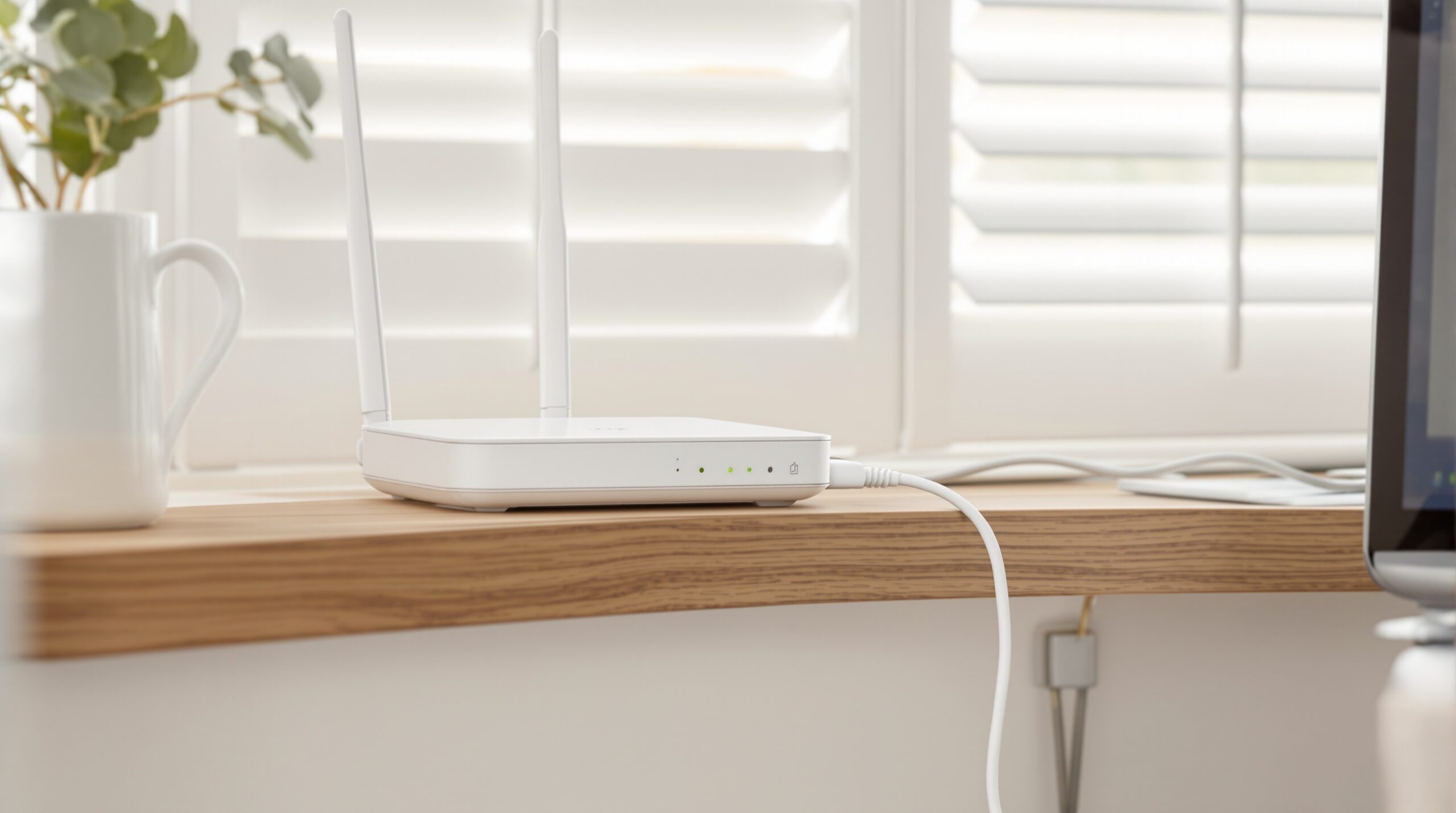
Australian WiFi routers emit 10–200 µW/m² at 1 metre—turning off overnight and relocating the router away from bedrooms eliminates 80–100% of bedroom RF exposure. Most households see power density drop to <1 µW/m² in bedrooms with just those two changes. The catches: you lose WiFi overnight (though NBN/modem stays active), and you'll need a $20 timer or a low-EMF router with scheduled shutdown.
| Solution | RF Reduction | Verdict |
|---|---|---|
| Timer + router relocation | ~95% bedroom exposure | Recommended |
| JRS Eco 100 low-RF router | 85–95% vs standard router | Best for 24/7 WiFi |
| Router shielding boxes | 20–40% (unreliable) | Avoid as primary |
Yes, you lose WiFi overnight. Your NBN connection stays active at the modem level (the nbn NTD does not depend on your router). If you need overnight connectivity for a security camera or smart alarm, hardwire those devices via Ethernet and disable the router’s WiFi radio separately (see router settings below).
The three products we own are measured first-hand by Jayce Love, former Royal Australian Navy Clearance Diver; every other product is assessed on published manufacturer specifications and independent certification using our documented methodology — no gifted units, no brand payments.
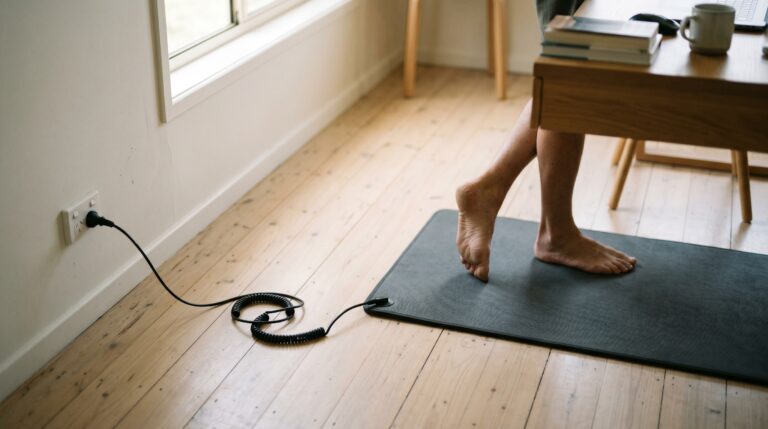
This single ~$20 purchase delivers more measurable RF reduction for your bedroom than any $500 product. It is the first low-cost fix worth installing in any home across the Gold Coast, Brisbane, and northern NSW.
Highest-ROI WiFi EMF Fix
Phone on Airplane Mode — Free
Your phone on the bedside table is often the second-largest RF source in your bedroom. A smartphone searching for cell signal transmits at far higher power than your router — peak bursts of 20,000-100,000 μW/m² at 30 cm. Put it on airplane mode before bed. If you need it as an alarm, airplane mode still allows the alarm to function.
Combined: router timer + airplane mode + moving any other WiFi devices (tablets, smart speakers) out of the bedroom. Total cost: $15. Total bedroom RF reduction during sleep: 90-100%.
If these two steps seem too simple to be worth writing about, consider this: in a large share of Australian homes the router sits inside the master bedroom or within 2 metres of the bed head on the other side of a plasterboard wall. Plasterboard provides zero RF attenuation. You might as well have the router on your pillow.
Move the Router — Free
If your router currently sits in the bedroom, a home office next to the bedroom, or on the other side of a shared bedroom wall — move it. The inverse square law does the heavy lifting.
| Distance from Router to Bed | Typical Peak RF at Bed (μW/m²) | Building Biology Category |
|---|---|---|
| 0.5 m (on bedside table) | 800-2,500 | Extreme anomaly |
| 1 m (same room, desk) | 80-400 | Severe anomaly |
| 3 m (adjacent room, plasterboard wall) | 10-60 | Severe anomaly |
| 5 m (two rooms away) | 3-15 | Slight to severe |
| 8-10 m (opposite end of house) | 0.5-5 | Slight anomaly |
Moving the router from the bedroom to the living room at the other end of the house drops your sleep-time exposure by 95% or more. If you combine that with the $15 timer, you reach zero during sleep hours.
Step 2: Router Settings That Reduce Output by 50-70% (Free)
Every modern router has configuration options that affect RF output. Most Australians never touch these. Here are the settings that matter, and the measured impact of each.
Disable the 5 GHz Band
Your dual-band or tri-band router runs two or three separate radio transmitters. Each one emits beacon frames continuously. Disabling the 5 GHz band cuts total RF output by roughly 50%. The 5 GHz band also operates at higher frequencies, which some researchers flag as more biologically active per unit of power.
The trade-off: 5 GHz offers faster speeds and lower latency for streaming and gaming. If you need 5 GHz for specific devices, keep it enabled only during daytime use and disable it via your router’s admin panel or schedule settings at night. Most Telstra, Optus, and TP-Link routers support band scheduling.
Reduce Transmit Power
Many routers allow you to set transmit power to Low, Medium, or High (or a percentage). The Telstra Smart Modem 3 buries this in advanced settings. TP-Link, ASUS, and Netgear routers expose it clearly.
Setting transmit power to Low typically reduces output by 60-75%. You may lose signal in the furthest room, but if your home is under 150 m², Low power is often sufficient for full coverage.
Disable WPS and Guest Networks
WPS (WiFi Protected Setup) keeps an additional radio beacon active. Guest networks add another SSID with its own beacon frames. If you are not using them, disable them. Each active SSID adds roughly 5-15% to total beacon RF output.
Turn Off Smart Home Radios
Newer routers from Telstra and Optus include Zigbee or Thread radios for smart home device coordination. These are additional RF transmitters. If you do not use smart home devices, disable these radios in your router settings.
Combined impact of all four settings changes: 50-70% reduction in total RF output, measured at the router. At your bed (with distance factored in), the absolute numbers drop proportionally. This is free and takes 10 minutes in your router admin panel (usually 192.168.0.1 or 192.168.1.1 in your browser).
Step 3: The JRS Eco 100 — The Purpose-Built Low-EMF Router
If you want WiFi but want it to produce the lowest possible RF, the JRS Eco 100 is the only router specifically engineered for EMF reduction. It is built on an ASUS RT-AX53U hardware platform with modified firmware by JRS (a Dutch engineering firm).
What makes it different:
- Eco mode (Full Eco ON): The router reduces transmit power by approximately 90% and — critically — stops sending beacon frames when no device is actively transferring data. Standard routers pulse beacons 10 times per second even when idle. The JRS stops. This means periods of true zero RF output between data bursts.
- Rated output at 1 m in eco mode: the manufacturer specifies roughly 5-20 μW/m² peak (compared to a typical 80-400 μW/m² for a standard router). During idle periods, output drops to background ambient only.
- Full WiFi functionality: Devices connect normally. Browsing, email, and video calls work. Heavy 4K streaming may need eco mode turned off temporarily.
The JRS Eco 100 is available in Australia through SaferEMF. It costs approximately $450 — roughly $100 more than a comparable ASUS router without the eco firmware. At $450 once, that is $7.50 per month over 5 years for a 90-95% reduction in WiFi RF during idle periods.
Who should buy the JRS Eco 100?
You want WiFi during the day without the constant beacon-pulse background RF. You have already moved the router away from bedrooms. You want measurable reduction confirmed by a meter. The JRS Eco 100 is not a replacement for the $15 timer — it complements it. Timer at night, eco router during the day. That combination is the lowest-RF WiFi setup available.
If you are choosing between the JRS Eco 100 and simply hardwiring your home with Ethernet, hardwiring wins on RF reduction (100% vs 90-95%). But hardwiring means no wireless connectivity for phones, tablets, and laptops. Most households need some WiFi. The JRS Eco 100 is the best compromise between connectivity and RF minimisation.
Step 4: Hardwire Everything You Can via Ethernet
Every device you connect by Ethernet cable is a device that stops sending and receiving WiFi RF. In a typical Australian home, you can realistically hardwire:
- Desktop computers — already have Ethernet ports
- Smart TVs — nearly all have Ethernet ports (often unused)
- Gaming consoles — PS5, Xbox, Switch dock all have Ethernet
- Streaming devices — Apple TV and Chromecast with Google TV have Ethernet adapters
- Printers — most network printers have Ethernet ports
For laptops, a USB-C to Ethernet adapter costs $15-30. Once hardwired, disable the laptop’s WiFi radio in network settings.
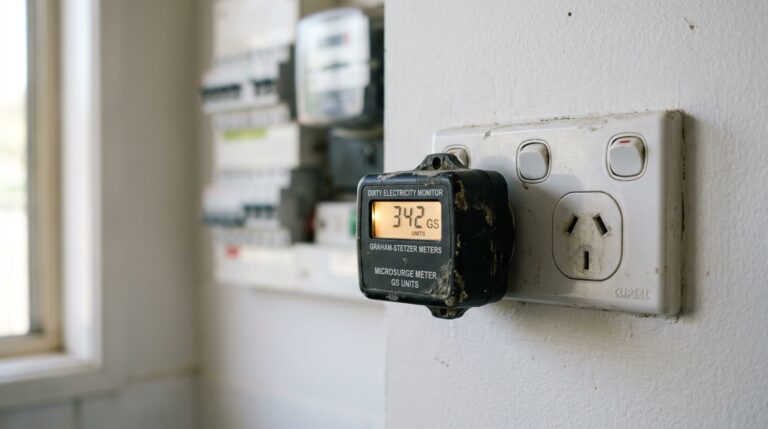
If running Ethernet cables through your home is impractical (rental, heritage-listed, single-storey slab), Ethernet-over-powerline adapters (e.g., TP-Link AV2000 or Netgear Powerline 2000) use your existing electrical wiring to carry network data. They do produce some high-frequency voltage transients on the wiring (dirty electricity), but they produce zero RF. For most situations, the RF elimination outweighs the dirty electricity concern — especially when combined with a demand switch on the bedroom circuit.
Once every possible device is hardwired, you may find you can disable WiFi on the router entirely. If one or two phones still need wireless, the JRS Eco 100 in eco mode handles them with minimal RF output. If you can go fully wired, disable the WiFi radio on your router completely and enjoy zero RF from the unit.
Australian NBN and Smart Meter Considerations
Your router is not the only RF source connected to your home infrastructure. Two others deserve attention.
NBN Connection Boxes (NTD / NCD)
The NBN Network Termination Device (NTD) or Network Connection Device (NCD) installed by nbn co does not transmit WiFi. It provides an Ethernet port for your router. However, if you are on Fixed Wireless NBN (common in semi-rural areas of QLD, NSW, VIC, and WA), the outdoor antenna receives and transmits at 3.5 GHz or 2.3 GHz. The antenna is typically mounted on the exterior of the house. Interior RF from the Fixed Wireless NTD is minimal — it communicates to the outdoor unit via coaxial cable, not RF.
If you are on Satellite NBN (nbn Sky Muster), the dish transmits at 28-30 GHz (Ka band). Again, the interior connection is wired.
Smart Meters
Australian smart electricity meters (used across VIC, parts of QLD via Energex/Ergon, and increasingly in NSW and SA) operate at 900 MHz and transmit in short bursts. The critical detail: peak readings during a burst can be 100 to 1,000 times higher than the time-averaged reading.
Smart meters on the exterior wall of Queensland homes can read 500-5,000 μW/m² peak at 1 metre during transmission bursts. If your bedroom shares a wall with the meter box — a common layout in Metricon and Stockwell homes across south-east QLD — you may be getting burst RF exposure during sleep.
The fix: if the meter is on a bedroom wall, either move the bed to the opposite wall or request the meter be relocated (your electricity distributor may accommodate this, though it is not guaranteed). Shielding paint on the interior of the shared wall is effective here because the source is external — exactly the right use case for shielding.
For a complete breakdown of smart meter RF in Australian homes, see our full EMF guide for Australian homes.
Mesh WiFi Systems: More Nodes = More RF Sources
Mesh WiFi systems — Google Nest WiFi, TP-Link Deco, Netgear Orbi — are popular in larger Australian homes. They solve dead spots by placing multiple access points throughout the house. From an RF perspective, each mesh node is a separate router.
A 3-node mesh system in a 200 m² home means three separate RF sources, each pulsing beacon frames 10 times per second on two or three bands. The nodes also communicate with each other via a dedicated backhaul channel — additional RF that a single-router setup does not produce.
Total ambient RF in a typical 4-bedroom home with a 3-node Google Nest WiFi Pro can reach 40-120 μW/m² at every point in the house, including bedrooms, with nowhere in the home below 10 μW/m². Compare that to a single router in the living room, where far bedrooms typically read 2-8 μW/m².
If you have a mesh system and want to reduce bedroom RF:
- Remove any mesh node from inside or adjacent to the bedroom
- Put all mesh nodes on the same timer circuit so they power down at night
- If possible, replace mesh with a single high-powered router (like the JRS Eco 100) positioned centrally
Mesh is convenient. It is also the highest-RF WiFi setup you can install. Know the trade-off before you add nodes.
The Shielding Trap: When EMF Canopies and Paint Make Things Worse
This section exists because this mistake is common in homes across Brisbane, the Gold Coast, and northern NSW.
A family buys a silver-threaded EMF bed canopy (typically $300-700). They install it around the bed. But they leave the WiFi router in the bedroom, or their phones on the bedside table with WiFi active, or a baby monitor inside the canopy. The canopy reflects RF inward. The meter reads higher inside the canopy than outside it.
The correct sequence: remove all internal RF sources from the bedroom FIRST. Then measure. If external RF (from a neighbour’s router, a cell tower, or a smart meter on the other side of the wall) still exceeds your target, THEN install shielding.
Shielding products work. Silver cotton fabric at 42 dB attenuation blocks over 99.99% of incident RF. Shielding paint (Y-Shield HSF54 or similar) at 36-40 dB is effective on walls. But they work by reflection. Reflection inside an enclosure with an internal source creates a reverberant field — standing waves that can produce hotspots of higher intensity than the original signal.
If you have completed the hierarchy (measured, removed internal sources, distanced the router, verified low external RF) and still read above your target at pillow height, an EMF canopy becomes appropriate. For canopy selection, see EMF bed canopy guide.
Demand Switches: Eliminating AC Electric Fields While You Sleep
While we are focused on RF from routers, your bedroom wiring also produces AC electric fields. These are different from RF — they operate at 50 Hz (Australia’s mains frequency) and are present whenever a circuit is energised, even if nothing is turned on.
Building Biology SBM-2015 recommends AC electric fields below 5 V/m in sleeping areas. Typical Australian bedroom wiring produces 10-50 V/m at pillow height when the circuit is live.
A demand switch (also called an automatic disconnect switch) installed on your bedroom circuit by a licensed electrician cuts the voltage to that circuit when no current is being drawn. When you turn off the last device (lamp, phone charger), the demand switch drops the circuit to a low DC test voltage. AC electric fields at the bed drop to near zero.
Cost: $100-150 installed. It is a one-time expense for the remaining life of the house. Combined with the router timer and airplane mode, a demand switch means your bedroom has near-zero RF and near-zero AC electric fields during sleep.
This is the complete low-EMF bedroom setup: router timer ($15) + airplane mode (free) + demand switch ($100-150). Total: under $170. It addresses both RF and ELF electric fields.
Decision Tree: What to Do First Based on Your Situation
WiFi EMF Reduction Decision Tree
Question 1: Is your router inside your bedroom or on the other side of a bedroom wall?
→ Yes: Move it immediately to the furthest practical room. This is step one, always.
→ No: Good. Proceed to Question 2.
Question 2: Do you need WiFi during sleeping hours (10 PM – 6 AM)?
→ No: Buy a Jackson 24 Hour Mechanical Timer on Amazon AU (~$20). Problem solved for sleep hours.
→ Yes (security cameras, etc.): Hardwire those devices via Ethernet, then use the timer for the WiFi radio.
Question 3: Do you want to reduce daytime WiFi RF as well?
→ Budget option: Adjust router settings (disable 5 GHz, reduce power, disable WPS/guest). Free.
→ Best option: JRS Eco 100 router (~$450) + hardwire as many devices as possible.
→ Maximum reduction: Disable WiFi entirely. Hardwire everything. Use USB-C Ethernet adapters for laptops.
What About 5G Home Internet (Fixed Wireless)?
Telstra, Optus, and TPG now offer 5G home internet as an NBN alternative in metro areas of Sydney, Melbourne, Brisbane, Perth, and Adelaide. These units — like the Telstra 5G Wi-Fi Pro or Optus 5G Home Router — contain two separate RF systems: the 5G modem (transmitting/receiving on 3.5 GHz sub-6 or 26-28 GHz mmWave) and the WiFi radio (2.4/5/6 GHz).
The 5G modem component transmits at significantly higher power than a standard WiFi router when uploading data. A Telstra 5G Wi-Fi Pro at 1 metre can reach peak RF during upload bursts of 3,000-8,000 μW/m² — 10 to 20 times higher than a standard NBN WiFi router.
If you are using a 5G home internet unit:
- Place it as far from bedrooms as possible — ideally near a window for signal quality and away from living areas
- Use the same timer strategy to power it down overnight
- Hardwire devices via Ethernet from the unit’s Ethernet port to eliminate the WiFi radio entirely
5G home internet is a growing RF source in Australian homes, particularly in Parramatta, western Sydney, inner Melbourne, and suburban Brisbane where nbn Fixed Line is slower than the 5G alternative. The convenience is real. The RF output is measurably higher. Manage it with distance and scheduling.
Complete Cost Summary: WiFi EMF Reduction, Ranked by Impact per Dollar
| Action | Cost (AUD) | RF Reduction | Impact per Dollar |
|---|---|---|---|
| Phone airplane mode at night | $0 | Eliminates phone RF | ∞ |
| Move router away from bedroom | $0 | 80-95% | ∞ |
| Router settings (disable 5 GHz, low power) | $0 | 50-70% | ∞ |
| Router timer (Amazon AU) | $15 | 100% during sleep | Exceptional |
| Demand switch (bedroom circuit) | $100-150 | AC electric fields → ~0 | Very high |
| Ethernet hardwiring (cables + adapters) | $50-150 | 100% per device | High |
| JRS Eco 100 low-EMF router | ~$450 | 90-95% in eco mode | Moderate |
| EMF bed canopy (silver cotton 42 dB) | $300-700 | 99%+ (external sources only) | Low (only after steps 1-4) |
Start at the top. Work down. Measure after each change to confirm the reduction. Without a meter, you are guessing — and guessing leads to either complacency or wasted money on products that do not address your actual exposure profile.
Final Verdict
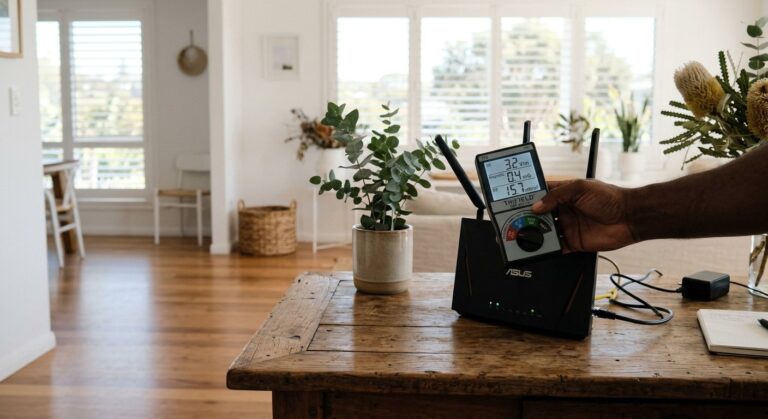
Your WiFi router produces RF levels that are a tiny fraction of Australia’s ARPANSA thermal safety limit but hundreds of times above precautionary Building Biology sleeping-area guidelines. The numbers are not ambiguous — they are consistent and reproducible on any calibrated meter.
The good news: you can reduce your bedroom WiFi RF exposure by 90-100% for $15 or less. A Jackson timer on Amazon AU + airplane mode + moving the router away from the bedroom. These three actions, done today, deliver more reduction than any single product you can buy.
If you want daytime reduction too, adjust your router settings (free), hardwire what you can ($50-150), and consider the JRS Eco 100 (~$450) for the lowest-RF WiFi available.
Measure before. Measure after. The meter does not lie, and it does not sell you anything. Start there.
Start with measurement. The TriField TF2 is the only meter you need.
Measures AC magnetic, AC electric, and RF in one device. I use it for every room audit at the Palm Beach house. Without real readings, every EMF decision is a guess.
Frequently Asked Questions
Is WiFi router radiation dangerous in Australia?
WiFi routers emit RF at levels far below Australia’s ARPANSA thermal safety limit (1,000 μW/cm² at 2.4 GHz). However, a typical router at 1 metre produces 80-400 μW/m², which is 800 to 4,000 times above the Building Biology SBM-2015 precautionary guideline of 0.1 μW/m² for sleeping areas. ARPANSA acknowledges scientific uncertainty remains regarding long-term, low-level exposure. Whether this matters to you depends on which standard you choose to follow — both are legitimate frameworks with different assumptions.
How far should a WiFi router be from the bedroom?
At minimum, place the router 5 metres from your bed. At 5 metres, typical peak RF drops to 3-15 μW/m² — still above Building Biology “no anomaly” but in the “slight anomaly” range. At 8-10 metres (opposite end of the house), readings drop to 0.5-5 μW/m². Combined with a $15 timer to power off the router overnight, distance is the most effective free reduction strategy.
Does turning off WiFi at night reduce EMF exposure?
Yes. Powering off the router with a timer eliminates 100% of its RF output during those hours. A standard router sends beacon frames approximately 10 times per second on each active band, even when no device is transferring data. Turning it off is the only way to stop these continuous pulses. A Jackson 24 Hour Mechanical Timer from Amazon AU set to 10 PM-6 AM achieves this automatically.
What is the JRS Eco 100 router and does it work?
The JRS Eco 100 is a modified ASUS RT-AX53U with custom firmware from JRS (Netherlands). In eco mode, it reduces transmit power by ~90% and stops sending beacon frames when idle — meaning zero RF output between data transfers. The manufacturer specifies 5-20 μW/m² peak at 1 metre in eco mode, compared to 80-400 μW/m² for standard routers. It is available in Australia through SaferEMF for approximately $450.
Do mesh WiFi systems produce more EMF than a single router?
Yes. Each mesh node is a separate RF transmitter. A 3-node mesh system produces RF from three locations simultaneously, plus inter-node backhaul traffic. In a typical 4-bedroom home, a 3-node Google Nest WiFi Pro can produce 40-120 μW/m² at every point in the house, including bedrooms, while a single router in the living room may read 2-8 μW/m² in far bedrooms.
Can an EMF bed canopy reduce WiFi exposure while sleeping?
An EMF canopy (silver cotton fabric, 42 dB attenuation) blocks over 99.99% of incident RF from external sources. However, if any RF source is inside the canopy — a phone with WiFi on, a baby monitor, or a router in the same room — the canopy reflects that RF inward and increases exposure. Remove all internal sources first. Measure. Only then install a canopy if external RF (neighbour’s router, cell tower, smart meter) still exceeds your target.
Does the NBN box in my house emit WiFi radiation?
The NBN NTD (Network Termination Device) itself does not emit WiFi. It provides an Ethernet connection to your router. Your router is the WiFi source. On Fixed Wireless NBN, an outdoor antenna transmits at 3.5 GHz or 2.3 GHz, but the indoor connection is via coaxial cable. The RF source is outside and typically mounted high on the exterior wall.
What is a demand switch and should I get one for my bedroom?
A demand switch is installed on your bedroom circuit by a licensed electrician ($100-150). It automatically cuts voltage to the circuit when no current is being drawn, eliminating AC electric fields from wiring in walls, ceiling, and floor. Typical bedroom wiring produces 10-50 V/m at pillow height. Building Biology SBM-2015 recommends below 5 V/m. A demand switch drops this to near zero. Combined with a router timer and airplane mode, it creates a near-zero EMF sleeping environment.
How do I measure WiFi EMF from my router at home?
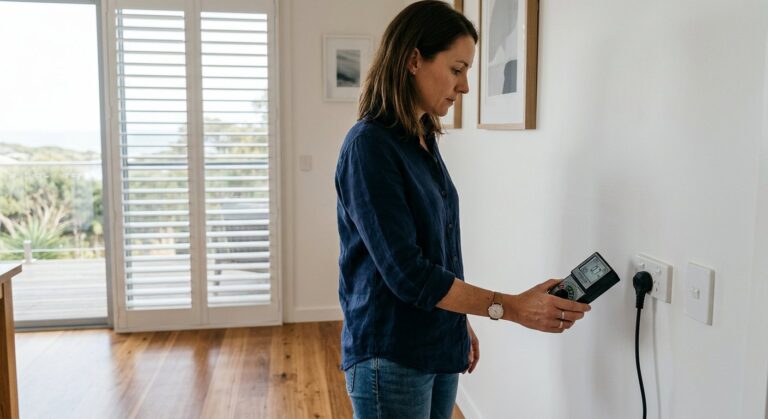
Use a calibrated RF meter. The TriField TF2 ($250-300) measures RF, AC magnetic, and AC electric fields in one device — sufficient for a home audit. For RF-only with higher sensitivity, the Safe and Sound Pro II ($500+) is the professional choice. Take readings at pillow height with the router on, note the peak, then repeat after each reduction step. Without measurements, every EMF decision is a guess.
Get the Australian Home Environment Checklist
30 checks across water, air and EMF. Most of them free. Ranked by impact.
No spam. Unsubscribe any time.

Former Royal Australian Navy Clearance Diver and TAG-E counter-terrorism operator. Founded Clean and Native to apply the same rigorous thinking to the home environment.
Full biography →