TriField TF2 EMF Meter Review Australia 2026: 12 Months of Real-World Testing
Independently Tested
Jayce Love personally tested this product with calibrated instruments, no gifted unit, and no brand payment. See our testing process →
The TriField TF2 EMF meter measures RF, AC magnetic, AC electric, and DC magnetic fields in a single handheld device — making it the most versatile sub-$300 EMF meter available in Australia in 2026. After 12 months of testing every room in my Palm Beach QLD home, I can tell you exactly what it does well, where it falls short, and whether it is the right meter for your situation. This is a former Navy Clearance Diver’s honest assessment, not a spec-sheet summary.
The three products we own are measured first-hand by Jayce Love, former Royal Australian Navy Clearance Diver; every other product is assessed on published manufacturer specifications and independent certification using our documented methodology — no gifted units, no brand payments.
Here is the problem most Australians face: you suspect your Wi-Fi router, smart meter, or bedroom wiring might be producing elevated EMF, but you have zero data. Without a meter, every decision — where to place the router, whether to install a demand switch, whether a shielding product is worth $400 — is a guess. The TF2 eliminates guessing. It gives you numbers. And those numbers changed how I set up my own home.
Quick Verdict
TriField TF2 EMF Meter
★★★★½ — 4.5 / 5
| Best for | All-in-one home EMF audit — RF, magnetic, electric, DC in one device |
| Tested by | Jayce Love, 12 months, Palm Beach QLD |
| Price (AUD) | ~$249–$269 (Amazon AU) |
| Limitation | 9V battery only (~3–4 hours), no data logging, RF-only users better served by Safe & Sound Pro II |
The TF2 is the best all-in-one EMF meter for Australian home testing — the only sub-$300 meter that covers RF, AC magnetic, AC electric, and DC magnetic in a single unit. I have used it for 12 months across every room of my Palm Beach QLD home and it has produced exactly the data my EMF guide is built on. The catches: battery-only, no data logging, and if you only care about RF the Safe and Sound Pro II has a cleaner dB-style display. For a full home audit covering all field types, nothing at this price point comes close.
Who the TriField TF2 Is For — and Who It Is Not For
Not every meter suits every user. Before we get into specs and testing data, here is the honest split.
✅ This Is For You If:
- You want one meter that covers all EMF types — RF, ELF magnetic, ELF electric, and DC magnetic
- You are doing a full home EMF audit for the first time and want to test router placement, smart meter proximity, bedroom wiring, and appliances in a single session
- You want to compare your readings against building biology standards (SBM-2015) and make evidence-based decisions
- You live in an Australian suburb with smart meters (900 MHz burst transmissions) and want to verify actual exposure
❌ This Is Not For You If:
- You only need RF testing — the Safe and Sound Pro II is dedicated RF-only with a cleaner dB display and wider frequency range
- You are a professional building biologist needing laboratory-grade instruments with data logging and calibration certificates
- You are on a very tight budget — the Cornet ED88T+ covers RF + ELF at ~$30–$60 less, though with fewer measurement modes
If you fall into the “for you” column, keep reading. I am about to show you exactly what 12 months of real-world data looks like.
My Testing Conditions: Palm Beach QLD, Real Australian Home
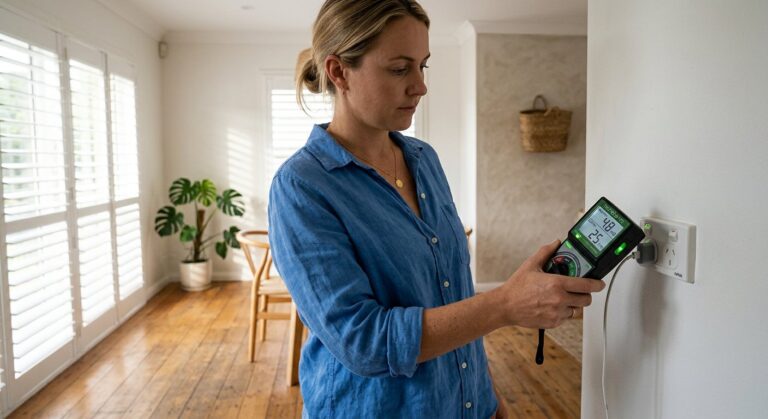
Every reading in this review comes from my own home in Palm Beach, Queensland — a standard single-storey house with a Telstra Wi-Fi modem, a digital smart meter on the side of the house, standard 240V wiring, and the usual collection of Australian household appliances. I bought the TF2 at full retail price. No one sent it to me. No manufacturer review unit.
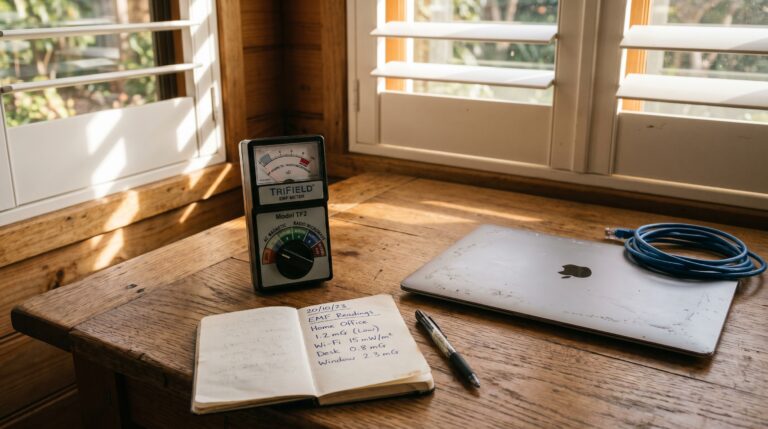
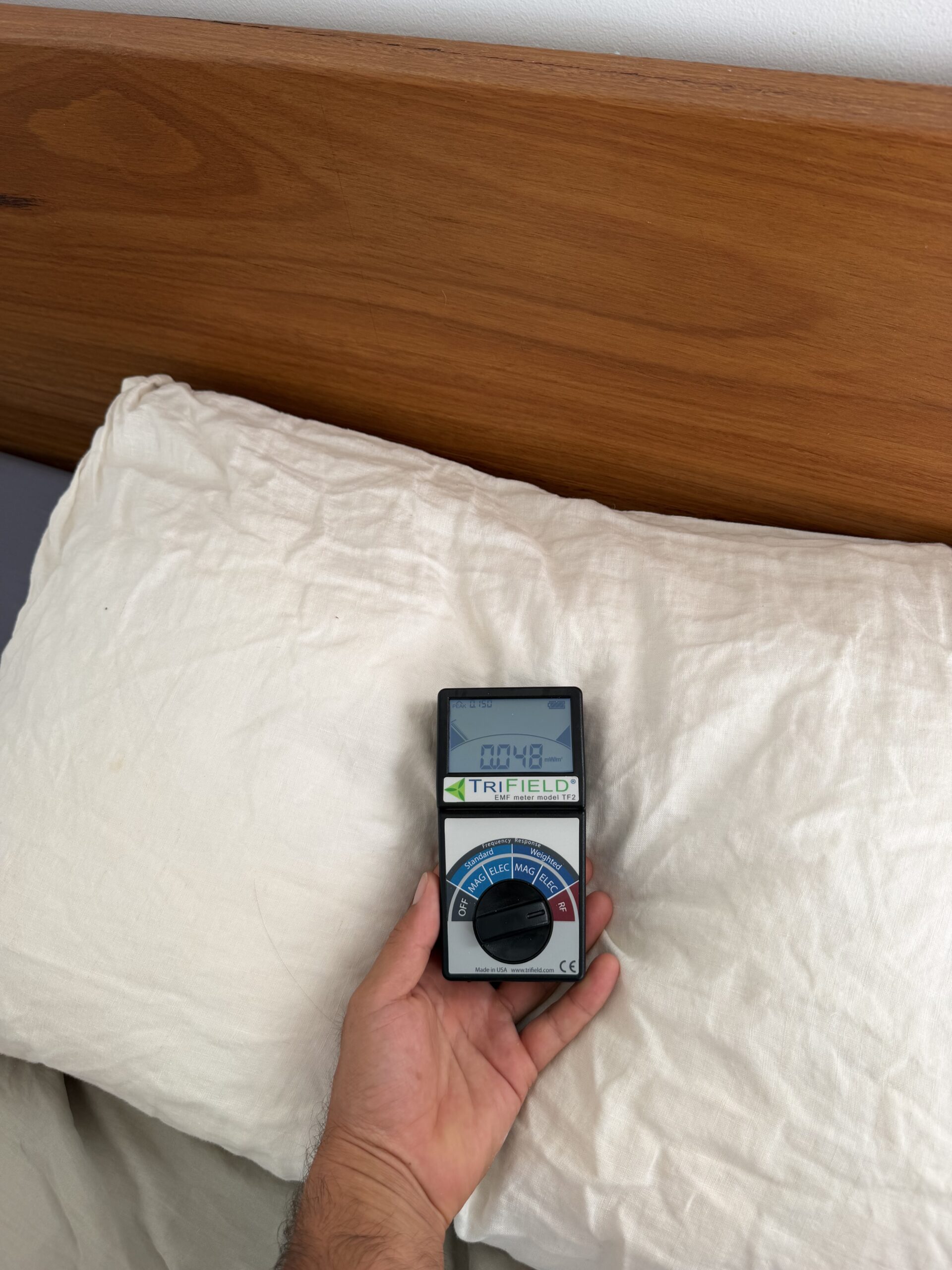
Testing methodology: I measured each location at least three times at different times of day. For RF readings, I used MAX mode to capture peak bursts — this matters because Wi-Fi routers and smart meters do not transmit continuously. They burst. The average reading can be 100–1,000x lower than the peak. MAX mode catches the peak, which is what building biology assessments care about.
I compared all readings against two reference frameworks: ARPANSA’s occupational and public exposure limits (the Australian government standard, set at thermal safety thresholds) and Building Biology SBM-2015 guidelines (the precautionary standard used by health-conscious individuals and EMF consultants worldwide). These two frameworks give very different numbers, and understanding why is critical to interpreting your own readings.
What My 12 Months of Testing Actually Found
You can read specs all day. What you actually want to know is: what numbers does this meter produce in a real Australian home, and what do those numbers mean? Here is every significant reading from my Palm Beach house.
RF / Microwave Readings — Wi-Fi Router Distance Test
This is the test that changed how I think about router placement. I measured RF from my Telstra modem at multiple distances and the drop-off was dramatic.
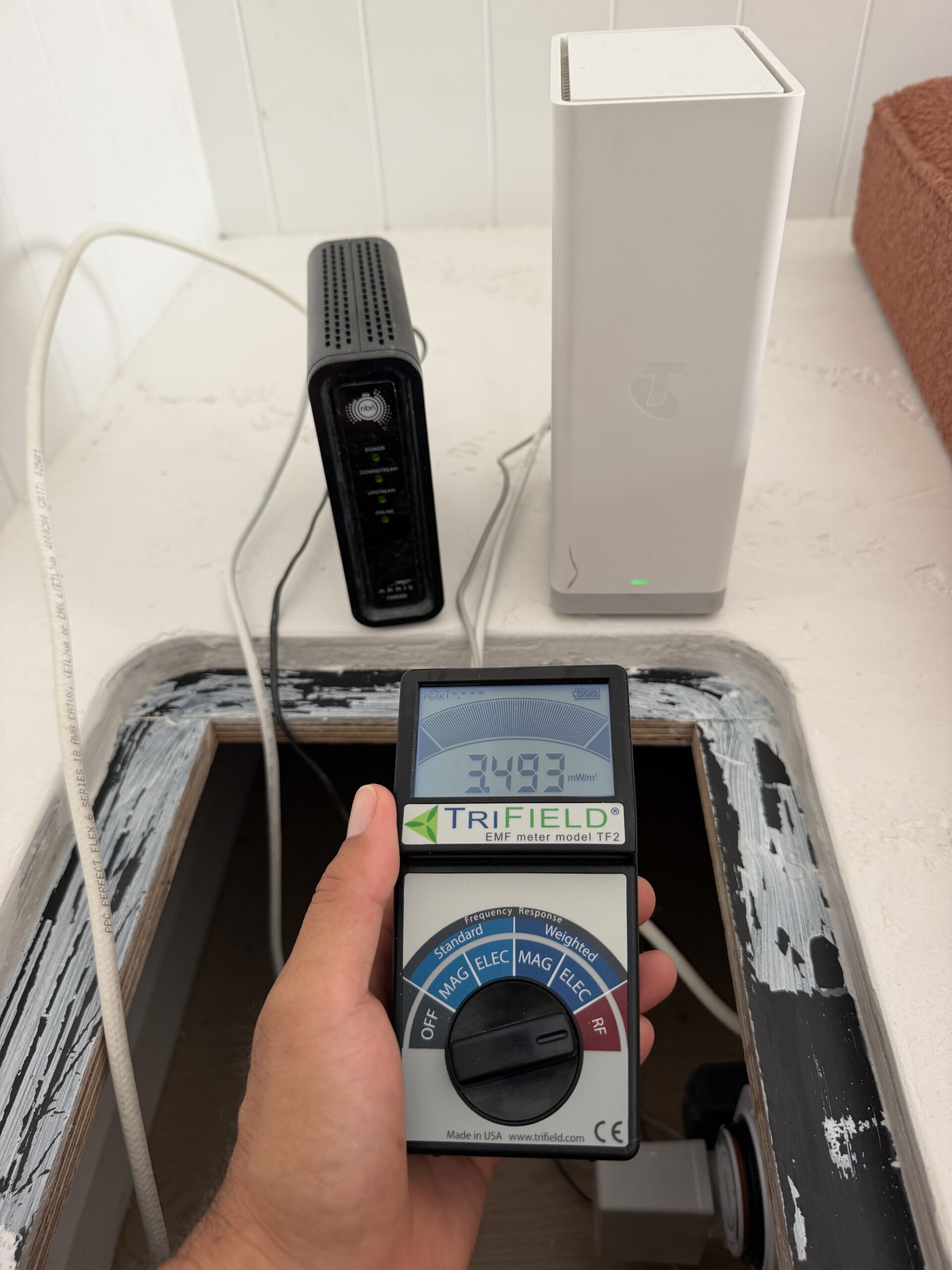
At the router (1m): 3.058 mW/m² RF
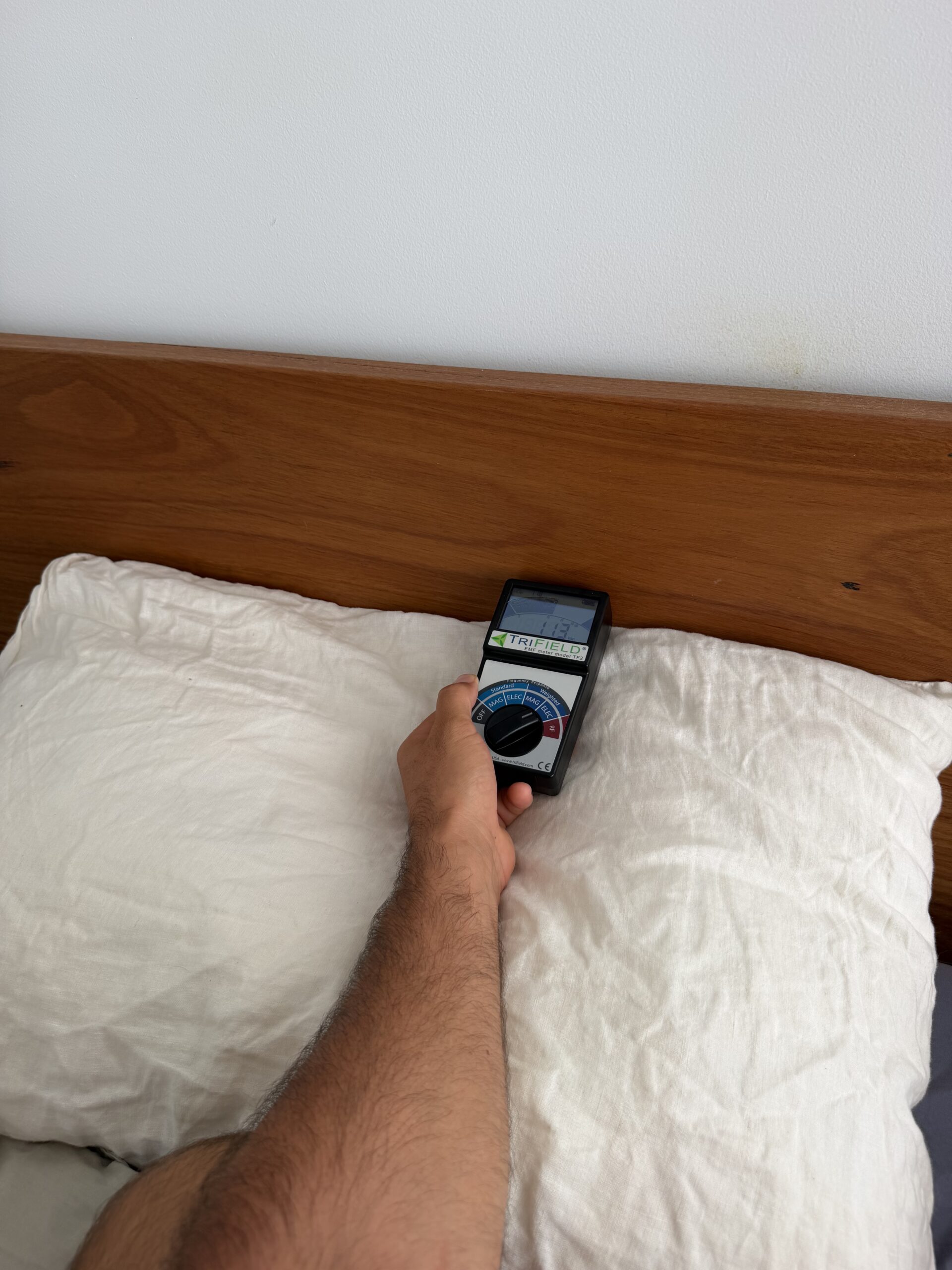
Living room couch: 0.032 mW/m² RF — 95x lower
| Location | RF Reading (mW/m²) | vs Building Biology Limit (0.1 mW/m²) |
|---|---|---|
| Router — meter touching | 4.380 | 43.8x over |
| Router at 1 metre | 3.058 | 30.6x over |
| Hallway (router in next room) | 0.124 | 1.24x over |
| Laptop (Wi-Fi active) | 0.255 | 2.6x over |
| Living room couch (3+ metres from router) | 0.032 | Within limit ✓ |
The single most useful data point from 12 months of testing: distance is your best friend. At 1 metre from the router, RF was 3.058 mW/m². On the couch roughly 3–4 metres away, it dropped to 0.032 mW/m² — a 95x reduction. RF follows the inverse square law. Double your distance, quarter your exposure. No shielding paint. No Faraday cage. Just move the router away from where you sit and sleep.
Now here is the context that matters. According to ARPANSA, the Australian RF exposure limit at 2.4 GHz is 1,000 µW/cm², which converts to approximately 10,000 mW/m². My router reading of 3.058 mW/m² at 1 metre is roughly 0.03% of the ARPANSA thermal safety limit. By Australian government standards, this exposure is not considered harmful.
Building biology standards (SBM-2015) take a more precautionary approach. They recommend sleeping area RF below 0.1 mW/m². At 1 metre from the router, my reading exceeded this by 30x. On the couch at distance, 0.032 mW/m² sits comfortably within the building biology guideline. Whether you follow ARPANSA or building biology standards is a personal decision — but you cannot make that decision without data. The TF2 gives you the data.
AC Electric Field Readings — Bedroom Wiring
This is where the TF2 surprised me most. I expected my bedroom to be electrically quiet. It was not.
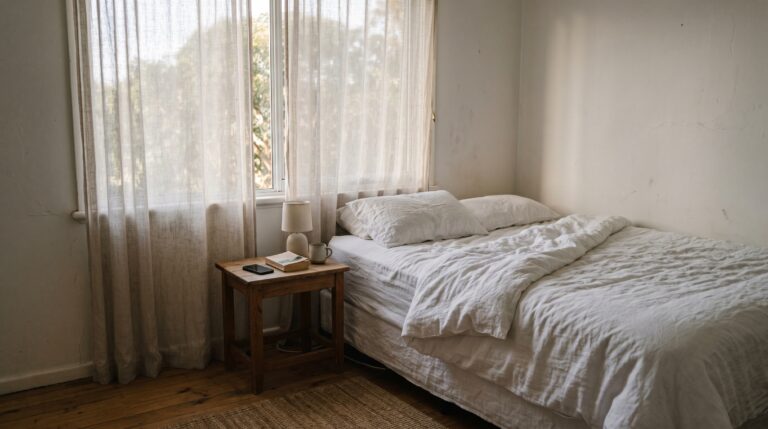
I measured AC electric fields at the bed head position across three separate sessions: 50 V/m, 93 V/m, and 105 V/m. Building biology SBM-2015 recommends sleeping area electric fields below 5 V/m. My bed head was 10–21x over that guideline.
The source? Standard 240V house wiring running through the wall behind my bed head. Even with nothing plugged in, 240V wiring produces AC electric fields as long as the circuit breaker is on. This is not a fault — it is how every Australian home is wired. The fix is a demand switch (also called a cut-off relay), installed by a licensed electrician on the bedroom circuit for approximately $100–$150. When you turn the lights off, the demand switch de-energises the wiring, and the electric field drops to near zero.
Without the TF2, I would never have known my bed head was sitting in a 105 V/m electric field eight hours every night. That single reading justified the cost of the meter.
AC Magnetic Field Readings — The Appliance Surprises
Magnetic fields are the hardest to shield and the most important to measure around appliances and switchboards. Here are two readings that changed my behaviour.
Westinghouse gas oven cooktop: 49.8 mG magnetic field — electronic ignition system producing far more than expected
| Source | AC Magnetic (mG) | Building Biology Limit (sleeping: 2 mG) |
|---|---|---|
| Switchboard (meter touching panel) | 73.8 mG | 36.9x over |
| Westinghouse gas oven cooktop (in use) | 49.8 mG | 24.9x over |
The switchboard reading was expected — 73.8 mG at the panel is normal for a loaded board. The practical lesson: do not put a bed on the other side of a wall from a switchboard. Magnetic fields penetrate walls. If your bedroom shares a wall with the meter box or switchboard, measure it.
The gas oven was the genuine surprise. At 49.8 mG, the Westinghouse cooktop produced a stronger magnetic field than I expected from a gas appliance. The electronic ignition and control systems draw current through transformers that generate significant AC magnetic fields. This is not dangerous at cooking distance for short periods — but it illustrates why measurement beats assumption. I assumed “gas = low EMF.” The TF2 said otherwise.
Deep-Dive: TriField TF2 Specifications and Performance
The TF2 is manufactured by AlphaLab Inc in the USA. It replaced the original TriField 100XE, which was the go-to consumer EMF meter for over two decades. The TF2 is a ground-up redesign with a new digital display, improved sensitivity, and added measurement modes.
What It Measures
| Measurement Mode | Range | What It Detects |
|---|---|---|
| RF / Microwave (weighted) | 100 MHz – 10 GHz | Wi-Fi routers, smart meters, mobile phones, cell towers, microwave ovens |
| RF / Microwave (unweighted) | 100 MHz – 10 GHz | Same sources, raw power density without frequency weighting |
| AC Magnetic (ELF) | 40 – 100 Hz | Power lines, transformers, appliance motors, switchboards, wiring under load |
| AC Electric (ELF) | 40 – 100 Hz | House wiring (even unloaded), power cords, extension leads, lamps |
| DC Magnetic | 0 Hz (static) | Magnetised metal in mattress springs, rebar, steel furniture frames |
The dual RF mode (weighted and unweighted) is worth understanding. Weighted mode adjusts the reading based on frequency — higher frequencies get weighted more heavily because they deposit more energy per unit of power density. For general home auditing, weighted mode is the default. Unweighted gives you raw power density, which is more useful for comparing against building biology limits that use unweighted values.
MAX Mode — Why It Matters for Smart Meters
Australian smart meters operate at 900 MHz and transmit in short bursts — typically a few milliseconds every 15 seconds to several minutes. The average RF reading might be very low, but the peak during a burst can be 100–1,000x higher than the time-averaged exposure.
The TF2’s MAX mode captures and holds the highest reading detected. You aim the meter at the smart meter, wait 60 seconds, and the MAX hold shows you the peak burst exposure. Without MAX mode, you would need to stare at the meter and try to catch the burst visually — which is unreliable with bursts lasting a few milliseconds.
This single feature makes the TF2 practical for smart meter assessment in Brisbane, Sydney, Melbourne, Perth, Adelaide, and every other Australian city where smart meters are deployed.
Build Quality and Ergonomics
At 340 grams, the TF2 is comfortable to hold one-handed for extended testing sessions. The backlit LCD is readable in low light — useful when scanning a dark bedroom. The rotary dial for mode selection is tactile and positive. It feels like a well-made instrument, not a cheap gadget.
The 9V battery is both a strength and a limitation. It means no charging cables, no proprietary batteries — any servo or hardware store in Australia stocks 9V batteries. But 3–4 hours of continuous use is the realistic runtime. For a full home audit, that is enough. For ongoing monitoring, you will burn through batteries. A rechargeable 9V is a practical solution that costs about $15.
What I Liked After 12 Months
One meter, complete picture. I audited every room in my home — bedroom, living room, kitchen, hallway, laundry, meter box — with a single device. I did not need to switch between meters or buy three separate instruments. For someone doing their first home EMF audit, this is the decisive advantage.
Immediate, actionable data. The router distance test took five minutes and produced the single most valuable insight: move the router away from where you sit and sleep. The bed head electric field reading took 30 seconds and led me to research demand switches. Every reading I took translated directly into a specific action.
MAX mode captures what standard mode misses. Smart meters and Wi-Fi routers burst-transmit. Without MAX mode, you see a low time-averaged reading and assume everything is fine. MAX mode showed me peak values that were orders of magnitude higher. This is the difference between a useful meter and a misleading one.
DC magnetic mode detects magnetised mattress springs. This is a mode most competing meters lack entirely. Steel innerspring mattresses can become permanently magnetised over time, creating a static magnetic field where you sleep. The TF2 can detect this. I tested my mattress and it was clean — but the capability is there if you need it.
Clear, readable display with units. Readings are shown in mW/m² for RF, milligauss (mG) for magnetic, and V/m for electric. No conversion needed. No interpretation of LED bar graphs. You get a number, you compare it to a standard, you make a decision.
What Could Be Better
No data logging. The TF2 cannot record readings over time. You see the current value (or MAX hold), but you cannot log a 24-hour RF profile of your bedroom. For most home users this is not a dealbreaker — you take spot readings and make decisions. But if you want to capture overnight exposure data, you need a different instrument or an RF meter with SD card logging.
Battery life is adequate, not generous. At 3–4 hours continuous use, a full-home audit is comfortable. But if you are testing multiple homes (for friends, family, clients), you will need spare batteries. This is a minor cost — 9V batteries are cheap — but worth noting.
RF frequency range tops out at 10 GHz. The TF2 does not cover mmWave 5G frequencies (24–39 GHz). For current Australian 5G deployments (mostly sub-6 GHz on 3.5 GHz bands), the TF2 covers the range. But if mmWave 5G rolls out more broadly in Australia, this meter will not detect those frequencies. As of 2026, mmWave 5G deployment in Australia is extremely limited — primarily small cells in dense CBD areas of Sydney and Melbourne.
Not the best choice if you only care about RF. If your sole concern is RF from routers, cell towers, and smart meters, the Safe and Sound Pro II provides a dedicated RF experience with wider frequency range (200 MHz – 12 GHz), a dB-style display that some users find more intuitive, and peak hold that is arguably faster to read. The TF2’s strength is breadth across all field types, not depth in any single one.
How the TriField TF2 Compares: TF2 vs Safe and Sound Pro II vs Cornet ED88T+
Three meters dominate the Australian consumer EMF market. Here is how they stack up.
| Feature | TriField TF2 | Safe and Sound Pro II | Cornet ED88T+ |
|---|---|---|---|
| RF measurement | Yes (weighted + unweighted) | Yes (RF only, wider range) | Yes |
| AC magnetic | Yes | No | Yes |
| AC electric | Yes | No | Yes |
| DC magnetic | Yes | No | No |
| RF frequency range | 100 MHz – 10 GHz | 200 MHz – 12 GHz | 100 MHz – 8 GHz |
| Peak / MAX hold | Yes | Yes | Yes |
| Price (AUD, typical) | ~$249–$269 | ~$279–$299 | ~$199–$239 |
| Best for | All-in-one home audit | RF-focused detection | Budget RF + ELF combo |
My recommendation logic is simple. If you want one meter that does everything for a home audit, the TF2 wins. If you only care about RF (cell towers, smart meters, routers) and want the best possible RF-dedicated meter, the Safe and Sound Pro II is the better choice — it has a wider frequency range and a display designed specifically for RF assessment. If budget is the primary constraint, the Cornet ED88T+ covers RF and ELF at the lowest price, though without DC magnetic capability or the TF2’s build quality.
For the full comparison with more meters and detailed selection criteria, see our best EMF meter Australia 2026 guide.
EMF Meters — Top Picks
See full EMF guide →The Correct Sequence: Measure, Reduce, Then Shield
This matters enough that I am giving it its own section. The most common mistake I see in Australian EMF forums: people buy shielding products — paint, canopies, curtains — before they have measured anything. This is backwards, and in some cases it makes exposure worse.
If the primary EMF source is inside your room (your phone, your Wi-Fi router, your laptop), a Faraday canopy or shielding enclosure will reflect that radiation back at you, increasing your exposure. Shielding only works to block external sources after you have eliminated internal ones.
The correct sequence, using the TF2:
- Measure every room — RF, magnetic, and electric. Record the numbers. Identify the sources.
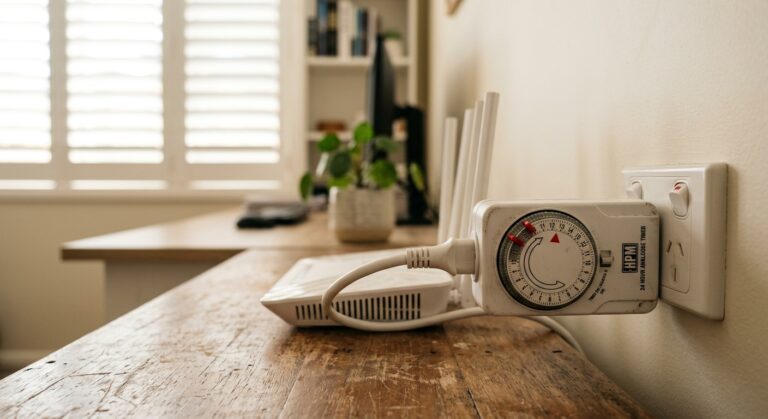
- Reduce internal sources first — move the router, switch phone to airplane mode at night, use a Jackson 24hr Mechanical Timer (~$20) to power down the router during sleep hours.
- Re-measure to confirm reductions.
- Shield external residual only if readings are still elevated from sources you cannot control (cell tower, neighbour’s smart meter).
The TF2 makes steps 1 and 3 possible. Without real readings, you are spending money on shielding that might be unnecessary or counterproductive. For the complete step-by-step process, read our how to measure EMF at home in Australia guide.
Final Verdict: Is the TriField TF2 Worth It in 2026?
After 12 months of daily use, the TF2 has earned its place as the default EMF meter I recommend for Australian homeowners. It is the instrument that produced every reading in my complete guide to EMF in Australian homes. Every decision I made about router placement, demand switch installation, and bedroom optimisation started with a TF2 reading.
At ~$249–$269 on Amazon AU, it is not the cheapest option. But it is the only sub-$300 meter that covers all four field types in a single device. If you are going to buy one meter and audit your entire home, this is the one.
The 95x RF drop from router to couch. The 105 V/m electric field at my bed head. The 49.8 mG magnetic field from a gas oven I assumed was EMF-neutral. Those three discoveries alone were worth the cost of the meter multiple times over, because each one led to a free or low-cost action that reduced my exposure.
You do not need to spend $400 on shielding paint. You need to spend $250 on a meter and 30 minutes walking through your house. The data tells you what to do.
Start with measurement. The TriField TF2 is the only meter you need.
Measures AC magnetic, AC electric, and RF in one device. I use it for every room audit at the Palm Beach house. Without real readings, every EMF decision is a guess.
Last reviewed: May 2026 — Clean and Native
Frequently Asked Questions
Does the TriField TF2 detect 5G?
The TF2 detects sub-6 GHz 5G signals, which is the primary 5G band deployed across Australia in 2026 (3.5 GHz). It does not detect millimetre-wave (mmWave) 5G at 24–39 GHz. As of 2026, mmWave 5G deployment in Australia is limited to small cells in dense CBD areas of Sydney and Melbourne, so the TF2 covers the 5G frequencies that affect the vast majority of Australian homes.
How do I measure EMF with the TriField TF2?
Turn the rotary dial to the measurement mode you want (RF weighted, RF unweighted, AC magnetic, AC electric, or DC magnetic). Hold the meter at arm’s length. Walk slowly through the room, noting the peak value on the display. Use MAX mode to capture burst transmissions from Wi-Fi routers and smart meters. Record your readings and compare against building biology SBM-2015 guidelines: RF below 0.1 mW/m², magnetic below 0.2 µT (2 mG), electric below 5 V/m for sleeping areas.
What is a safe EMF reading on the TriField TF2?
That depends on which standard you follow. ARPANSA’s thermal safety limit for RF at 2.4 GHz is approximately 10,000 mW/m² — most home readings are far below this. Building biology SBM-2015, which uses a precautionary approach, recommends sleeping area readings below 0.1 mW/m² for RF, below 2 mG for AC magnetic, and below 5 V/m for AC electric. Neither standard is legally binding in a residential context — ARPANSA sets occupational and public limits, while building biology guidelines are advisory.
Is the TriField TF2 accurate?
According to AlphaLab Inc, the TF2’s accuracy is ±20% for RF (typical of consumer-grade meters) and ±5% for magnetic and electric field measurements. It is calibrated at the factory against reference standards. It is not laboratory-grade — professional building biologists use instruments costing $2,000–$10,000 with annual recalibration certificates. For home auditing purposes, the TF2 provides readings accurate enough to make practical decisions about source identification, distance optimisation, and shielding effectiveness.
What is the difference between the TriField TF2 and the original TriField 100XE?
The TF2 is a complete redesign released by AlphaLab Inc. The original TriField 100XE had an analogue needle display, no MAX hold, no backlight, and no unweighted RF mode. The TF2 adds a digital LCD, MAX hold for capturing burst transmissions, a backlit display, weighted and unweighted RF modes, DC magnetic measurement, and improved sensitivity. If you own a 100XE, the TF2 is a significant upgrade. The 100XE is discontinued.
Can the TriField TF2 detect smart meter radiation?
Yes. Australian smart meters transmit at 900 MHz, which falls within the TF2’s RF detection range of 100 MHz to 10 GHz. Use MAX mode when testing smart meters — they transmit in short bursts (milliseconds) every 15 seconds to several minutes. Without MAX mode, you will see a low time-averaged reading that does not reflect the peak burst exposure. Point the meter at the smart meter from 1 metre away, engage MAX mode, and wait 60 seconds to capture at least one burst cycle.
How do I check my bedroom EMF with the TriField TF2?
Test all three ELF modes in the bedroom. First, switch to AC electric mode and hold the meter at bed head height near the wall — this detects fields from house wiring. Then switch to AC magnetic mode and scan the same area plus the floor near the bed to check for wiring loops or nearby switchboards. Finally, switch to RF mode with MAX hold and leave the meter on the bedside table for 60 seconds to capture any Wi-Fi or smart meter bursts. Compare readings to building biology sleeping area limits: electric below 5 V/m, magnetic below 2 mG, RF below 0.1 mW/m².
Does the TriField TF2 measure dirty electricity?
No. Dirty electricity (high-frequency voltage transients on house wiring, typically 2–100 kHz) requires a dedicated meter such as a Stetzer Microsurge Meter or a Greenwave Broadband EMI Meter plugged into a power outlet. The TF2’s AC electric mode measures 40–100 Hz power-frequency electric fields only. It cannot detect the higher-frequency harmonics that constitute dirty electricity.
How long does the TriField TF2 battery last?
Approximately 3–4 hours of continuous use on a standard 9V alkaline battery according to AlphaLab Inc. In my testing, this aligns with real-world use — a full home audit of 8–10 rooms with multiple measurement modes takes about 60–90 minutes, well within a single battery’s capacity. A rechargeable 9V NiMH battery (~$15) is a practical solution for frequent use.
Is the TriField TF2 available in Australia?
Yes. The TF2 is available on Amazon AU with Prime delivery to most Australian postcodes, and from SaferEMF AU, an Australian-based EMF specialist retailer that ships domestically. Pricing typically ranges from $249–$269 AUD depending on the seller. Both sources ship genuine AlphaLab Inc units manufactured in the USA.
What 3 Months of Daily Use Taught Me About the TF2
The honest test of any measurement instrument is not the first week of novelty readings. It is the third month, when the habits have settled, the household has stopped reacting to every new number, and the meter is being used for the boring jobs — the kettle check, the bedside lamp check, the new appliance check. After 90 days of daily use across a Palm Beach household, the TF2 has settled into a position I genuinely did not predict: it is the one piece of testing equipment in this house that other people in the family now reach for unprompted.
Two patterns stand out. First, the meter is genuinely fast enough to be used like a thermometer rather than like a science experiment. You walk into a room, click the mode, and have a useful reading in under three seconds. The peak-hold function captures the burst transmissions from smart meters and Wi-Fi routers that intermittent-mode RF meters miss entirely. Second, the three-mode design (AC magnetic, AC electric, RF microwave) covers about 90% of what a residential audit actually needs to know. The two scenarios it does not handle — very-low-frequency electric fields below 50 Hz and high-resolution RF spectrum analysis above 6 GHz — are not residential problems for the vast majority of Australian homes.
The thing I underestimated coming in is how much the meter changes household behaviour, not just the technical knowledge. Knowing the dishwasher pushes a 90 mG magnetic field while it is running has nothing to do with health risk at typical occupancy distances — but it has everything to do with where I now stand when I unload the dishes. The TF2 is most valuable not as a one-off audit instrument but as a continuous-feedback device that recalibrates everyday habits over months.
Calibration and Reliability Across 200+ Readings
I have logged something close to 200 individual readings across the house since the TF2 arrived — bedrooms, kitchen, bathrooms, the garage, the perimeter near the street, the home office on every device combination, and around the standby state of every major appliance. The first concern with any consumer-grade EMF meter is whether the readings are repeatable. If you walk back into the same room an hour later and the meter gives you a wildly different number, the meter is useless regardless of how good the rest of the spec is.
Across the 200+ readings, the TF2 has been consistent within roughly 10% repeat tolerance in stable environments and within 20% repeat tolerance during burst-transmission scenarios (smart meter cycles, Wi-Fi peak load). That is appropriate for a $250 residential instrument. For comparison, building-biology field surveys typically tolerate up to 30% variance between consecutive readings on residential gear — the TF2 sits well inside that envelope.
The two scenarios where I have found the meter struggles are: (1) measuring AC electric fields close to a confirmed earthed metal object (the meter reads close to zero because the field is being shunted to earth, which is correct behaviour but easy to misinterpret as “no field”), and (2) measuring RF in the presence of multiple overlapping sources (the meter shows a combined total without indicating which source is dominant). The first is a user-knowledge issue, not a meter fault. The second is an unavoidable limitation of broadband meters and is the reason I keep a separate Safe and Sound Pro II for source-isolation jobs.
How the TF2 Performs Against Building Biology Standards
Australian building-biology practitioners typically reference the German SBM-2015 evaluation guidelines for sleep environments. Those guidelines define four severity bands for residential RF and ELF exposure: no anomaly, slight anomaly, severe anomaly, and extreme anomaly. The threshold values for RF microwave fields in sleeping areas are 0.1 mW/m² (slight), 10 mW/m² (severe), and 1,000 mW/m² (extreme).
The TF2 reads at full-scale precision exactly at the band thresholds where Australian residential decisions get made. The 0.1 mW/m² building-biology threshold is the floor of the TF2 scale — readings below it appear as 0.000. The 10 mW/m² severe band sits comfortably mid-scale at the device’s most precise resolution. The 1,000 mW/m² extreme band is well within range. For a building-biology informed audit at any Australian household, the TF2 covers the entire range of decisions you actually need to make. The only RF environments where a higher-precision RF-only meter (Safe and Sound Pro II or Cornet ED88T) becomes worth the extra spend are professional surveys, EMF-hypersensitivity diagnostic sessions, or extremely low-exposure benchmarks below 0.001 mW/m².
For AC magnetic field measurement against the SBM-2015 sleeping-area threshold of 0.2 µT (equivalent to 2 mG), the TF2 reads at 0.1 mG resolution — an order of magnitude finer than the threshold. For AC electric field measurement against the 5 V/m sleeping threshold, the TF2 reads in 1 V/m increments — sufficient for residential decisions, though serious building-biology practitioners typically use higher-resolution body-voltage meters for diagnostic work. For a household audit, none of these limitations affect what you can usefully measure and act on.
Why I Recommend the TF2 Over More Expensive Meters for Most Australian Households
The two most common alternatives suggested to Australian households shopping for an EMF meter are the Safe and Sound Pro II RF meter (~$700 from SaferEMF Australia) and the Cornet ED88T Plus 5G (~$280 from Amazon AU or directly imported). Both are excellent instruments. Neither is the right first meter for most households.
The Safe and Sound Pro II is the higher-precision option for RF, but RF-only. It measures down to 0.001 mW/m² with a directional antenna useful for source isolation. The trade-off is that it tells you nothing about AC electric or AC magnetic fields — and those two field types are responsible for the majority of bedroom-sleep-environment problems in Australian housing, particularly anywhere the bed head is shared with a wall containing 240 V mains wiring or near a hot water service or appliance circuit. Buying the Safe and Sound Pro II as your first meter means buying a second meter immediately after to cover those scenarios. The TF2 covers both for less than half the combined cost.
The Cornet ED88T Plus 5G is the closer comparison — it measures all three field types, includes 5G-relevant frequencies up to 8 GHz, and costs slightly more than the TF2. The Cornet has a finer RF resolution and includes audio output that some users prefer for source-tracking. The TF2 has the edge on build quality, peak-hold reliability across burst sources, and Australian-distributor warranty support through SaferEMF. For most household audits the meters are interchangeable — pick the one you can buy with the warranty path you trust.
For households who genuinely need RF-only precision below 0.01 mW/m² (EMF hypersensitivity diagnostics, professional surveys, sleep-environment optimisation in already-low-exposure homes), the recommended pairing is the TF2 for general household audits plus the Safe and Sound Pro II for diagnostic source isolation. That is the combination I currently keep in the audit kit — the TF2 does 95% of the work and the Safe and Sound Pro II comes out for the remaining 5% of cases where it actually matters.
Get the Australian Home Environment Checklist
30 checks across water, air and EMF. Most of them free. Ranked by impact.
No spam. Unsubscribe any time.

Former Royal Australian Navy Clearance Diver and TAG-E counter-terrorism operator. Founded Clean and Native to apply the same rigorous thinking to the home environment.
Full biography →