Starlink EMF Exposure Australia 2026
Drafted with AI assistance and checked against published specifications and certifications. First-hand measurements appear only where stated. How we make content
How this assessment was made. I have not personally measured a Starlink system. This assessment is based on manufacturer specifications, Australian and international exposure standards (ARPANSA, ICNIRP), regulatory filings, peer-reviewed studies, and Australian supply and pricing data current at the time of writing. Where I have personally measured a product in my own home, the article says so explicitly and gives the readings. Clean and Native earns affiliate commission on some links. That does not affect which products are assessed or what the specifications say.
Starlink’s dish transmits a steered beam upward in the Ku-band (it receives at 10.7–12.7 GHz and transmits at 14.0–14.5 GHz). FCC rules cap the satellite signal reaching the ground at a level more than 100 million times below ARPANSA’s general public limit of 10 W/m² at these frequencies. The EMF source worth managing inside your home is the Starlink router’s Wi-Fi radio, which follows the same RF-reduction principles as any other 2.4/5 GHz router. If you use a Starlink Mini, the Wi-Fi router is built into the dish, so the dish is your Wi-Fi source.
This article contains affiliate links. We may earn a commission at no extra cost to you.
With a Standard Starlink kit, the dish is not your EMF problem. The indoor Wi-Fi router is. The phased-array antenna on your roof sends a narrow beam skyward at 14.0–14.5 GHz. At ground level, the power density is negligible compared to ARPANSA limits. Inside the house, the Starlink router broadcasts standard 2.4 GHz and 5 GHz Wi-Fi, the same bands as any NBN-connected router. If you are concerned about RF exposure in your sleeping area, the playbook is the same: increase distance from the router, use ethernet where possible, and switch Wi-Fi off overnight with a mechanical timer.
| EMF Source | What It Does | Verdict |
|---|---|---|
| Starlink dish (outdoor) | Ku-band phased array, beam aimed at sky | Negligible indoor exposure |
| Starlink satellites (space) | Low Earth orbit (roughly 480–570 km), signal spread over a vast area | Over 100 million× below ARPANSA limit |
| Starlink Wi-Fi router (indoor) | Standard 2.4/5 GHz Wi-Fi radio | Manage like any router: distance + timer |
Key catches
- The Gen 2 Starlink router has no ethernet port, so you need the separately sold Starlink Ethernet Adapter to hard-wire devices. Router 3 in the Gen 3 kit has two built-in ethernet ports
- The Starlink app’s Sleep Schedule pauses internet service, but Starlink does not say it switches off the router’s Wi-Fi. A mechanical outlet timer on the power supply is the simplest way to guarantee Wi-Fi is off overnight
- Dish placement on roofs means the Ku-band beam passes above head height, but avoid mounting directly above a bedroom ceiling if you can choose location
Why Starlink Adoption Is Surging in Regional Australia
If you live outside a major Australian metro, you already know the NBN’s fixed-wireless and Sky Muster satellite options can struggle. Sky Muster’s satellites sit in geostationary orbit about 36,000 km up, so physics alone adds almost half a second to every round trip. That lag hurts video calls, remote learning, and telehealth, the exact services regional Australians depend on. Its top uncapped tier bursts to 100 Mbps, but nbn quotes busy-hour (7 to 11 pm) speeds of around 48 Mbps.
SpaceX’s Starlink began service in Australia in 2021. ACCC data put Australian Starlink subscriptions at about 375,000 by mid-2025 and 552,000 by the end of 2025, with strong uptake in regional areas where NBN alternatives range from poor to non-existent. Because Starlink’s low Earth orbit satellites are far closer than Sky Muster’s, latency is typically tens of milliseconds rather than hundreds. For a grazier in western Queensland or a family in rural Gippsland, that is the difference between functional internet and none.
With that adoption comes a reasonable question: what RF exposure does this system actually produce inside and around your home? The answer requires separating two completely different emission sources, the outdoor dish and the indoor router, because they operate at different frequencies, power levels, and distances from your body.
What Actually Emits RF: Dish vs Router vs Satellites
This is where most online discussion goes wrong. People conflate three separate RF sources into one vague “Starlink radiation” concern. Each source operates at a different frequency, power level, and distance from your body. Let me separate them clearly.
The Satellites (Around 500 km Above You)
Starlink’s satellites operate in low Earth orbit. Most have flown at around 550 km, and SpaceX announced in January 2026 that it is lowering about 4,400 of them to around 480 km during 2026. Each satellite transmits to users in the Ku-band (10.7–12.7 GHz downlink) across a wide footprint. The power density reaching the ground is extraordinarily low, and regulation caps it: FCC rules (47 CFR 25.208) limit non-geostationary satellites in the 10.7–11.7 GHz band to −116 dB(W/m²) in any 1 MHz at high elevation angles. Even if a satellite hit that ceiling across the full 1,000 MHz of that band, the total would be about 0.0000000025 W/m². ARPANSA’s general public limit at these frequencies is 10 W/m², so that worst case is roughly 4 billion times below the Australian limit.
To put that in perspective: a mobile phone held to your head and a Wi-Fi router across the room both deliver far more RF energy to you than satellites hundreds of kilometres overhead. ARPANSA’s local limit for a phone against your head is a SAR (specific absorption rate) of 2 W/kg. The satellites are not your exposure concern.
The Dish (Your Roof or Yard)
The Starlink user terminal is a phased-array antenna: the round dish (Gen 1), the rectangular Standard Actuated dish (Gen 2), the rectangular kickstand Standard dish (Gen 3, now sold as Starlink V4), or the compact Starlink Mini. Unlike a traditional satellite dish that is fixed and passive, the Starlink dish actively steers its beam electronically to track satellites as they cross the sky. It transmits in the Ku-band at 14.0–14.5 GHz (uplink) and receives at 10.7–12.7 GHz (downlink).
The critical point: the beam is directional and aimed upward. SpaceX’s FCC filings describe the transmit beam as having a narrow half-power beamwidth, with the overwhelming majority of radiated energy directed skyward, well above the horizon. At ground level behind or beside the dish, the power density drops dramatically. SpaceX has filed radiation hazard analyses for its user terminals with the FCC. The highest power density is directly in front of the antenna face, and that face points at the sky, not at your living room. Do not stand or lean directly in front of an operating dish.
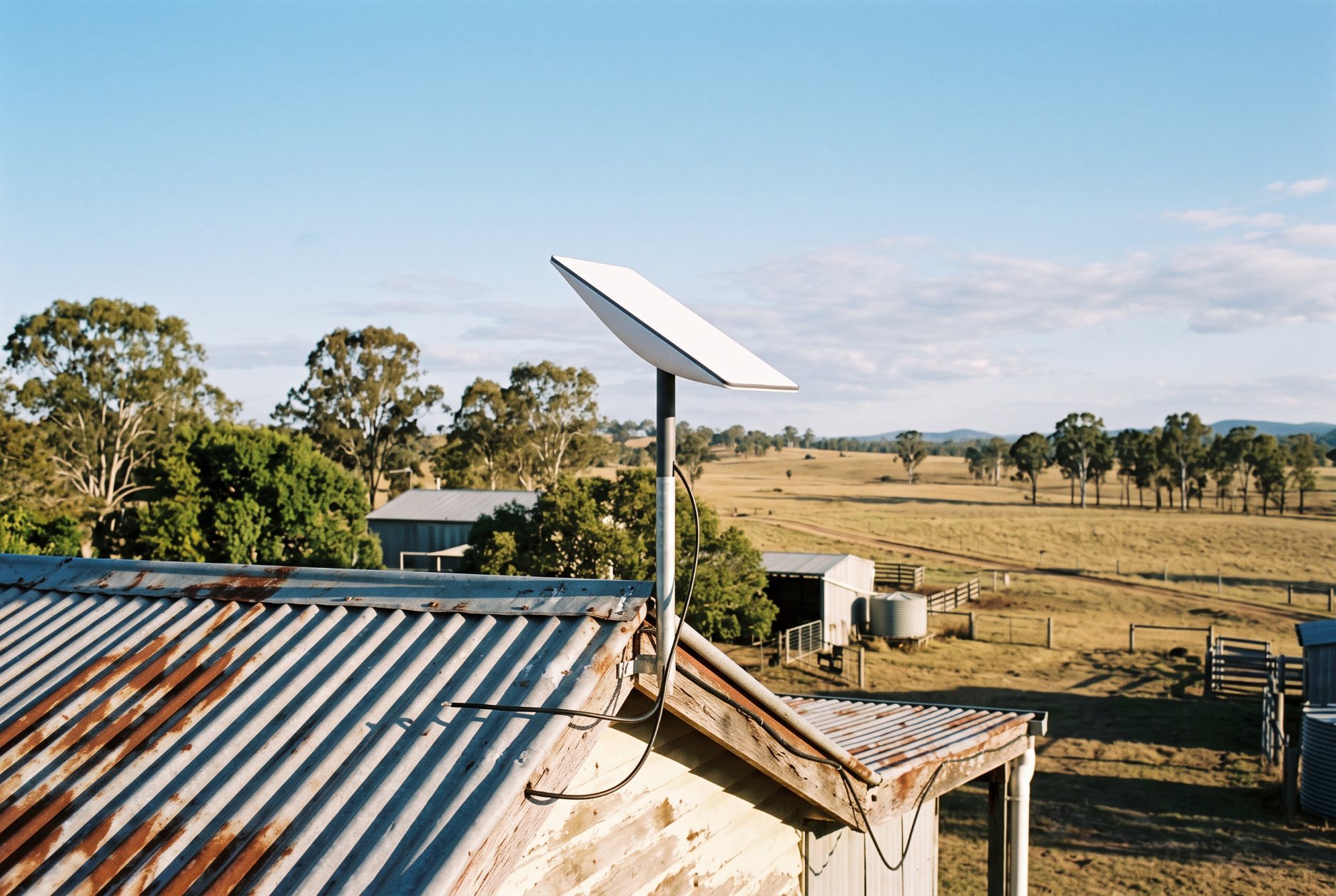
For Australian installations, the dish is mounted outdoors, typically on the roof ridge, a pole mount in the yard, or on a shed roof. The minimum recommended clear-sky view means the dish needs to be elevated and unobstructed, which naturally places it metres from where anyone spends time. If your dish is roof-mounted on a single-storey home, the floor and ceiling materials between the dish and your bedroom provide additional attenuation. Roofing and ceiling materials add further attenuation at Ku-band, and a metal roof such as Colorbond reflects almost all of it.
The Router (Inside Your House)
Here is where the actual indoor RF exposure lives. The Starlink system includes a Wi-Fi router. The Gen 2 router also powers the dish and broadcasts dual-band Wi-Fi 5 (802.11ac). The Gen 3 kit uses Router 3, a separate tri-band Wi-Fi 6 (802.11ax) unit on 2.4 GHz and 5 GHz. The Starlink Mini has a dual-band Wi-Fi 5 router built into the dish. All of them use the same Wi-Fi bands as an Optus, Telstra, or TPG-supplied NBN router. ACMA’s Low Interference Potential Devices class licence caps Wi-Fi transmitters at 4 W EIRP (effective isotropic radiated power) in the 2.4 GHz band, and at between 200 mW and 4 W EIRP across the 5 GHz sub-bands.
This means your Starlink router is one more Wi-Fi access point, regulated the same way as any other. If you replaced Starlink with an NBN fixed-wireless connection tomorrow, your indoor Wi-Fi exposure would depend on the replacement router and where you put it, not on the connection type. The router is the source that sits 1–5 metres from your body for hours at a time. The dish is outdoors, metres away, beaming skyward. The satellites are hundreds of kilometres overhead.
Bottom line: the Starlink dish and satellites are not measurably relevant to your indoor RF environment. The router is. And the router follows the exact same RF-reduction playbook as every other Wi-Fi access point in Australia.
ARPANSA, ACMA, and Australian Regulatory Context
Australia regulates RF exposure through two complementary frameworks. ARPANSA (Australian Radiation Protection and Nuclear Safety Agency) sets the human exposure limits. ACMA (Australian Communications and Media Authority) licenses the spectrum and device emissions. Both apply to Starlink. If you are setting up a child’s room, see our EMF guide for children’s bedrooms.
ARPANSA Exposure Limits
ARPANSA’s Standard for Limiting Exposure to Radiofrequency Fields, 100 kHz to 300 GHz (RPS S-1, 2021, aligned with the ICNIRP 2020 guidelines) sets the general public exposure limit at frequencies relevant to Starlink:
| Frequency | Relevant Starlink Component | ARPANSA General Public Limit | Estimated Actual Exposure |
|---|---|---|---|
| 10.7–14.5 GHz (Ku-band) | Dish (transmit + receive) | 10 W/m² | Highest directly in front of the antenna face, which points skyward |
| 2.4 GHz | Wi-Fi router | 10 W/m² (1,000 µW/cm²) | Usually below 1 mW/m² time-averaged at 1–3 m |
| 5 GHz | Wi-Fi router | 10 W/m² | Similar to 2.4 GHz; usually below 1 mW/m² time-averaged at 1–3 m |
| Satellite signal at ground | Satellites overhead | 10 W/m² | Capped near 0.0000000025 W/m² (FCC limit, 10.7–11.7 GHz) |
It is important to understand what ARPANSA limits represent. ARPANSA states that its limits protect against all known adverse health effects of RF exposure and are set well below the level at which harm may occur. At these frequencies the established effect is tissue heating, and the limits build in a large safety margin. They are not designed around unproven long-term, low-level effects. Some EMF-conscious Australians also follow the Building Biology (SBM) evaluation guidelines for sleeping areas as a precautionary framework. These rate RF power density below 0.1 µW/m² (microwatts, not milliwatts) as no concern, 0.1 to 10 µW/m² as slight concern and 10 to 1,000 µW/m² as severe concern. 0.1 µW/m² is 100 million times lower than ARPANSA’s 10 W/m² limit. Against that benchmark the satellites remain irrelevant, but a Wi-Fi router running overnight in the next room can easily put the bed position in the severe range.
ACMA Licensing
Starlink user terminals transmitting at 14.0–14.5 GHz are covered by the Radiocommunications (Communication with Space Object) Class Licence 2025, which applies when the satellite is authorised by an Australian space or space receive licence. The Wi-Fi router operates under the Radiocommunications (Low Interference Potential Devices) Class Licence, the same licence that governs every consumer Wi-Fi router sold in Australia. ACMA does not set separate exposure limits: its EME rules apply ARPANSA’s, so the two frameworks are complementary.
WHO Position
The World Health Organization’s International EMF Project states that there is no scientific basis to link electromagnetic hypersensitivity (EHS) symptoms to EMF exposure. That statement is specifically about EHS. Separately, the WHO’s International Agency for Research on Cancer classified RF fields as possibly carcinogenic (Group 2B) in 2011, a category used when evidence is limited. Neither position means RF is biologically inert at all levels. ARPANSA’s view is that exposure within its limits has no established adverse health effects.
Starlink vs Other Australian RF Sources: Putting Exposure in Context
Starlink does not exist in an RF vacuum. Your home is already exposed to multiple RF sources, many of which produce higher power densities at closer range than anything Starlink adds. Here is how Starlink’s components compare to common Australian EMF sources:
| RF Source | Frequency | Typical Power Density at Exposure Point | Where It Matters |
|---|---|---|---|
| Mobile phone (call, held to head) | 700 MHz – 3.5 GHz | Highest local exposure (ARPANSA head limit: SAR 2 W/kg) | Direct body contact |
| Wi-Fi router (any brand, incl. Starlink) | 2.4 / 5 GHz | Usually below 1 mW/m² time-averaged at 1–3 m | Bedroom if router is nearby |
| Smart meter (wireless models) | Varies by meter (mobile network or mesh radio) | Peak bursts 100–1,000× higher than time-average | Bedroom sharing exterior wall with meter |
| Starlink dish (roof mount) | 14.0–14.5 GHz (uplink) | Beam aimed skyward; highest directly in front of the antenna face | Negligible indoors; minimal outdoors unless standing in beam path |
| Starlink satellites (low Earth orbit) | 10.7–12.7 GHz | Capped near 0.0000000025 W/m² (FCC limit) | Completely negligible |
| 5G small cell (Telstra/Optus, street pole) | 3.5 GHz / 26 GHz | Varies widely with distance, network load and walls | Homes within 50 m of pole, upper-floor bedrooms |
| DECT cordless phone base | 1.9 GHz | Transmits continuously even when not in use | Bedroom if base station is nearby |
Notice the pattern. Proximity to your body is the dominant variable, not the technology label. A DECT cordless phone base on your bedside table produces higher RF exposure at your pillow than the Starlink dish on your roof. Your own mobile phone during a call produces more localised RF absorption in your head than every Starlink satellite combined. The Starlink system does not change your home RF environment in any meaningful way, except by adding another Wi-Fi router, which you can manage the same way you would manage any other router.
If you live near a mobile base station or 5G small cell, it may contribute more RF than your Starlink system. Measure to find out. For a comprehensive breakdown of 5G exposure in the Australian context, see our 5G EMF exposure guide.
Practical EMF Reduction for Starlink Households
If you are running Starlink and want to reduce your household RF exposure, particularly in sleeping areas, here is the systematic approach. As a former Navy Clearance Diver, I approach this the same way I approach any operational risk: measure first, identify the actual source, address what matters, and do not waste effort on threats that are not real.
Step 1: Accept the Dish Is Not Your Problem
The dish is outdoors, beaming upward, at Ku-band frequencies that attenuate through building materials. You do not need to shield it, move it further away (it already needs clear sky view), or worry about it during sleep. The one exception: if you can choose where to mount the dish, avoid placing it directly above the bedroom ceiling. Not because the exposure would exceed any standard (it would not), but because the precautionary principle costs nothing when you have a choice of mounting locations. Roof ridge, a pole in the yard, or above a garage are all preferable to directly above a sleeping area.
Step 2: Manage the Router Like Any Wi-Fi Router
The Starlink router is a standard Wi-Fi access point. Every RF-reduction principle that applies to a Telstra Smart Modem or a TP-Link Deco also applies here:
- Distance: Place the router as far from sleeping areas as practical. Every doubling of distance reduces power density by 75% (inverse square law). Moving a router from 2 m to 4 m from your bed cuts exposure to one-quarter.
- Ethernet where possible: The Gen 2 Starlink router has no ethernet port, so you need the Starlink Ethernet Adapter (sold separately) for a wired connection. Router 3 in the Gen 3 kit has two built-in ethernet ports. Once you have ethernet out of the router, you can hard-wire desktops, smart TVs, and gaming consoles with a Cat6 cable such as the UGREEN Cat 6 Ethernet Cable 5M. For laptops and tablets without ethernet ports, a USB-C adapter such as the UGREEN USB C to Ethernet Adapter costs under $25.
- Overnight timer: The Starlink app’s Sleep Schedule pauses internet service overnight, but Starlink does not say it switches off the router’s Wi-Fi. The simplest guaranteed option is a mechanical plug-in timer such as the HPM 24 Hour Analog Timer (twin pack, about $17 on Amazon AU at the time of writing) on the router’s power outlet. Set it to cut power from 10 pm to 6 am. Cutting power at the wall also powers down the dish, so you will have no internet during this window, but if no one in the household needs internet overnight, you eliminate 8 hours of Wi-Fi transmission in the sleeping area for the cost of a timer plug.
- Wi-Fi bands: The Starlink app lets you split the 2.4 GHz and 5 GHz bands into separate network names, but it does not offer a setting to switch one band off. If you want that control, or lower transmit power, you need a third-party router (see Step 3).
For the full router-management protocol, including how to measure your actual RF levels before and after changes, read our Wi-Fi router EMF safe distance guide. That guide covers everything from room-by-room placement strategy to third-party router options if you want more control than the Starlink app provides.
Step 3: Consider a Third-Party Router (Advanced)
Some EMF-conscious households put the Starlink router into bypass mode, which switches its Wi-Fi off, and feed a third-party router over ethernet with lower transmit power or better scheduling options. The JRS Eco 100 Era, a low-EMF router sold direct by JRS Eco, cuts its Wi-Fi beacon pulse rate by 90%, switches its Wi-Fi off entirely when no devices are connected, and has a scheduler for automatic overnight shutdown. It costs far more than a timer plug, but if your primary concern is sleeping-area RF and someone needs Wi-Fi overnight, it is the most effective single upgrade.
Step 4: Measure Before and After
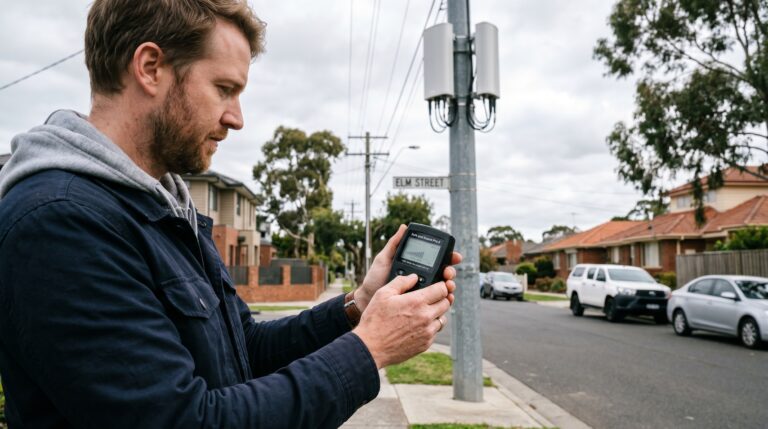
Every mitigation strategy is guesswork without actual measurements. A TriField TF2 meter reads RF, AC magnetic, and AC electric fields in one device. Its RF mode covers 20 MHz to 6 GHz, so it picks up the Starlink router’s Wi-Fi bands (2.4 and 5 GHz) but not the dish’s Ku-band (14 GHz). For practical purposes, that is what you want to measure: the router is the indoor source. Point the TF2 at the Starlink router from 1 m, note the reading, then take a second reading at the bed position. The TF2 reads down to 0.001 mW/m² (1 µW/m²), so it cannot confirm the Building Biology no-concern level of 0.1 µW/m², but it will clearly show whether distance, a timer or ethernet has lowered the reading at your bed.
For dedicated RF measurement including higher frequencies, the Safe and Sound Pro II meter (available from SaferEMF AU) covers 200 MHz to 8 GHz and is sensitive to 0.001 µW/m², low enough to assess against Building Biology sleeping-area guidelines. It does not reach Ku-band either, but it covers the RF sources inside your home.
RF 20 MHz to 6 GHz (0.001 to 19.999 mW/m²) | AC magnetic 0.1 to 100 mG | AC electric 1 to 1,000 V/m | Made in the USA
See TriField TF2 Price →✓ Pros
- Reads RF, AC magnetic and AC electric fields in one meter
- Covers the 2.4 GHz and 5 GHz Wi-Fi bands the Starlink router uses
- Also checks wiring, switchboards and smart meters on the same walk-through
× Cons
- Does not reach the dish’s Ku-band (14 GHz)
- Its 1 µW/m² floor cannot confirm the Building Biology 0.1 µW/m² bedroom level
Buy this if…
you want one meter for the router, the wiring and the smart meter around your house.
RF only | 200 MHz to 8 GHz | Sensitive to 0.001 µW/m² | Rechargeable | Sold by SaferEMF, Gold Coast
See Safe and Sound Pro II →✓ Pros
- Sensitive enough to assess against Building Biology sleeping-area guidelines
- Covers 200 MHz to 8 GHz, including both Wi-Fi bands
- SaferEMF also hires it out for 3 days if you only need one audit
× Cons
- RF only: no AC magnetic or AC electric readings
- Does not reach Ku-band
- Costs more than the TF2 (A$499 to buy)
Buy this if…
you want to know whether your bedroom actually meets Building Biology sleeping-area guidelines.
The SKA-Low Study: Radio Astronomy vs Human Health
You may have seen headlines about Starlink satellites interfering with radio telescopes in Western Australia. A 2023 study in Astronomy & Astrophysics (Grigg et al., 2023) used an SKA-Low prototype station at the SKA-Low site in WA and detected Starlink emissions at 137.5 MHz (intended telemetry transmissions) and 159.4 MHz (unintended electromagnetic radiation). A separate 2023 study (Di Vruno et al.) used the LOFAR telescope in Europe to detect unintended Starlink emissions between 110 and 188 MHz. This is a real and significant problem for radio astronomy.
It is not a human health problem. The detected emissions are in the VHF band (137–159 MHz), far below the Ku-band frequencies used by the dish, and the power levels involved are detectable only by extraordinarily sensitive radio telescope receivers designed to pick up signals from billions of light-years away. At ground level beneath the satellites, these emissions are many orders of magnitude below any human exposure standard. Radio telescope interference and human RF exposure are completely separate concerns operating on completely different sensitivity scales.
Citing the SKA-Low study as evidence of Starlink “radiation” affecting human health is like citing a seismometer detecting a distant earthquake as evidence your house is shaking. The instrument’s sensitivity is not the same as the signal’s intensity at your location.
Shielding the Starlink System: When It Makes Sense (and When It Does Not)
If you are considering shielding (Faraday canopies, EMF paint, or foil-backed materials), the standard shielding rules apply, and they are critical to get right.
The shielding trap: If the primary RF source is inside the room (your Starlink router, your phone, your smart TV’s Wi-Fi), enclosing the room in shielding material reflects that internal RF back at you, increasing exposure rather than reducing it. A Faraday bed canopy in a room where the router sits on the desk is counterproductive. Always remove or relocate internal sources before adding any shielding.
The correct sequence is: measure → identify the dominant source → remove or distance that source → shield only confirmed external residual RF. For a Starlink household where the router is in the living room and the bedroom is 6+ metres away, the correct action is a mechanical timer on the router overnight and your phone in airplane mode. That costs under $20 and removes the two RF sources closest to most beds.
If, after removing internal sources and measuring, you still detect elevated RF in the bedroom from an external source (such as a 5G small cell on a nearby street pole or a smart meter on the wall directly outside), then shielding the specific window or wall section facing that source is appropriate. EMF shielding paint (earthed according to the manufacturer’s instructions) on one wall, or a shielding curtain over one window, targeted at the confirmed external source. Never wrap the room without measuring first.
A demand switch, installed by a licensed electrician on the bedroom circuit, cuts AC electric fields from that circuit’s wiring while nothing on it is drawing power. This addresses a completely separate exposure pathway (50 Hz electric fields, not RF) but is worth mentioning because it is one of the highest-value sleep-environment improvements per dollar spent.
For a step-by-step guide to the measure-reduce-shield sequence in an Australian home, see our complete EMF guide for Australian homes.
Decision Tree: Starlink EMF Action Plan
Three questions. That is all you need to determine your next action.
1. Is the Starlink router in or near a bedroom?
Yes → Move the router to a central location at least 3–4 m from any bed. Hard-wire stationary devices (Router 3 ports, or the Starlink Ethernet Adapter on Gen 2).
No → Good. The distance is already working in your favour.
2. Does anyone in the household need internet between 10 pm and 6 am?
No → Put an HPM 24 Hour Analog Timer on the router power outlet. Eight hours of zero Wi-Fi RF every night.
Yes → Consider a JRS Eco 100 Era low-EMF router, which cuts beacon pulses by 90% and switches Wi-Fi off when no devices are connected.
3. Are you concerned about the dish specifically?
It is outdoors and beams upward. If you have a choice of mounting position, avoid directly above a bedroom. Beyond that, the dish is not a meaningful contributor to your indoor RF environment.
Start with measurement.
The TriField TF2 measures AC magnetic, AC electric, and RF in one device. Without real readings, every EMF decision is a guess. Point it at your Starlink router from 1 m, then from your bed, and you will know exactly where you stand.
Last reviewed: October 2026, Clean and Native
Frequently Asked Questions
Does the Starlink dish emit radiation toward my house?
The Starlink dish is a phased-array antenna that directs its beam upward toward orbiting satellites. The vast majority of transmitted energy goes skyward, well above the horizon. Since the dish is mounted outdoors and the beam points away from the house, indoor exposure from the dish is negligible.
Is Starlink EMF worse than NBN Wi-Fi?
No. The Starlink router broadcasts standard 2.4 GHz and 5 GHz Wi-Fi, the same bands as NBN-connected routers from Telstra, Optus, or TPG. The RF output is governed by the same ACMA class licence (the Low Interference Potential Devices Class Licence). Swapping Starlink for NBN would not by itself change your indoor Wi-Fi RF exposure: the router and where you put it matter.
What is the ARPANSA limit for Starlink frequencies?
ARPANSA’s RF standard (RPS S-1, aligned with ICNIRP 2020) sets the general public exposure limit at 10 W/m² for the Ku-band frequencies (10.7–14.5 GHz) used by the Starlink dish and satellites. FCC rules cap the satellite signal reaching the ground at more than 100 million times below that limit.
Can I turn off the Starlink router’s Wi-Fi at night?
The Starlink app’s Sleep Schedule pauses internet service overnight, but Starlink does not say it switches off the router’s Wi-Fi. The simplest guaranteed solution is a mechanical outlet timer on the router’s power plug. A plug-in timer such as the HPM 24 Hour Analog Timer cuts power at a set time and restores it in the morning, eliminating all Wi-Fi RF from the router during your sleep window.
Does the Starlink dish need to be a certain distance from my bedroom?
No specific minimum distance is set for homes. The dish is already outdoors, metres from sleeping areas, with its beam pointed at the sky. If you have a choice of mounting locations, placing the dish above a garage or on a pole away from the house is a reasonable precautionary step, but it is not medically necessary based on current evidence.
Does the SKA-Low study prove Starlink causes health problems?
No. The 2023 SKA-Low study (Grigg et al., Astronomy & Astrophysics) detected Starlink emissions at 137.5 MHz and 159.4 MHz using radio telescope receivers sensitive enough to detect signals from billions of light-years away. These power levels are many orders of magnitude below any human exposure standard. The study documents radio astronomy interference, not a human health hazard.
Should I use an EMF meter to check my Starlink system?
Yes, if you want to quantify your actual indoor exposure rather than guessing. A TriField TF2 meter covers 20 MHz to 6 GHz, which captures both the 2.4 and 5 GHz bands used by the Starlink Wi-Fi router. It will not measure the dish’s Ku-band (14 GHz) emissions, but the router is the Starlink component that matters indoors. Take readings at the router (1 m) and at the bed position to assess your sleeping-area exposure.
Can I use ethernet with Starlink instead of Wi-Fi?
Yes. The Gen 2 router needs the Starlink Ethernet Adapter (sold separately) for a wired connection, while Router 3 in the Gen 3 kit has two built-in ethernet ports. Once connected, you can run Cat6 ethernet cable to desktops, smart TVs, and consoles. For laptops and tablets, a USB-C to ethernet adapter provides wired internet without Wi-Fi. Disabling Wi-Fi entirely requires putting the Starlink router into bypass mode and using a third-party router with ethernet-only capability.
Is Starlink safe for children and pregnant women?
ARPANSA’s general public limits apply to all members of the public, and ARPANSA states they protect against all known adverse health effects. Compliant satellite internet terminals and Wi-Fi routers operate within those limits. The WHO’s International EMF Project states there is no scientific basis to link electromagnetic hypersensitivity symptoms to EMF exposure, and the WHO’s cancer agency (IARC) classified RF fields as possibly carcinogenic (Group 2B) in 2011 on limited evidence. For precautionary households, reducing Wi-Fi exposure during sleep (via timer and distance) is the practical step that applies regardless of whether the router is connected to Starlink, NBN, or any other backhaul.
Get the Australian Home Environment Checklist
30 checks across water, air and EMF. Most of them free. Ranked by impact.
No spam. Unsubscribe any time.

Former Royal Australian Navy Clearance Diver and TAG-E counter-terrorism operator. Founded Clean and Native to apply the same rigorous thinking to the home environment.
Full biography →