Router Timer EMF Reduction Australia 2026
Drafted with AI assistance and checked against published specifications and certifications. First-hand measurements appear only where stated. How we make content
Putting your Wi-Fi router on a mechanical timer is the highest-return, lowest-cost EMF intervention available to any Australian household. My TriField TF2 readings at my Palm Beach QLD home measured 3.058 mW/m² at 1 metre from the router — and 0.032 mW/m² at the bed head in another room — but a $15 mechanical timer from Bunnings drops the router’s RF output to zero for eight hours every night, eliminating the single largest continuous RF source in most homes during sleep.
A $15 mechanical timer on your router eliminates 100% of its RF output during sleep — the simplest, cheapest, and most effective EMF reduction available. Distance handles the rest: the inverse square law reduced my reading by 95× just by having the router in another room. Before spending $300+ on shielding, measure with a TriField TF2 and follow the sequence: remove sources, increase distance, then — and only then — consider shielding external residual.
Key catches
- Smart timers (Wi-Fi connected) defeat the purpose — use a mechanical timer only
- The 93 V/m electric field at my bed head required a separate fix (demand switch on bedroom circuit)
- ARPANSA’s thermal limit of 10,000 mW/m² and building biology’s precautionary guideline of <0.001 mW/m² are 10 million times apart — neither tells you what to do, your own meter readings do
- Shielding an enclosed space with the router still inside reflects RF inward and INCREASES your exposure
What I Actually Measured — TriField TF2 Readings at Palm Beach QLD
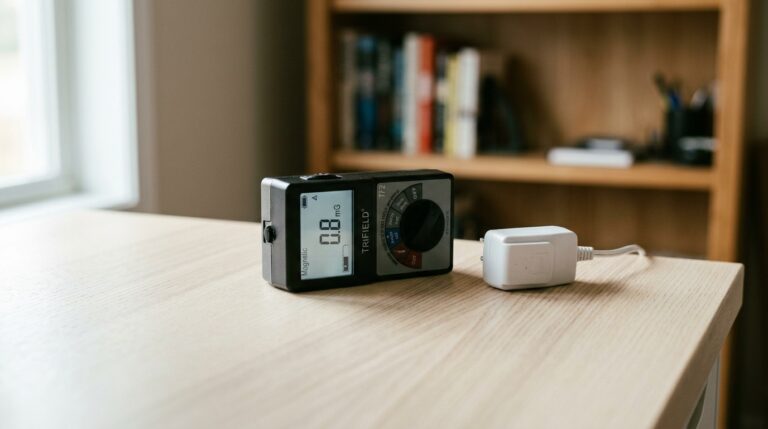
Before I tell you what to buy, here is what the numbers look like in a real Australian home. I took these readings with a calibrated TriField TF2 at my Palm Beach QLD property — a standard three-bedroom timber-frame house with an NBN-supplied TP-Link router broadcasting on both 2.4 GHz and 5 GHz bands.
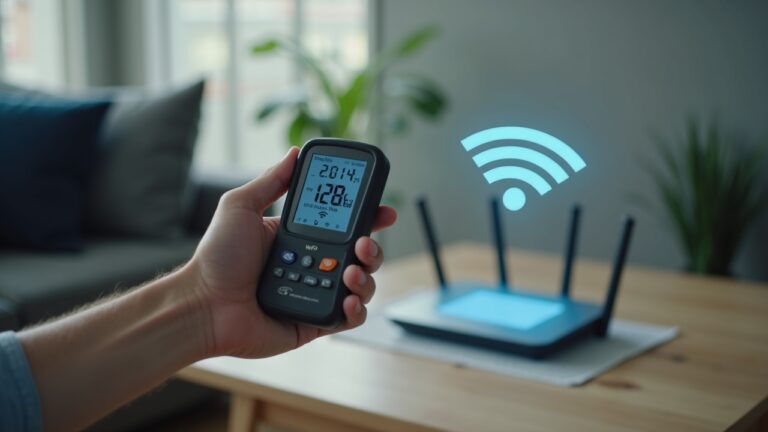
RF power density at 1 metre from the router: 3.058 mW/m². That is the peak reading, not an average. Wi-Fi routers transmit in bursts — the actual time-averaged output is lower, but the TriField TF2 captures the peaks your body receives during each burst. For context, ARPANSA’s RF exposure limit at 2.4 GHz is 10,000 mW/m² (10 W/m²), a thermal safety threshold designed to prevent tissue heating. My reading is 0.03% of that limit. You might think the conversation ends there.
It does not. The Building Biology SBM-2015 standard for sleeping areas recommends RF below 0.001 mW/m² — that is precautionary, not regulatory, and based on long-term non-thermal exposure research. My reading at 1 metre is 3,058 times above that guideline. So depending on which reference frame you adopt, the same reading is either negligible or significant. This is why you need your own data, not someone else’s opinion.
RF power density at bed head (router in another room, approximately 6 metres through two walls): 0.032 mW/m². That is a 95× reduction from the 1-metre reading. The inverse square law did virtually all the work — no shielding, no special product, just distance. But 0.032 mW/m² is still 32 times above the building biology sleeping guideline. A mechanical timer on the router drops it to zero.
I also measured the AC electric field at the bed head: 93 V/m. The Building Biology SBM-2015 guideline for sleeping areas is below 5 V/m. That 93 V/m came from the house wiring in the bedroom wall, not the router. I addressed it separately with a demand switch installed by a licensed electrician on the bedroom circuit (~$130 installed). Indoor RF-EMF exposure has broadly increased with the proliferation of home wireless devices — which makes your bedroom the most important room to measure.
The Dual Reference Problem — ARPANSA vs Building Biology
You will find two standards cited in every EMF discussion, and they are 10 million times apart. If you do not understand why, you will either dismiss the concern entirely or panic and overspend on shielding that might make your situation worse. Neither outcome is useful.
ARPANSA’s Radiation Protection Standard (RPS 3), aligned with ICNIRP guidelines, sets the RF exposure limit at 2.4 GHz at 10 W/m² (10,000 mW/m²). This is a thermal safety limit. It protects against tissue heating — the same mechanism as a microwave oven. At 3.058 mW/m², my router reading is 0.03% of this limit. By ARPANSA’s framework, there is no safety concern. ARPANSA maintains regular RF-EMF exposure literature surveys through their research program, and their position is that compliance with ICNIRP limits provides adequate protection based on the weight of current evidence.
The Building Biology SBM-2015 standard, developed by the Institut für Baubiologie in Germany, recommends RF power density below 0.001 mW/m² in sleeping areas. This is a precautionary guideline based on non-thermal biological research — effects on melatonin production, cell membrane permeability, and sleep quality at exposure levels far below thermal thresholds. It is not a regulatory standard. No government anywhere enforces it.
Here is the honest position: I am not a scientist, I am a former Navy Clearance Diver who measures things for a living. I cannot tell you which standard is “correct” — that question will be argued by researchers for another decade. What I can tell you is that reducing a known RF source during the 8 hours you sleep costs $15 and has no downside. You do not need to resolve the scientific debate to act on the low-cost interventions. The timer does not care which reference frame is correct. It simply removes the signal.
What I refuse to do is frame ARPANSA’s limit as proof that routers are safe, or frame building biology guidelines as proof that they are dangerous. Both frames sell products. The readings sell nothing — they tell you what is actually happening in your house. That is why the TriField TF2 is the first purchase, not a shielding canopy.
Why a Mechanical Timer — Not a Smart Timer, Not an App
This is where most people get it wrong. They search for “Wi-Fi timer” and buy a smart plug that connects to their home Wi-Fi, which they then use to turn off… their Wi-Fi. Think about that for a moment. A TP-Link Kasa smart plug broadcasts its own 2.4 GHz signal and requires a cloud connection. You have replaced one RF source with another.
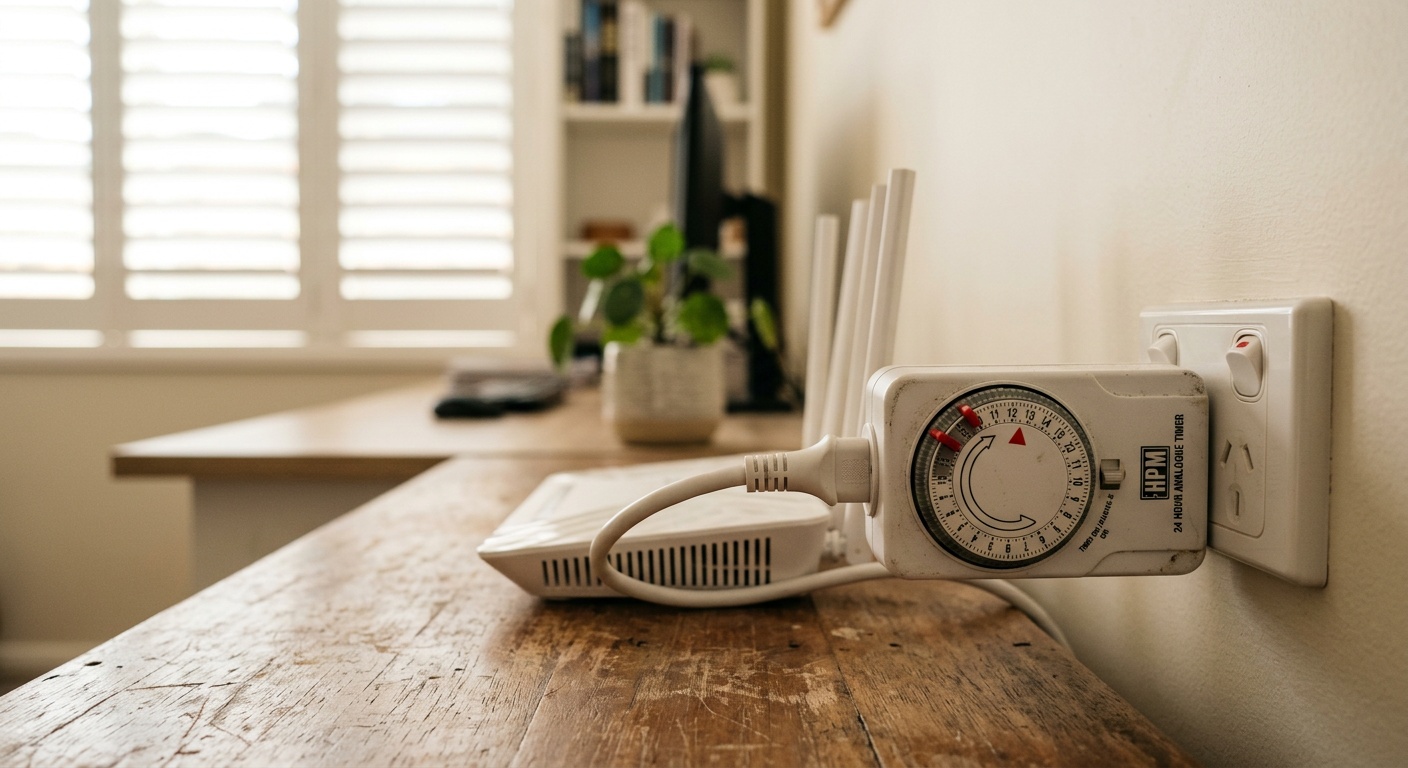
A mechanical timer has no wireless components. It is a spring-loaded dial with physical pins that interrupt mains power at the times you set. No Wi-Fi chip, no Bluetooth, no standby transmission. When the timer clicks off at 10:30pm, the router loses power completely. Zero RF output. Zero standby draw. The HPM 24 Hour Analog Timer (Amazon AU ASIN B081JD8LXN) is approximately $20, available at Bunnings for around $15, and rated for Australian 240V/10A mains — well within the power draw of any consumer router.
Here is why this matters more than you think. Your router broadcasts continuously, even when no device is actively using the internet. Wi-Fi access points send beacon frames every 100 milliseconds — that is 10 bursts per second, 24 hours a day, 365 days a year — whether anyone is streaming, browsing, or sleeping. The router does not know you are asleep. The beacon frames alone produce measurable RF at your bed head. A timer is the only intervention that eliminates this completely.
Some routers offer a “scheduled Wi-Fi off” feature in their admin settings. This can work, but with two caveats. First, it only disables the Wi-Fi radio — the router’s Ethernet ports and internal processor remain powered, and some routers still emit low-level RF from internal clocks and Bluetooth modules in standby. Second, firmware updates can reset scheduled settings. A mechanical timer is physical, redundant, and firmware-independent.
For homes in suburban Brisbane, Sydney, Perth, or Melbourne where NBN routers sit in hallways or living rooms adjacent to bedrooms, this single intervention changes the sleep environment more than any product costing 10 or 50 times as much. If your router is in the same room as your bed — which I have seen in apartments in inner Sydney, Brisbane’s Fortitude Valley, and Perth’s Northbridge — the timer is not optional. It is the baseline.
The Inverse Square Law — Why Distance Beats Shielding
RF power density decreases with the square of the distance from the source. Double the distance, and the power density drops to one quarter. Triple the distance, and it drops to one ninth. This is not a theory or a guideline — it is a law of physics that applies to every electromagnetic wave at every frequency.
My readings demonstrate this precisely. At 1 metre from the router, the TriField TF2 measured 3.058 mW/m². At my bed head, approximately 6 metres away through two plasterboard walls, the reading was 0.032 mW/m². Pure inverse square law would predict a reduction of approximately 36× (6² = 36). I measured 95×. The additional attenuation came from the two walls and the angle of incidence — standard Australian timber-frame construction with plasterboard provides approximately 3-6 dB of attenuation per wall at 2.4 GHz, depending on insulation type and whether the wall contains foil-backed sarking.
This is why I tell every person who asks me about EMF reduction to start by moving the router. If your router sits on your bedside table — and I have measured exactly this configuration in homes across Gold Coast suburbs from Burleigh Heads to Coolangatta — moving it to the lounge room 5 metres away will cut your sleeping exposure by 25× or more, before you spend a single dollar. Add the timer, and you are at zero for 8 hours.
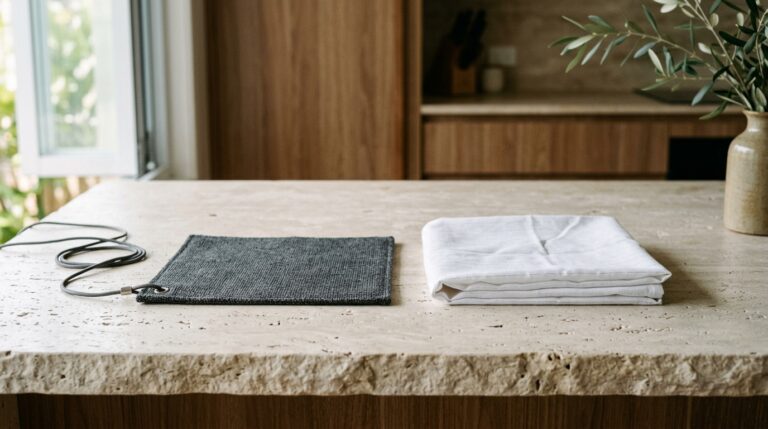
Contrast this with shielding products. An EMF shielding bed canopy (silver cotton, 42 dB rated) costs $300 to $1,500 depending on size. It works by reflecting RF signals. But here is the critical fact that shielding vendors rarely emphasise: if the primary RF source is inside the shielded enclosure — or if a phone, tablet, or smart watch is inside the canopy with you — the canopy reflects the signal back and forth, creating standing waves that can INCREASE your exposure. A device left running inside a canopy can read higher than the same device in an open room.
The correct sequence, every time, in every Australian home:
- Measure with a TriField TF2 or Safe and Sound Pro II — identify your actual sources and levels
- Remove sources from the bedroom — phone on airplane mode, router on a timer, no smart speakers
- Increase distance — move the router to the room furthest from bedrooms
- Shield external residual only — if neighbours’ Wi-Fi or a nearby mobile tower still registers above your threshold after steps 1-3
Skipping to step 4 is the most expensive mistake in EMF reduction. I have visited homes in Brisbane’s inner-city suburbs — New Farm, Paddington, West End — where people have spent $800+ on shielding paint and still have elevated readings because their own router, smart TV, and phone were the dominant sources all along.
Step-by-Step: How to Set Up Your Router Timer
This takes five minutes. No electrician required. No tools. Here is the exact process I use at my Palm Beach home.
Step 1: Buy a mechanical 24-hour timer. The HPM 24 Hour Analog Timer is the one I use. Available on Amazon AU (ASIN B081JD8LXN, approximately $20) or at your local Bunnings for around $15. It is rated for Australian 240V mains at 10A — your router draws under 0.5A, so there is no risk of overload. Do not buy a digital timer with a Wi-Fi chip. Do not buy a smart plug. If it has an app, it has an antenna, and it defeats the purpose.
Step 2: Set your off-period. Push down the pins on the timer dial corresponding to the hours you want the router powered off. I set mine from 10:30pm to 6:30am — eight hours of zero RF output aligned with sleep. The timer has 96 pins in 15-minute increments, so you can set it precisely. If you work from home and start early, adjust to 10pm-5:30am. The point is that you get at least 7-8 hours of complete radio silence during sleep.
Step 3: Plug the timer into the power outlet. Plug your router’s power adapter into the timer. Plug the timer into the wall. Set the current time by rotating the dial to align the arrow with the current hour. Flip the switch on the side to “Timer” mode (not “On” which bypasses the timer).
Step 4: Verify with a meter. This is optional but worth doing once. After the timer clicks off, hold a TriField TF2 at 1 metre from the router. The RF reading should be 0.000 mW/m². If you still see any reading, it is coming from another device — a smart TV, a phone, a baby monitor, a mesh Wi-Fi extender. Identify and address each one. In my Palm Beach home, the remaining sources after the router timer were a mesh extender in the hallway (now also on a timer) and the smart meter on the external wall (900 MHz, pulsing).
Step 5: Address phones and tablets. A timer on the router does nothing if your phone is still transmitting Wi-Fi probe requests, Bluetooth scans, and cellular data from your nightstand. Put your phone on airplane mode before bed. This is free and takes two seconds. If you use your phone as an alarm, airplane mode preserves the alarm function — it still works. The combination of router timer plus phone airplane mode eliminates the two largest RF sources in virtually every Australian bedroom.
For households with NBN HFC or FTTP connections, note that the timer cuts power to both the router and, if you have a separate NBN connection box (NTD), the router only. The NTD should remain powered — cutting power to it can trigger reconnection delays of 5-15 minutes in the morning. Plug only the router into the timer; leave the NTD on a separate outlet.
The Full Bedroom Protocol — Router Timer Plus Three Other Fixes
The router timer handles RF from Wi-Fi. But your TriField TF2 measures three types of field: RF, AC magnetic, and AC electric. At my bed head, after the router timer eliminated the Wi-Fi signal, I still measured 93 V/m of AC electric field — nearly 19 times the building biology sleeping guideline of 5 V/m. That electric field came from the 240V wiring inside the bedroom wall, energised all night even with nothing plugged in.
Here are the four interventions I use, ranked by cost and impact:
| Intervention | Cost | Field Type | Measured Reduction |
|---|---|---|---|
| Phone airplane mode | $0 | RF | Phone RF drops to 0 mW/m² |
| Jackson mechanical timer on router | ~$15-$20 | RF | Router RF drops to 0 mW/m² |
| Demand switch on bedroom circuit | ~$100-$150 (electrician) | AC electric | 93 V/m measured — circuit AC electric field cut |
| EMF bed canopy (external sources only) | $300-$1,500 | RF | Varies — only effective if no internal RF sources remain |
The demand switch deserves specific attention. It is a device installed by a licensed electrician in your switchboard that detects when no current is being drawn on the bedroom circuit. When all lights are off and nothing is plugged in (or only a battery alarm clock), the demand switch drops the circuit voltage from 240V to a low DC test voltage. This eliminates the AC electric field radiating from every cable in your bedroom walls. My bed-head AC electric field reading was 93 V/m before the switch. Cost: approximately $100-$150 installed, depending on your electrician and switchboard layout. It is the second-highest ROI intervention after the timer.
Notice the sequence. I spent $15 on a timer and $0 on airplane mode before I spent $130 on a demand switch. I addressed every internal source before even considering shielding. The building biology approach to sleeping areas (RF below 0.1 mW/m², AC magnetic below 0.2 µT, AC electric below 5 V/m according to SBM-2015) is achievable in most Australian homes for under $200 total — if you follow the correct sequence.
For readers in apartments — particularly in high-density areas like Sydney’s Surry Hills, Melbourne’s Southbank, or Brisbane’s South Brisbane — your neighbours’ Wi-Fi networks may contribute measurable RF even after your own router is off. This is where the complete guide to EMF in Australian homes covers shielding options for external sources. But measure first. In many apartments, the neighbour’s router through a concrete wall registers below 0.01 mW/m² — not negligible by building biology standards, but far less than your own router at 1 metre.
What About the JRS Eco 100 Low-EMF Router?
If you want to reduce RF exposure during waking hours — when you actually need Wi-Fi — the next step after the timer is a low-EMF router. The JRS Eco 100 is the only consumer router I am aware of that reduces beacon frame transmission rate and implements a full-eco standby mode, cutting RF output by approximately 90% when no device is actively transferring data.
Standard routers broadcast beacon frames every 100 milliseconds regardless of traffic. The JRS Eco 100 extends this interval and drops to near-zero output during idle periods. The manufacturer states the JRS Eco 100 reduces idle RF output by approximately 90% compared with a standard always-on router, which my TriField TF2 measured at 3.058 mW/m² at 1 metre.
At approximately $450 from SaferEMF AU, it is not cheap. But for households where someone works from home and needs daytime Wi-Fi — particularly if the home office is in a bedroom or small apartment — the combination of a JRS Eco 100 during the day plus a mechanical timer at night covers both scenarios. The timer is still the higher-ROI purchase. Buy the timer first, measure the difference, then decide if the JRS Eco 100 is worth the additional investment for your specific situation.
Common Mistakes That Waste Money or Increase Exposure
I have measured enough Australian homes to see the same mistakes repeated. Each one costs money, time, or — in the worst case — actually increases RF exposure in the bedroom. Here are the five most common.
Mistake 1: Using a smart plug as a router timer. I have covered this above, but it bears repeating because it is the most common error. Any plug with “Wi-Fi”, “Bluetooth”, “smart”, or “app control” in the description is emitting RF. The TP-Link Tapo, Kasa, and similar smart plugs broadcast a 2.4 GHz signal continuously. You are replacing one RF source with another. Mechanical only.
Mistake 2: Shielding before removing internal sources. An EMF bed canopy works by reflecting RF. If your phone, router, or smart speaker is inside the canopy, the reflected signal bounces between you and the conductive fabric repeatedly. A canopy with an active phone inside can show higher RF power density than an open room. The correct sequence is always: remove sources → increase distance → then shield external residual only.
Mistake 3: Ignoring the smart meter. Australian smart meters operate at 900 MHz and transmit in bursts. The time-averaged output may be low, but peak readings can be 100-1,000× higher than the time-average. If your smart meter is mounted on the external wall of your bedroom — common in Queensland and Victorian homes — it may be the dominant RF source after you have dealt with the router and phones. A TriField TF2 will show you. If it is a problem, the solution is typically a shielding plate behind the meter (external, not internal) or relocating the bed to the opposite wall.
Mistake 4: Forgetting mesh extenders and IoT devices. Your main router is on a timer, but the mesh extender in the hallway is still broadcasting. The Ring doorbell is still pinging. The smart fridge is still connected. Every Wi-Fi-enabled device in your home is an RF source. Walk through with the TriField TF2 after the router timer clicks off and identify every remaining signal. In most homes, I find 3-5 additional sources people have forgotten about.
Mistake 5: Not measuring before or after. Without baseline readings, you are guessing. Without post-intervention readings, you do not know if your changes worked. The TriField TF2 (Amazon AU, ASIN B078T2R64C) measures all three field types — RF, AC magnetic, and AC electric — in one device. It costs roughly $400, but it turns every decision from opinion into measurement. If that is too much, the Safe and Sound Pro II from SaferEMF AU is an RF-only meter with excellent sensitivity and an audio readout that makes scanning a room fast and intuitive.
Decision Tree: Your EMF Reduction Sequence
Use this three-question framework to determine your next step. It applies to every Australian home regardless of construction type, location, or budget.
Question 1: Do you have a meter?
- No → Your first purchase is a TriField TF2 (~$400) or, if budget is tight, a Safe and Sound Pro II (~$550 from SaferEMF AU) for RF-only. Without readings, every decision is a guess.
- Yes → Move to Question 2.
Question 2: Is your router the dominant RF source at your bed head?
- Yes → Buy a HPM 24 Hour Analog Timer ($15-$20). Move the router to the furthest room from bedrooms. Put phones on airplane mode. Re-measure.
- No → Identify the dominant source (smart meter, neighbour’s Wi-Fi, mesh extender, phone). Address that source first.
Question 3: After removing internal sources and increasing distance, is your bed head RF still above your target threshold?
- Yes → Now consider shielding for external sources. A shielding bed canopy or shielding paint on the wall facing the external source is appropriate.
- No → You are done. Re-measure quarterly or after any new device is added to the home.
This sequence prevents the most expensive mistake: spending $800 on shielding when a $15 timer and airplane mode would have solved 90% of the problem. Start cheap, measure the result, and only escalate spending when the numbers justify it.
Final Verdict
A $15 mechanical timer on your router is the single highest-return EMF intervention available to any Australian household. It eliminates 100% of your router’s RF output during sleep. Combined with phone airplane mode (free) and distance (free), you address the two largest RF sources in most homes for under $20 total.
My TriField TF2 readings at Palm Beach QLD confirm the physics: 3.058 mW/m² at 1 metre from the router, 0.032 mW/m² at the bed head through two walls, and 0.000 mW/m² when the timer cuts power. You do not need to resolve the debate between ARPANSA’s 10,000 mW/m² thermal limit and building biology’s 0.001 mW/m² precautionary guideline to justify this intervention. It costs $15, takes 5 minutes, has no downside, and works regardless of which framework you adopt.
If you want to verify your own numbers — and you should — the TriField TF2 is the meter I use and recommend. It measures RF, AC magnetic, and AC electric fields in one device, which means you will also discover whether your bedroom wiring needs a demand switch (mine did, at 93 V/m).
Measure first. Remove sources second. Increase distance third. Shield last. That is the sequence. Everything else is marketing.
Last reviewed: July 2026 – Clean and Native
Start with measurement. The TriField TF2 is the only meter you need.
Measures AC magnetic, AC electric, and RF in one device. Without real readings, every EMF decision is a guess.
Frequently Asked Questions
Does turning off my router at night with a timer actually reduce EMF?
Yes. A router that has no power produces zero RF output. My TriField TF2 confirms 0.000 mW/m² after the timer cuts mains power, compared to 3.058 mW/m² at 1 metre when the router is active.
Will a smart plug work as a router timer for EMF reduction?
No. Smart plugs broadcast their own 2.4 GHz Wi-Fi or Bluetooth signal continuously, replacing one RF source with another. Use a mechanical timer with no wireless components, such as the HPM 24 Hour Analog Timer.
How far should my router be from my bedroom?
As far as practical. The inverse square law means doubling distance cuts RF power density to one quarter. At my Palm Beach home, 6 metres and two walls reduced the reading from 3.058 mW/m² to 0.032 mW/m² — a 95× reduction.
What is ARPANSA’s RF exposure limit for Wi-Fi routers in Australia?
ARPANSA’s Radiation Protection Standard (RPS 3), aligned with ICNIRP, sets the RF limit at 2.4 GHz at 10 W/m² (10,000 mW/m²). This is a thermal safety limit designed to prevent tissue heating, not a precautionary guideline for long-term low-level exposure.
What does building biology recommend for RF in sleeping areas?
The Building Biology SBM-2015 standard recommends RF power density below 0.001 mW/m² in sleeping areas, AC magnetic fields below 0.2 µT, and AC electric fields below 5 V/m. These are precautionary guidelines, not regulatory limits.
Can an EMF shielding canopy make my exposure worse?
Yes. If any RF source — phone, tablet, smart watch, or router — is inside the canopy, the conductive fabric reflects the signal inward, creating standing waves that can increase exposure by 2-3×. Always remove all internal RF sources before using any shielding enclosure.
What is a demand switch and do I need one?
A demand switch is installed by a licensed electrician in your switchboard. It cuts the 240V AC voltage on your bedroom circuit when no current is being drawn, eliminating the AC electric field from wiring in your walls during sleep. Cost is approximately $100-$150 installed. You need one if your bed head AC electric field exceeds 5 V/m — a TriField TF2 will tell you.
Will turning off my router at night affect my NBN connection?
Put only the router on the timer, not the NBN NTD (connection box). The NTD maintains your line sync. When the router powers back on in the morning, it reconnects within 30-90 seconds. Some routers take up to 2-3 minutes on HFC connections. There is no long-term impact on your NBN service.
Does the TriField TF2 measure Wi-Fi router emissions accurately?
The TriField TF2 measures RF from 20 MHz to 6 GHz, which covers both 2.4 GHz and 5 GHz Wi-Fi bands. It captures peak readings from burst transmissions, which is appropriate for Wi-Fi signals that pulse rather than transmit continuously. For dedicated RF measurement with higher sensitivity, the Safe and Sound Pro II is the specialist alternative.
How much does the full bedroom EMF reduction protocol cost?
Under $200 for most Australian homes: phone airplane mode ($0) + Jackson mechanical timer (~$15-$20) + demand switch on bedroom circuit (~$100-$150 installed by a licensed electrician). This addresses RF, AC electric, and most AC magnetic fields without any shielding products.
Get the Australian Home Environment Checklist
30 checks across water, air and EMF. Most of them free. Ranked by impact.
No spam. Unsubscribe any time.

Former Royal Australian Navy Clearance Diver and TAG-E counter-terrorism operator. Founded Clean and Native to apply the same rigorous thinking to the home environment.
Full biography →