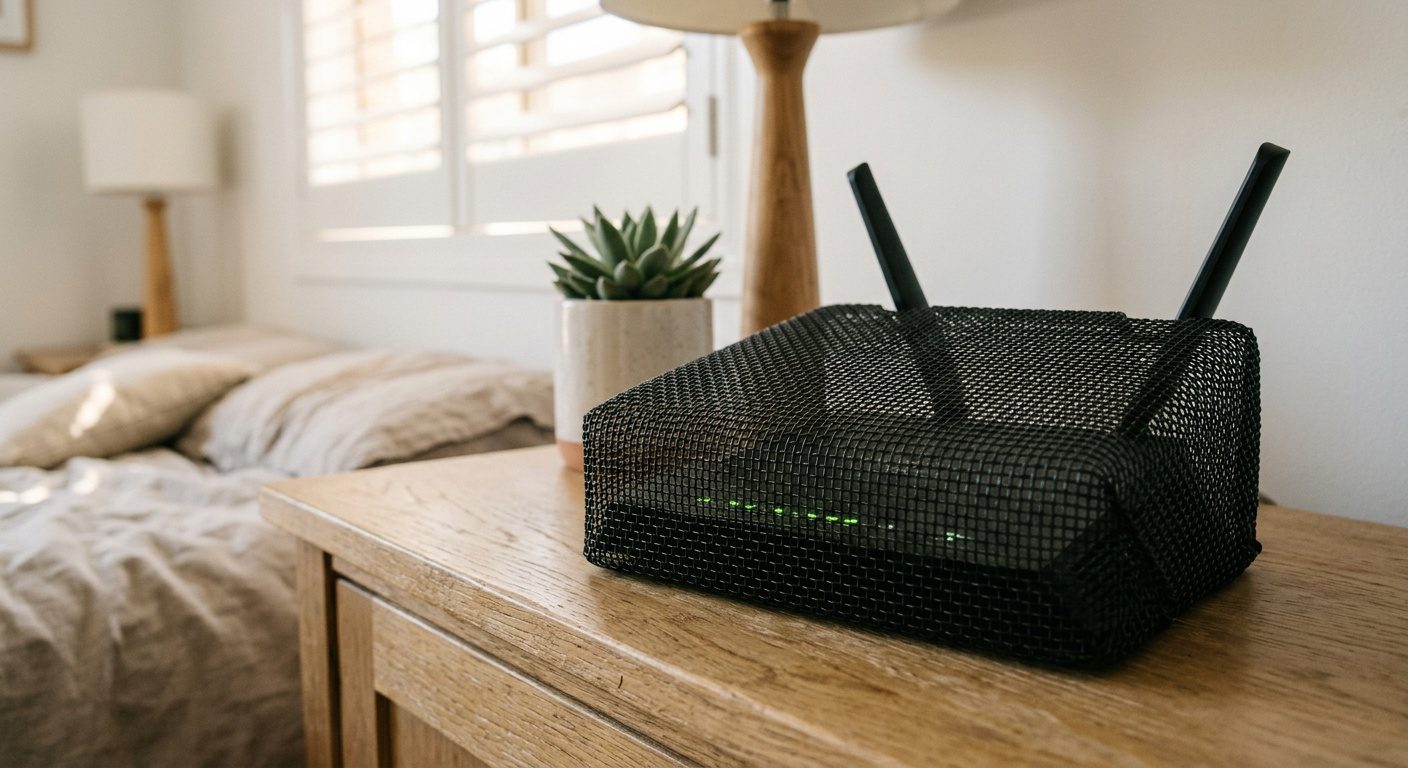
WiFi Router EMF Covers Australia 2026
The WaveCage WiFi router EMF cover is a partial Faraday cage that reduces RF emissions from your router — but it also degrades signal strength, and it does nothing about the RF your phone, tablet, and laptop emit back toward the router. For renters who cannot relocate or replace an ISP modem positioned near a bedroom, the WaveCage is a legitimate harm-reduction step when combined with a mechanical timer for nighttime shutoff. However, a $20 mechanical outlet timer that kills the router entirely during sleep delivers 100% RF elimination from all WiFi sources — router and devices — for a fraction of the cost.
Key catches
- Router covers block the router’s RF output — but your phone, laptop, and tablet still transmit RF toward you at full power while connected
- 85-95% RF reduction is a manufacturer claim — independent testing with a calibrated RF meter before and after is required to verify in your specific environment
- Signal degradation is the unavoidable trade-off: a cover that actually blocks 90%+ RF will noticeably slow your WiFi, especially on 5 GHz
- A $20 mechanical timer eliminates 100% of router RF during sleep hours — more effective and cheaper
✓ Who This Is For
- Renters whose ISP modem is in or near the bedroom and cannot be relocated
- Households wanting to reduce ambient daytime RF from a hallway router
- Parents who want to lower RF levels in a nursery or child’s bedroom adjacent to the router
- Anyone already using a timer for nighttime shutoff who wants daytime reduction as well
× Who It Is Not For
- Anyone who can simply switch to a JRS Eco 100 low-EMF router (owners, not renters)
- Heavy streamers or gamers who need full 5 GHz bandwidth — a cover will degrade throughput
- Anyone whose primary RF source is not the router (measure first with a TriField TF2)
- Anyone who can use a $20 mechanical timer for nighttime shutoff instead — 100% RF elimination, 1/5 the price
The Renter’s EMF Problem: You Cannot Swap What You Do Not Own
If you own your home, the RF reduction playbook is simple: replace the ISP modem with a low-EMF router like the JRS Eco 100, hardwire every device with ethernet, and kill the WiFi radio entirely. Problem solved. But according to ABS 2021 Census data, approximately 31% of Australian households rent. That means roughly one in three households is stuck with whatever modem Telstra, Optus, TPG, or their NBN retailer bolts to the wall.
In most rental agreements, the ISP modem is either ISP-owned equipment you cannot modify, or it is wired directly to the NBN NTD (Network Termination Device) in a fixed location. You cannot relocate it without re-running coaxial or ethernet cable — which most landlords will not approve. You are left with a 2.4 GHz and 5 GHz radio transmitting 24 hours a day, often positioned in a hallway directly outside a bedroom wall.
The RF exposure numbers are not trivial. A typical ISP-provided modem/router transmits at 2.4 GHz and 5 GHz simultaneously. According to Building Biology SBM-2015 sleeping area guidelines, RF exposure should remain below 0.1 mW/m² for no anomaly. At 1 metre from a standard Australian ISP router, RF power density readings commonly exceed this threshold by 10-100 times, depending on the router model and number of connected devices. ARPANSA’s regulatory limit at 2.4 GHz is 1,000 µW/cm² (10 W/m²) — a thermal safety limit, not a precautionary one. The Building Biology standard is roughly 10,000 times more conservative.
This is where a WiFi router EMF cover enters the conversation. Not as a complete solution — but as one layer in a practical RF reduction strategy for people who cannot do the ideal thing.
What a WiFi Router EMF Cover Actually Does — and the Trade-Off You Must Understand
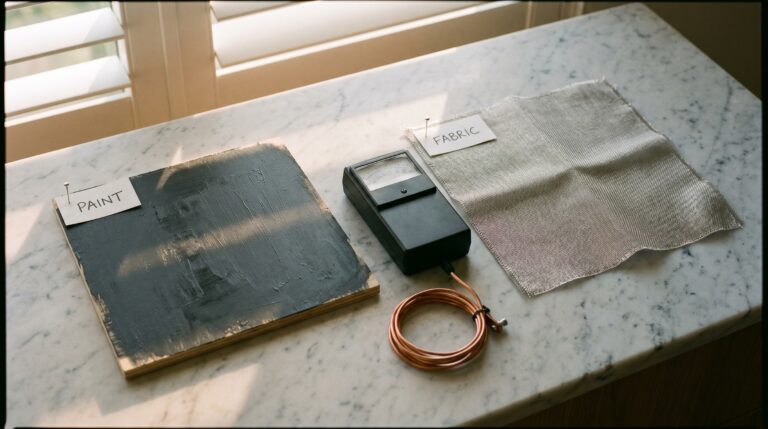
A router EMF cover is a partial Faraday cage. It encloses the router in a mesh of conductive material — typically nickel, copper, or silver-coated fabric or metal mesh — that attenuates (reduces) the RF signal radiating outward from the router’s internal antennas. The physics are simple: a conductive enclosure reflects and absorbs electromagnetic waves, reducing the power density that reaches you.
The critical word is “partial.” A true Faraday cage with zero gaps blocks 100% of RF — but it also blocks 100% of the WiFi signal. Your devices cannot connect. You have an expensive paperweight. So every router cover is designed with deliberate gaps, mesh openings, or reduced shielding on one side to allow enough signal through to maintain a usable WiFi connection.
This is the fundamental trade-off, and no manufacturer can escape it. A cover that actually blocks 90% of the RF power radiating from the router also reduces the usable WiFi signal strength by a corresponding amount. The inverse-square law means that at greater distances from the router, the weakened signal may drop below usable thresholds — resulting in slower speeds, dropped connections, and buffer/loading issues, especially on the higher-frequency 5 GHz band (which is attenuated more aggressively by physical barriers than 2.4 GHz).
Here is what a router cover does and does not do:
| What It Does | What It Does NOT Do |
|---|---|
| Reduces RF power density from the router’s transmitter | Does NOT reduce RF from your phone, tablet, or laptop transmitting back to the router |
| Lowers ambient RF at distances of 1-5m from the router | Does NOT eliminate RF — partial Faraday cage, not complete |
| May reduce RF from smart meter if modem is co-located (Energex QLD, Ausgrid NSW 900 MHz mesh) | Does NOT address DECT cordless phones, baby monitors, or other RF sources |
| Non-invasive, renter-friendly, no tools required | Does NOT improve WiFi speed — always degrades signal to some degree |
The half most people miss: even with a cover blocking 90% of the router’s output, every device connected to WiFi is itself an RF transmitter. Your phone, sitting on your bedside table and connected to WiFi, transmits at 2.4 or 5 GHz directly toward you. A router cover does nothing about this. The phone’s transmit power may even increase to compensate for the weakened signal from the covered router — because WiFi devices automatically boost their transmission power when signal strength drops. This is called Adaptive Power Control, and it can partially or fully negate the benefit of the cover.
WaveCage WiFi Modem EMF Reducing Cover: Detailed Review
The WaveCage is the most commonly stocked WiFi router EMF cover in Australia, available through SaferEMF AU at approximately $99. It is a mesh enclosure designed to fit over standard ISP-provided modem/routers used in Australian homes — including the common Telstra Smart Modem, Optus-branded units, and most NBN-compatible gateway devices.
Product Specifications
| Specification | WaveCage |
|---|---|
| Type | Partial Faraday cage / mesh enclosure |
| Material | Nickel-copper mesh (manufacturer specification) |
| Claimed RF reduction | Up to 90% (manufacturer claim — not independently verified to a published standard) |
| Frequency range | 2.4 GHz and 5 GHz WiFi bands |
| Installation | Place over router — no tools, no modifications |
| Approx. AU price | ~$99 AUD (SaferEMF AU) |
| Certification | No NSF, TGA, or ARPANSA certification (not a regulated product category in Australia) |
How It Works in Practice
Installation is actually simple: place the WaveCage over the router like a hood. The mesh allows cable pass-through for ethernet and power cords. The enclosure does not require any physical modification to the router — you are not opening, rewiring, or altering ISP equipment, which keeps you within rental agreement terms.
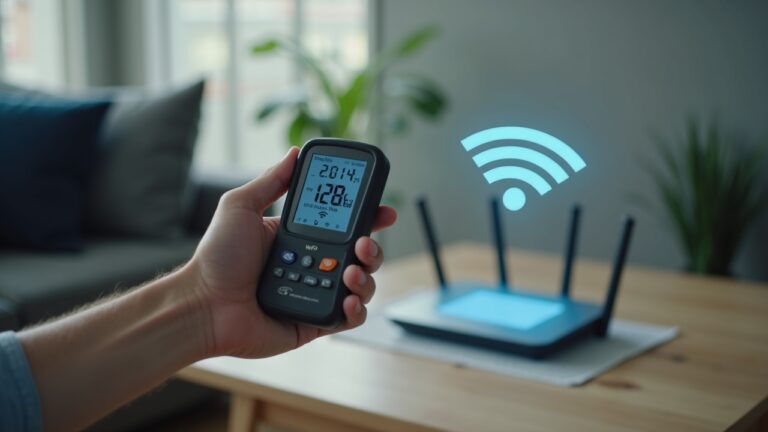
The manufacturer claims “up to 90% RF reduction” — and this is plausible based on the physics of a nickel-copper mesh enclosure at WiFi frequencies. However, “up to 90%” is not the same as “exactly 90%” in your home. The actual attenuation depends on: the mesh hole size relative to wavelength, the completeness of the enclosure (cable pass-through gaps reduce effectiveness), the distance between you and the router, and the reflective environment of your specific room. The only way to verify actual reduction is to take before-and-after readings with a calibrated RF meter like the TriField TF2 or the Safe and Sound Pro II.
The signal-strength trade-off is real. Users consistently report that WiFi speeds decrease with the cover in place, particularly on 5 GHz networks. The 5 GHz band (shorter wavelength, ~6 cm) is more easily blocked by physical barriers than 2.4 GHz (~12.5 cm wavelength). If your household relies on 5 GHz for streaming or video calls, expect noticeable degradation. For basic browsing and email on 2.4 GHz, the impact is typically manageable — slower but functional.
What About the Signal Tamer?
The Signal Tamer is a US-market alternative that functions on the same principle — a mesh enclosure that attenuates router RF output. As of July 2026, the Signal Tamer does not appear to have a dedicated Australian stockist or verified AU-specific availability. It can be ordered via international shipping from US retailers, but import duties and shipping add $30-50+ to the base cost, with extended delivery timeframes of 2-4 weeks.
For Australian buyers, the WaveCage via SaferEMF AU offers local stock, local shipping, and local customer support — making it the practical choice for this product category in Australia. The NEWBEAU-branded router covers available on Amazon AU (~$25-40) offer a significantly cheaper entry point, though the build quality and mesh specifications differ from the WaveCage.
| Product | AU Price | AU Availability | Claimed RF Reduction | Key Trade-Off |
|---|---|---|---|---|
| WaveCage | ~$99 | SaferEMF AU (local stock) | Up to 90% | Signal degradation, especially 5 GHz |
| NEWBEAU (Amazon AU) | ~$25-40 | Amazon AU | 85-90% | Lower build quality vs WaveCage |
| Signal Tamer (US) | ~$70 USD + shipping | US import only | Up to 90-95% | No AU stockist, import delays |
The Honest Truth: Why a Cover Is Not the Most Effective Solution
Here is the part most router cover marketing does not tell you. A cover addresses one half of a two-way radio link. WiFi is not a broadcast — it is a conversation. The router transmits to your devices, and your devices transmit back to the router. A cover sitting over the router only attenuates the router’s half of that conversation.
Your phone on the bedside table, connected to WiFi, transmits RF directly at you at centimetres of distance. That is orders of magnitude more exposure than the attenuated signal from a covered router 3 metres away in the hallway. The inverse-square law is unforgiving: RF power density quadruples every time you halve the distance. A phone at 10 cm delivers 900 times the power density of the same signal at 3 metres.
Worse, as noted earlier, WiFi devices use Adaptive Power Control. When the router’s signal is weakened by a cover, your devices increase their own transmission power to maintain the connection. The net result can be that your phone — the device closest to you — is now transmitting harder than it was before the cover was installed. This is not theoretical. It is how the 802.11 standard works.
The Hierarchy of Effective RF Reduction (Most to Least Effective)
| Action | RF Elimination | Cost | Renter-Friendly |
|---|---|---|---|
| Hardwire everything + disable WiFi radio | 100% from WiFi | $50-150 (cables + switch) | Partial — can run cables, but cannot disable ISP modem WiFi radio on all models |
| Mechanical timer on router (sleep hours) | 100% during off hours | ~$20 | Yes — plug and play, no modifications |
| Phone airplane mode during sleep | 100% from phone RF | Free | Yes |
| Router EMF cover (WaveCage) | Up to 90% from router only (manufacturer claim) | ~$99 | Yes |
| Distance (move router to far room) | Significant reduction via inverse-square law | Free | Depends on NBN NTD location |
Notice the pattern. The most effective actions are also the cheapest. A Jackson 24hr Mechanical Timer at ~$20 plugged into the router’s power outlet eliminates 100% of router RF during sleep hours — every frequency, every band, every device’s connection. Phone on airplane mode (free) eliminates 100% of phone RF at the closest possible range. These two actions together cost $20 and deliver more RF reduction during your 8 hours of sleep than a $99 cover provides 24/7.
A router cover makes sense only as a daytime supplement — reducing ambient RF during waking hours when you need the WiFi active but want to lower the router’s contribution to the overall RF environment. It is a layer, not a solution.
Australian Regulatory Context: ARPANSA and What “Safe” Actually Means
Australia’s RF exposure limits are set by ARPANSA (Australian Radiation Protection and Nuclear Safety Authority). According to ARPANSA’s published comparison of radiofrequency electromagnetic field exposure limits worldwide, Australia’s limit at 2.4 GHz is 1,000 µW/cm² (10 W/m²). This is a thermal safety limit — it protects against tissue heating from high-power RF exposure. It was not designed to address non-thermal biological effects, which remain the subject of ongoing WHO EMF International Project monitoring (documented in the WHO EMF country report for Australia, 2023 edition).
The Building Biology SBM-2015 guideline for sleeping areas recommends RF levels below 0.1 mW/m² (0.00001 mW/cm²) — roughly 100,000 times lower than the ARPANSA limit. This is not an Australian government standard. It is a practitioner guideline developed by the Institut für Baubiologie in Germany, widely used by building biologists and EMF consultants in Australia and internationally.
Router covers are not regulated products in Australia. They do not require TGA listing, ARPANSA certification, or any Australian standard compliance. There is no mandated testing methodology for “RF reduction” claims on consumer shielding products. When a manufacturer claims “90% RF reduction,” there is no regulatory body verifying that claim. This is why independent measurement with a calibrated meter is the only way to verify performance in your specific environment.
None of this means router covers do not work. The physics of Faraday cages are well-established. A conductive mesh enclosure will attenuate RF. The question is always: by how much, at what frequencies, and with what signal-quality trade-off in your specific home? The answer requires measurement, not marketing.
The Correct EMF Reduction Sequence for Australian Renters
If you are renting in Sydney, Brisbane, Melbourne, Perth, or any Australian city and you want to reduce RF exposure in your bedroom, follow this sequence. Order matters — do the cheap, effective things first before spending $99 on a cover.
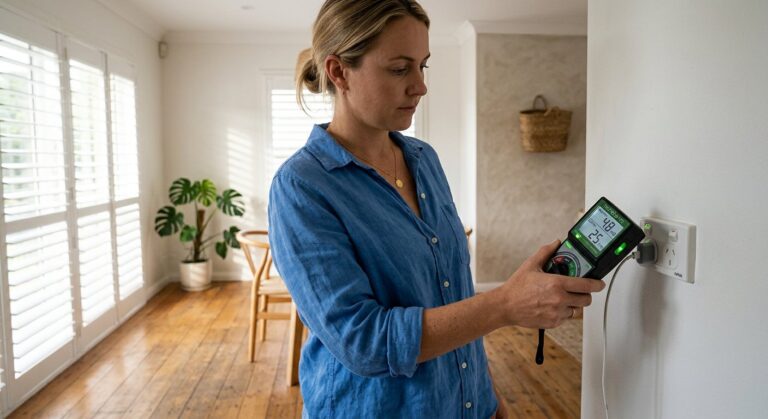
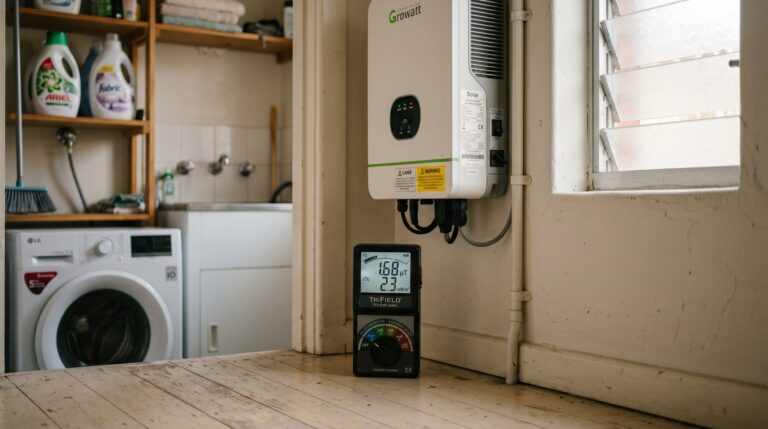
Step 1: Measure. Before spending anything, measure the actual RF levels at your bed position. Without a baseline reading, you have no idea whether the router is your primary RF source. It might be an Energex smart meter on the bedroom’s exterior wall (900 MHz, burst transmission), a neighbour’s WiFi, a DECT cordless phone base station, or a baby monitor. A TriField TF2 measures RF, AC magnetic, and AC electric fields for ~$270. A Safe and Sound Pro II is a dedicated RF meter with higher sensitivity. Use peak hold mode — Australian smart meters transmit in bursts where peak readings are 100-1,000 times higher than time-averaged readings.
Step 2: Remove internal sources. Turn off or remove every RF-emitting device from the bedroom. Phone to airplane mode. Remove DECT cordless phone base stations. Turn off Bluetooth speakers. Unplug any smart-home devices. This is free. Measure again after removal to quantify the reduction. In many Australian bedrooms, removing internal sources drops RF to acceptable levels without any further action.
Step 3: Timer on the router. Plug the router into a Jackson 24hr Mechanical Timer (~$20). Set it to cut power from 10pm to 6am (or your sleep schedule). This eliminates 100% of WiFi RF from the router and all connected devices during sleep hours. Measure again at your bed position to confirm. This single step often resolves the problem entirely for sleeping-area RF.
Step 4: Distance. If the router is adjacent to a bedroom wall and you cannot move it, consider using a longer Cat6 ethernet cable from the NBN NTD to reposition the router to a more distant room. Some ISP modems allow this — a 10m ethernet cable costs $15-20 and can move the router from the bedroom hallway to a living room on the other side of the house. Every additional metre of distance reduces RF power density significantly.
Step 5 (if needed): Router EMF cover. If after steps 1-4 you still have elevated daytime RF from the router at your living/working position, a WaveCage makes sense as a daytime RF reduction layer. Measure before and after to verify the actual attenuation in your environment.
Step 6 (if external RF confirmed): Demand switch. If your measurements show elevated AC electric fields from bedroom wiring (not RF — a different type of EMF), a licensed electrician can install a demand switch on the bedroom circuit for ~$100-150. This cuts power to the bedroom wiring when no loads are present, eliminating AC electric fields during sleep. This is a separate intervention from RF reduction but often relevant in the same bedroom optimisation process.
What About EMF Bed Canopies? The Shielding Trap for Renters
Some renters consider an EMF shielding bed canopy as an alternative to a router cover. A silver-cotton canopy rated at 42 dB attenuation is a substantially more effective RF shield than any router cover. But canopies come with a critical risk that router covers do not.
The shielding trap: if your phone is inside the canopy with you — still connected to WiFi, not on airplane mode — the canopy becomes a reflective enclosure that bounces your phone’s RF emissions back at you. Instead of reducing exposure, you increase it. A Faraday enclosure only reduces exposure from external sources. Internal sources get reflected and concentrated.
A router cover does not create this trap because it only encloses the router. But the same principle applies conceptually: if you cover the router and your phone responds by boosting its transmit power, the cover’s benefit is partially negated. The fix is the same in both cases — put your phone on airplane mode in the bedroom. If you are going to do that, the timer-on-the-router approach gives you 100% RF elimination for $20 and you may not need the cover or canopy at all.
Final Verdict
The WaveCage works — but it is not where you should start
The WaveCage WiFi router EMF cover is a legitimate partial Faraday cage that will reduce RF emissions from your router according to established electromagnetic shielding principles. The manufacturer’s claim of up to 90% RF reduction is physically plausible for a nickel-copper mesh enclosure, though independent verification with a calibrated meter is required to confirm performance in your specific environment.
Buy the WaveCage if: you are a renter who cannot replace or relocate your ISP router, you have already implemented a mechanical timer for nighttime shutoff, you keep your phone on airplane mode during sleep, and you want to reduce daytime ambient RF from the router as a supplementary layer. At ~$99, it fills a narrow but real gap in the renter’s EMF reduction toolkit.
Do not buy the WaveCage if: you have not yet measured your actual RF exposure (you might be solving the wrong problem), you have not implemented the free and cheap actions first (airplane mode, timer, distance), or you need maximum WiFi throughput for streaming and gaming on 5 GHz.
The single most impactful action for bedroom RF in any Australian home — rented or owned, Brisbane or Melbourne, apartment or house — remains the Jackson 24hr Mechanical Timer at ~$20 combined with phone airplane mode (free). Together they deliver 100% WiFi RF elimination during sleep for a fraction of the WaveCage’s price. Start there. Measure. Then decide if a cover adds value during your waking hours.
Last reviewed: July 2026 – Clean and Native
Start with measurement. Then decide what you need.
Without a baseline RF reading at your bed position, every EMF decision is a guess. The TriField TF2 measures RF, AC magnetic, and AC electric fields in one device — the minimum you need to make an informed purchase.
Frequently Asked Questions
Does a WiFi router cover actually reduce EMF?
Yes. A conductive mesh enclosure attenuates RF emissions from the enclosed router based on well-established Faraday cage principles. Manufacturers like WaveCage claim up to 90% reduction. However, it only reduces RF from the router — not from your phone, tablet, or laptop transmitting back to it. Independent verification with a calibrated RF meter is required to confirm the actual reduction in your specific environment.
Will a router EMF cover slow down my WiFi?
Yes, to some degree. Any cover that actually blocks RF also reduces the usable WiFi signal strength. The 5 GHz band is more affected than 2.4 GHz due to its shorter wavelength. Basic browsing typically remains functional, but streaming and video calls on 5 GHz may experience noticeable degradation.
Is the WaveCage available in Australia?
Yes. The WaveCage is stocked by SaferEMF AU with local shipping. It is priced at approximately $99 AUD. It is the most accessible dedicated router cover available through an Australian retailer as of July 2026.
What is the difference between a router cover and a mechanical timer?
A router cover reduces RF from the router while keeping WiFi active. A mechanical timer cuts power to the router entirely during set hours, eliminating 100% of WiFi RF from both the router and all connected devices. The timer is more effective during sleep hours but provides no internet access while active. A cover allows internet use with reduced RF.
Does ARPANSA set safety limits for WiFi router emissions?
Yes. According to ARPANSA, Australia’s RF exposure limit at 2.4 GHz is 1,000 µW/cm² (10 W/m²). This is a thermal safety limit designed to prevent tissue heating. Standard WiFi routers operate well below this limit. Building Biology SBM-2015 sleeping area guidelines recommend levels approximately 100,000 times lower than the ARPANSA limit for precautionary purposes.
Can I use a router cover on a Telstra Smart Modem or Optus modem?
The WaveCage is designed to fit standard ISP-provided modem/routers used in Australian homes, including Telstra and Optus-branded units. Check the WaveCage product dimensions against your specific modem model before purchasing. The cover sits over the unit and allows cable pass-through for ethernet and power.
Is a router cover safe? Can it cause the modem to overheat?
Router covers are mesh-based, not solid enclosures, which allows airflow. However, ISP modems already run warm under normal conditions. Monitor your modem’s operating temperature after installing a cover, particularly in un-air-conditioned rooms during Brisbane, Darwin, or Perth summers. If the modem restarts frequently or feels hot to touch, ventilation is insufficient and the cover should be removed or repositioned.
What is the cheapest way to reduce WiFi EMF in an Australian rental?
Phone airplane mode during sleep (free) combined with a mechanical outlet timer on the router (~$20) provides 100% WiFi RF elimination during sleep hours. These two actions are more effective and cheaper than any router cover. Add distance from the router where possible. A router cover is a supplementary step for daytime reduction if these actions have already been implemented.
Should I buy a router cover or an EMF meter first?
An EMF meter first. Without baseline RF readings at your sleep and work positions, you cannot confirm that the router is your primary RF source. It may be a smart meter (900 MHz on Energex QLD or Ausgrid NSW networks), a neighbour’s WiFi, or a DECT phone base station. A TriField TF2 (~$270) or Safe and Sound Pro II identifies the actual sources so you spend money on the right solution.
Get the Australian Home Environment Checklist
30 checks across water, air and EMF. Most of them free. Ranked by impact.
No spam. Unsubscribe any time.

Former Royal Australian Navy Clearance Diver and TAG-E counter-terrorism operator. Founded Clean and Native to apply the same rigorous thinking to the home environment.
Full biography →