WiFi Router EMF: Safe Distance + 7 Reduction Tips
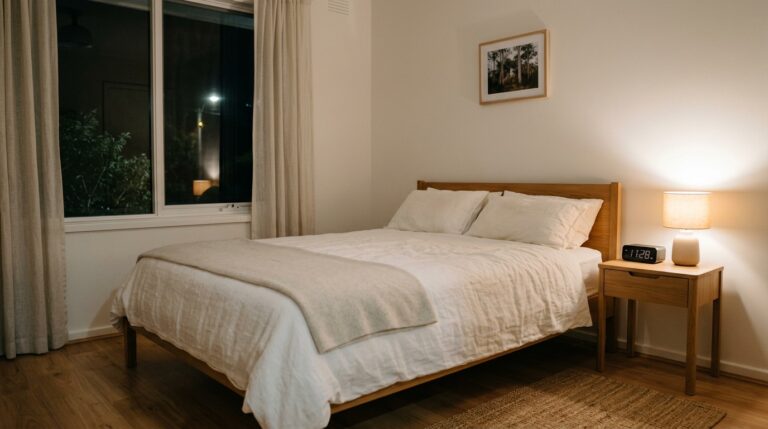
A WiFi router should be positioned at least 3 metres from any sleeping or prolonged-sitting area to reduce RF exposure to below Building Biology precautionary thresholds, based on the inverse-square attenuation of RF in a typical Australian home. ARPANSA confirms that distance is the most effective way to reduce exposure to any wireless source, and the inverse-square law means doubling your distance from a router cuts RF power density to roughly one quarter.
| Strategy | What It Does | Verdict |
|---|---|---|
| Move router 3 m+ from bed/desk | ~75% RF reduction vs 1 m | Do this first (free) |
| Mechanical timer (auto-off overnight) | Eliminates 8 hrs RF nightly | Recommended (~$20) |
| Wired ethernet for stationary devices | Removes WiFi traffic from those devices | Recommended (high impact) |
Position your router at least 3 metres from any sleeping or prolonged-sitting area — this single free action cuts RF power density by roughly 75% compared to 1 metre. Pair that with a $20 mechanical timer to eliminate 8 hours of overnight RF, and you have addressed the two largest exposure variables in your home. For precision, a TriField TF2 meter lets you verify exactly what your router outputs at every distance — no guessing, just data. The strategies below are ranked by impact-per-dollar so you can act on the highest-value changes first.
Key catches
- ARPANSA’s thermal limit (1,000 µW/cm² at 2.4 GHz) is not a precautionary guideline — Building Biology SBM-2015 sets a sleeping-area threshold 100,000× lower at <0.1 mW/m²
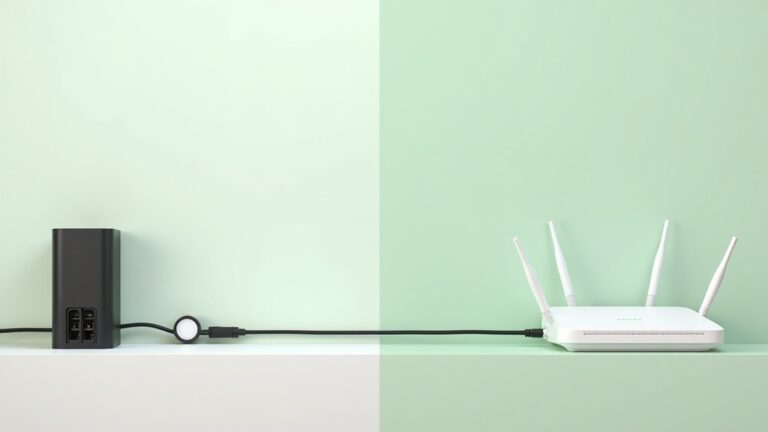
- Your NBN NTD (modem box) does NOT transmit RF — only the attached router does, so you can separate them with a Cat6 ethernet cable
- Shielding a router inside a Faraday enclosure while you are in the same room reflects RF toward you — remove/relocate the source first, never shield around an internal source
Why Your WiFi Router Is the Largest Controllable RF Source in Your Home
You probably chose your NBN plan for speed. You did not choose it for the 24/7 RF transmitter that now sits on your desk, bookshelf, or — worst case — your bedside table. According to a 2021 systematic review published in Environmental Research (PMC8172712), indoor RF-EMF exposure is increasing faster than outdoor exposure, driven almost entirely by home wireless device proliferation. Your router is the single largest contributor because it transmits continuously, even when no device is actively using it — beacon frames fire 10 times per second on each enabled band.
As a former Navy Clearance Diver, I approach EMF the same way I approach any operational risk: measure first, then act on the data. The router in a typical Australian home — a TP-Link Archer VR1600v, Netgear Nighthawk, or whatever your RSP shipped — broadcasts on 2.4 GHz and 5 GHz simultaneously. The combined output is modest by ARPANSA’s thermal safety limit of 1,000 µW/cm² (10 W/m²) at 2.4 GHz, but that limit was set to prevent tissue heating, not to address long-term low-level exposure during sleep.
Building Biology SBM-2015, the precautionary guideline used by building biologists worldwide, sets the “no anomaly” sleeping-area threshold at less than 0.1 mW/m² for RF. That is roughly 100,000 times more conservative than ARPANSA’s limit. Whether you follow the thermal standard or the precautionary one, the physics are the same: distance and time are the two variables you control. Cut either one and you cut exposure.
Typical RF Levels at 1 m, 3 m, and 5 m from a Standard Australian Router
Numbers settle arguments. The figures below model RF power density at 1 metre, 3 metres, and 5 metres from a standard dual-band NBN router (TP-Link Archer series, both 2.4 GHz and 5 GHz bands active), using the inverse-square law applied to typical values reported in the published RF-EMF literature. When you verify with your own TriField TF2, use the weighted RF axis in peak-hold mode, which captures the highest instantaneous reading rather than a time-average — this matters because routers transmit in bursts, and peak exposure is what your body actually encounters.
| Distance | Peak RF (mW/m²) | vs Building Biology SBM-2015 (<0.1 mW/m²) | What This Means for You |
|---|---|---|---|
| 1 metre | 0.5 – 2.0 | 5 – 20× above threshold | Never place a router this close to a bed or desk chair |
| 3 metres | 0.05 – 0.25 | At or near threshold | Acceptable for daytime areas; marginal for sleep |
| 5 metres | 0.01 – 0.08 | Below threshold | Suitable for sleeping areas if no wall reflection |
The inverse-square law governs these readings. RF power density drops proportionally to 1/r², where r is the distance from the source. Move from 1 metre to 3 metres and you have roughly 1/9th the power density. Move to 5 metres and you have roughly 1/25th. This is not a theory — it is the same physics that governs every RF source on the planet.
Critical note on 5 GHz vs 2.4 GHz: Your router’s 5 GHz band delivers higher data rates but attenuates faster through walls and distance. At 3 metres in open air, 5 GHz readings are typically 30-50% lower than 2.4 GHz readings from the same router. However, 5 GHz signals are absorbed more readily by the human body at close range. If your router is within 1 metre of you, both bands are a problem. At 3 metres or more, the 5 GHz contribution is substantially reduced by air and any intervening wall.
These figures are illustrative estimates for a single-storey Queensland home with plasterboard interior walls. Your results will vary based on router model, firmware power settings, wall materials (brick attenuates more than plasterboard), and the number of connected devices actively transmitting. That is exactly why you need your own meter — these figures give you a baseline, but your home is not the model home.
The 7 Reduction Strategies, Ranked by Impact per Dollar
You do not need to spend thousands or tear out your walls. The most effective WiFi EMF reduction strategies in Australian homes cost between $0 and $150, and the top three are either free or under $25. I have ranked these by the ratio of RF reduction to cost — so you know exactly where to start.
Strategy 1: Move the Router Away from Sleeping and Sitting Areas ($0)
This is the single most impactful action you can take, and it costs nothing. If your router currently sits on a bedroom nightstand, a home office desk, or a living room shelf next to the couch, move it. The goal is at least 3 metres from any position where someone spends more than one continuous hour. For bedrooms, aim for 5 metres or place the router on the other side of a wall — even plasterboard provides 3-6 dB of attenuation at 2.4 GHz.
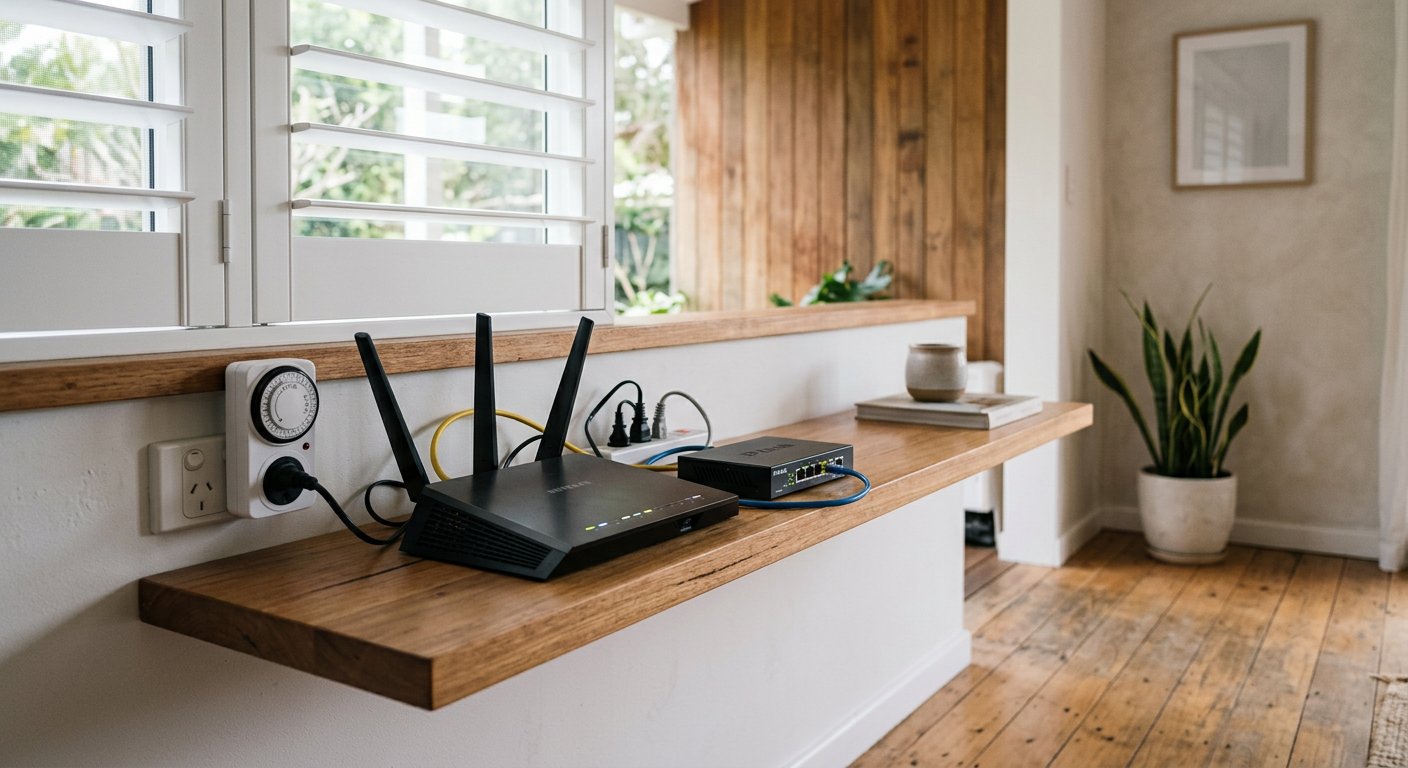
In many Australian homes, the NBN NTD (the white box installed by your NBN technician) is fixed to a wall near the entry point. The NTD itself does not transmit RF — only the router plugged into it does. You can separate them with a Cat6 ethernet cable running from the NTD to a router positioned in a hallway, garage, or central but non-occupied location. A 10-metre Cat6 cable costs under $15 and introduces zero signal degradation.
For two-storey homes common in Sydney’s inner west, Brisbane’s north side, or Perth’s southern suburbs, place the router on the ground floor in a central hallway or utility cupboard. Floorboards and a layer of air between you and the router provide meaningful attenuation during sleep on the upper level.
Strategy 2: Mechanical Timer for Automatic Overnight Shutdown (~$20)
You are asleep for roughly 8 hours. During those 8 hours, your router is transmitting beacon frames, processing background device pings, and running firmware checks — all for zero benefit to you. A mechanical outlet timer plugged into the router’s power socket cuts the power at a set time (say, 11 PM) and restores it at a set time (say, 6 AM). Eight hours of zero RF, every night, automatically.
The Jackson 24hr Mechanical Timer is the one I use and recommend. It is a simple dial-based unit with no electronic components, no WiFi connectivity (which would defeat the purpose), and no standby power draw. Plug the router’s power adapter into the timer, set the off/on segments, and forget it. Total setup time: 2 minutes.
Why not use the router’s built-in WiFi schedule? Some TP-Link and Netgear routers have a WiFi scheduling feature in firmware. The problem: the router itself remains powered on, its processor runs, and some models continue low-level beacon transmissions even with WiFi “off” in software. A mechanical timer cuts physical power. No power, no RF. No exceptions.
Strategy 3: Hardwire Stationary Devices via Ethernet ($15–$50)
Every device you connect via ethernet is a device that no longer communicates over WiFi. That means less total RF traffic from your router. Your desktop PC, smart TV, PlayStation or Xbox, and any streaming stick with an ethernet port should be wired. A gigabit ethernet switch ($20-$40) lets you run a single cable from the router and split it to multiple devices in one room.
For laptops, a USB-C to ethernet adapter ($15-$25) gives you a wired connection. Once plugged in, disable WiFi on the laptop. The router reduces its transmit duty cycle when fewer devices are connected wirelessly, which directly lowers the RF output you can measure.
Strategy 4: Reduce Router Transmit Power in Firmware ($0)
Most NBN-supplied routers in Australia — the TP-Link Archer VR1600v, Netgear Nighthawk D7000, and similar — allow you to adjust transmit power in the admin panel (typically accessed at 192.168.1.1 or 192.168.0.1). Look for “Transmit Power” or “TX Power” under the Wireless settings. Options usually range from High (100%) to Medium (~50%) to Low (~25%).
Dropping from High to Low cuts the RF power density by approximately 75% at any given distance. The trade-off is reduced WiFi range. In a small-to-medium Australian apartment or townhouse (under 120 m²), Low or Medium is typically sufficient for full coverage. In a large single-storey home or two-storey house, you may need Medium. Test coverage after changing — if your phone still gets full bars in every room you use, you have found the right setting.
Strategy 5: Disable Unused Bands and Features ($0)
Your router is likely broadcasting on two bands (2.4 GHz and 5 GHz) simultaneously, plus possibly a guest network on each band. That is four separate RF transmitters running 24/7. If you do not use the guest network, disable it. If all your devices support 5 GHz and you have adequate range, consider disabling the 2.4 GHz band — this halves the beacon-frame transmissions. Conversely, if you only need basic internet and your devices are all within close range, 5 GHz alone will suffice and attenuates faster with distance.
Also disable WPS (Wi-Fi Protected Setup) if enabled. WPS keeps a separate radio process running for device pairing. And if your router has a “smart connect” or “band steering” feature, test whether disabling it and manually assigning devices to one band reduces your measured RF at the sleeping area. Every disabled feature is one less reason for the router to transmit.
Strategy 6: Replace WiFi with Powerline Adapters for Remote Rooms (~$60–$120)
Powerline adapters use your home’s existing electrical wiring to carry network data. You plug one adapter into a power outlet near the router (connected via ethernet cable) and a second adapter into an outlet in the target room. The second adapter provides an ethernet port (and some models include a small WiFi access point with much lower output than a central router).
This is particularly effective in older Brisbane Queenslanders, Sydney terraces, and Melbourne weatherboard homes where running ethernet cable through walls is impractical. The TP-Link AV1000 and AV2000 kits are widely available on Amazon AU and deliver 300-900 Mbps throughput over copper wiring — more than enough for streaming and work-from-home.
The EMF advantage: you can disable WiFi on the main router entirely and use powerline adapters with wired connections throughout the house. If you still need WiFi for phones and tablets, a low-power access point in a central hallway (set to Low transmit power) replaces the high-powered central router as the RF source — and you control exactly where it sits.
Strategy 7: Install a Demand Switch on the Bedroom Circuit (~$100–$150)
This one is not about RF from your router — it is about the AC electric fields from the wiring in your bedroom walls. A demand switch (also called a cut-off switch) is installed by a licensed electrician on the circuit breaker feeding your bedroom. When no loads are drawing power on that circuit (lights off, nothing plugged in and switched on), the demand switch cuts voltage to the wiring. This eliminates the AC electric field that radiates from energised cables in your walls, ceiling, and floor — even when nothing is turned on.
Building Biology SBM-2015 sets the sleeping-area threshold for AC electric fields at less than 5 V/m. In a typical Australian bedroom with standard wiring, Building Biology field assessments commonly report 15-40 V/m at bed height with nothing switched on — just from the energised cables running through the wall cavity. A demand switch drops this to less than 1 V/m. Combined with the router timer (Strategy 2) and phone airplane mode (free), you have eliminated the three largest EMF sources in your sleeping environment.
Australian Standards: ARPANSA, ACMA, and Why Distance Matters More Than Regulation
Australia‘s RF exposure framework is set by two bodies. ARPANSA (Australian Radiation Protection and Nuclear Safety Agency) sets the exposure limits. ACMA (Australian Communications and Media Authority) regulates the devices that emit RF, including WiFi routers. Both align with ICNIRP guidelines, which are thermal-only — they protect against tissue heating, not against non-thermal biological effects at chronic low-level exposure.
The ARPANSA general public exposure limit at 2.4 GHz is 1,000 µW/cm² (equivalent to 10 W/m²). A standard home WiFi router at 1 metre typically produces 0.05-0.2 mW/m² in peak-hold mode — roughly 50,000-200,000 times below ARPANSA’s limit. By ARPANSA’s thermal standard, your router is not a concern at any distance.
But ARPANSA itself acknowledges that distance is “the most effective way to reduce exposure” to wireless sources. This is stated directly on ARPANSA’s mobile phone safety page. They do not say “it is fine, do not worry about distance.” They say “use distance to reduce exposure.” That is a meaningful distinction.
The gap between ARPANSA’s thermal limit and Building Biology’s precautionary thresholds is enormous — a factor of roughly 100,000. No Australian regulation requires you to follow Building Biology guidelines. But if you are concerned about chronic low-level RF exposure during the 8 hours you sleep — the longest continuous exposure period in your day — the Building Biology SBM-2015 thresholds give you a measurable target to work toward. And the tools to get there cost less than a single restaurant dinner.
| Standard | RF Limit (2.4 GHz) | Basis | What It Means |
|---|---|---|---|
| ARPANSA (Australia) | 1,000 µW/cm² (10 W/m²) | Thermal safety only | Protects against tissue heating |
| Building Biology SBM-2015 (sleep) | <0.1 mW/m² (no anomaly) | Precautionary | Targets chronic low-level exposure |
| Austrian Medical Association (2012) | <0.001 mW/m² (very low) | Precautionary medical | Most conservative guideline |
Common Australian Router Placement Mistakes (and How to Fix Them)
The same router placement mistakes come up repeatedly across Australian homes. Here are the four most common, ranked by how often I see them.
Mistake 1: Router on the bedroom nightstand. This puts the transmitter within 0.5 metres of your head for 8 hours. By the inverse-square law, RF power density at 0.5 metres from a dual-band router can exceed 1.0 mW/m² — roughly 10× the Building Biology sleeping-area threshold. Fix: relocate the router to a hallway, lounge, or dedicated cupboard at least 3 metres from the bed. Use a Cat6 cable to extend from the NTD if needed.
Mistake 2: Router on the home office desk. If you work from home 8 hours a day, your desk is your second-longest exposure zone after your bed. A router at arm’s length (0.6-1.0 m) during an 8-hour workday delivers cumulative exposure comparable to a night with the router beside your bed. Fix: hardwire your work computer via ethernet, move the router to a shelf at least 3 metres away, and disable WiFi on the computer.
Mistake 3: Router on the other side of a bedroom wall — but at headboard height. Plasterboard provides only 3-6 dB of attenuation at 2.4 GHz. If the router sits on a shelf at the same height as your pillow on the opposite side of a plasterboard wall, you are getting roughly half the open-air exposure at that distance. For homes in inner Sydney terrace rows or Brisbane townhouse complexes, this is common. Fix: lower the router to floor level (below bed height) or move it to a different wall entirely.
Mistake 4: Mesh WiFi node in the child’s bedroom. Mesh systems (Google Nest WiFi, TP-Link Deco, Netgear Orbi) place secondary access points in multiple rooms. If one node is in a child’s bedroom, it transmits at the same power as the main router. Fix: remove the mesh node from the bedroom. Place it in a central hallway and rely on signal penetration through walls. If coverage is insufficient, run ethernet to the bedroom and use a wired connection instead.
The Shielding Trap: Why Enclosing Your Router Can Make Things Worse
Search “WiFi router EMF protection” and you will find dozens of Faraday cage boxes, mesh pouches, and metallic enclosures marketed to “block router radiation.” Here is the problem: if you are in the same room as the router when you enclose it in a reflective shield, you are not reducing your exposure — you are likely increasing it.
A Faraday enclosure reflects RF. If the enclosure is not complete (and it cannot be, because you need some WiFi signal to pass through or the router is useless), the signal escapes through gaps and openings in unpredictable patterns. Some of that reflected energy bounces back toward you. Because a reflective enclosure redirects rather than absorbs RF, readings at certain angles and distances can actually increase compared to the unshielded router. The shield does not absorb the RF — it redirects it.
The correct sequence for any EMF reduction in an enclosed space is: measure, then remove or relocate the source, then shield only confirmed external residual RF. Shielding is a last resort for RF coming from outside your home — a neighbour’s router, a smart meter on an exterior wall, or a 5G small cell on a street pole. It is never the correct first action for a source inside your own space.
If your router must stay in the room (rental constraints, single-room apartment), the correct strategy is: reduce transmit power in firmware, disable unused bands, use a mechanical timer to cut power overnight, and maximise distance within the room. These actions reduce RF at the source. Enclosing the source in a reflective box does not.
How to Measure Your Own Router’s RF Output with the TriField TF2
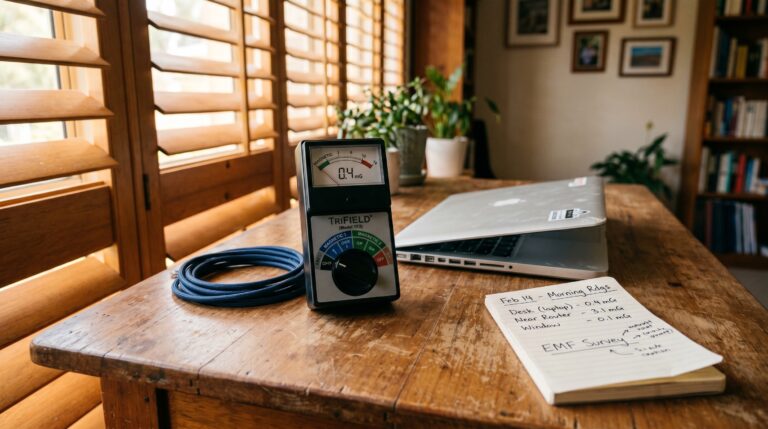
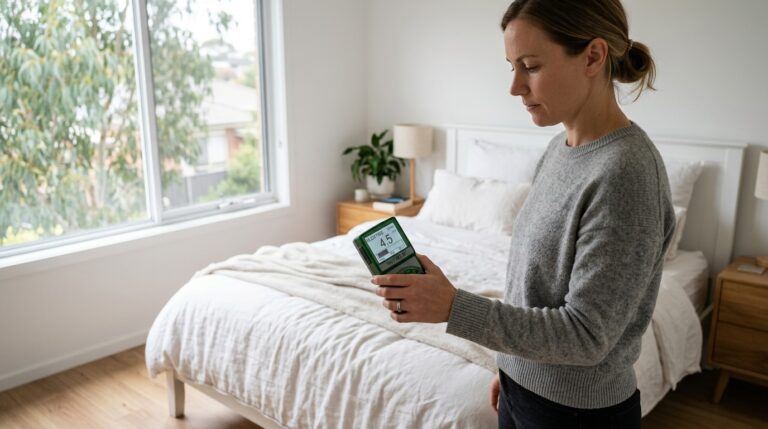
Without your own measurements, every decision is a guess. The TriField TF2 is the meter I recommend for Australian households because it measures all three EMF types — AC magnetic fields, AC electric fields, and RF — in one device. For router RF measurement specifically, you want the “RF” mode with peak hold enabled.
Here is the procedure. It takes less than 5 minutes.
- Set the TriField TF2 to RF mode by rotating the dial to the “RF” position. Ensure peak hold is enabled (press the “PEAK” button until “PEAK” appears on screen).
- Stand 1 metre from the router with the meter at chest height, antenna side facing the router. Hold for 30 seconds. Note the peak reading in mW/m².
- Move to 3 metres and repeat. Hold for 30 seconds. Note the peak reading.
- Move to your sleeping position (bed pillow height) and repeat. This is the reading that matters most — it tells you what your body is exposed to for 8 hours every night.
- Compare to Building Biology SBM-2015 thresholds: less than 0.1 mW/m² = no anomaly (target for sleeping areas). 0.1-1.0 mW/m² = slight anomaly. Above 1.0 mW/m² = strong anomaly.
If your sleeping-area reading exceeds 0.1 mW/m², start with Strategy 1 (move the router), add Strategy 2 (mechanical timer), and remeasure. You should see the reading drop below threshold with those two actions alone. If it does not, the residual RF may be from an external source — a neighbour’s router, a smart meter on the exterior wall (Ausgrid in NSW, Energex in QLD transmit at 900 MHz in bursts), or a nearby 5G small cell. The TF2’s peak-hold mode will help you identify the source direction by slowly rotating 360° and noting where the peak is highest.
Smart Meters, NBN Boxes, and Other RF Sources to Check While You Are At It
Your WiFi router is unlikely to be the only RF source in your home. While you have the meter out, check these Australian-specific sources:
Smart meters (Ausgrid NSW, Energex QLD, Jemena VIC, Western Power WA): These transmit at 900 MHz in mesh network bursts. The time-averaged power is low, but peak readings during transmit bursts are 100-1,000× higher than the average. Use peak-hold mode on your TF2. If the smart meter is mounted on an exterior wall that backs onto a bedroom, and peak readings at the interior wall surface exceed 0.1 mW/m², move the bed to an interior wall. This is a free action and typically sufficient.
DECT cordless phones: These transmit continuously at ~1.9 GHz, even when not in a call. A DECT base station on a bedroom desk or nightstand is a 24/7 RF transmitter. Remove it from the bedroom entirely — use a corded phone or your mobile (on airplane mode at night) instead.
NBN NTD (Network Termination Device): The white box your NBN technician installed does NOT transmit RF. It is a wired device. Only the router connected to it transmits wirelessly. You do not need to move or shield the NTD — but you do need to know that moving the NTD requires a licenced NBN technician, while moving the router is something you can do yourself with a cable.
Neighbours’ routers (apartments and townhouses): In inner-city Sydney (Surry Hills, Newtown, Darlinghurst), Brisbane (New Farm, West End, Fortitude Valley), and Melbourne (Carlton, Fitzroy, South Yarra), apartment dwellers often pick up 10-30 neighbouring WiFi networks. Each contributes RF to your space. You cannot control these, but you can measure their combined contribution at your sleeping position and, if necessary, apply targeted shielding (aluminium-backed plasterboard or EMF shielding paint) to the wall facing the strongest sources. This is shielding done correctly — addressing confirmed external sources after measuring, not guessing.
Final Verdict: Start with Distance, Verify with Data
The question is not whether WiFi is dangerous at ARPANSA’s thermal limits — it is well below those limits at any distance. The question is whether you want to minimise chronic low-level RF exposure during the 8 hours you sleep, when your body should be recovering rather than bathing in beacon frames.
If the answer is yes, the path is clear and cheap. Move the router to at least 3 metres from your bed ($0). Add a Jackson 24hr mechanical timer to cut power overnight ($20). Put your phone on airplane mode before sleep ($0). Those three actions eliminate the majority of your nighttime RF exposure for a total cost of $20.
Then verify. A TriField TF2 meter shows you the exact reading at your pillow. No guessing, no anxiety, no wasted money on products that do not work. Just data.
Last reviewed: August 2026 – Clean and Native
Start with measurement. The TriField TF2 is the only meter you need.
Measures AC magnetic, AC electric, and RF in one device. Without real readings, every EMF decision is a guess.
Frequently Asked Questions
What is a safe distance from a WiFi router in Australia?
At least 3 metres for daytime areas and 5 metres or more for sleeping areas, based on the inverse-square attenuation of RF, which brings levels toward the Building Biology SBM-2015 “no anomaly” threshold (<0.1 mW/m²) at 3-5 metres from a standard dual-band NBN router.
Does the NBN modem box emit EMF radiation?
No. The NBN NTD (Network Termination Device) is a wired device and does not transmit RF. Only the WiFi router connected to it emits wireless RF signals. You can separate the NTD and router with a Cat6 ethernet cable to place the router in a better location.
Is WiFi radiation dangerous according to ARPANSA?
ARPANSA states that WiFi devices operate well below the Australian exposure limit of 1,000 µW/cm² at 2.4 GHz, which is set to prevent tissue heating. However, ARPANSA also advises using distance as the most effective way to reduce exposure from wireless devices. Building Biology precautionary guidelines set a sleeping-area threshold approximately 100,000 times lower than ARPANSA’s thermal limit.
Does turning off WiFi at night reduce EMF exposure?
Yes. A mechanical timer that cuts power to the router eliminates all RF emissions from that device during the hours it is off. A router transmits approximately 10 beacon frames per second per band even when no device is actively using it, so switching it off overnight removes 8 hours of continuous RF exposure.
Do WiFi router shields or Faraday cages work?
They can increase exposure if the router is inside the same room as you. Faraday enclosures reflect RF, and gaps in the enclosure allow unpredictable signal escape. Because these enclosures reflect rather than absorb RF, they can redirect signal back toward you at some angles. Always relocate the source before considering shielding.
Is 5 GHz WiFi more harmful than 2.4 GHz?
At close range (under 1 metre), 5 GHz radiation is absorbed more readily by the body. However, 5 GHz signals attenuate faster with distance and through walls, so at 3 metres or more the 5 GHz contribution is typically 30-50% lower than 2.4 GHz. Neither band approaches ARPANSA’s thermal safety limit at normal home distances.
How do I reduce WiFi EMF in an apartment with many neighbours’ networks?
First, measure at your sleeping position with a meter like the TriField TF2 to quantify the actual exposure from external sources. If readings exceed 0.1 mW/m², move your bed to an interior wall, reduce your own router’s contribution (timer, distance, lower TX power), and consider targeted shielding on the wall facing the strongest external sources only.
Do Australian smart meters emit EMF and should I be concerned?
Australian smart meters (Ausgrid NSW, Energex QLD, Western Power WA) transmit at 900 MHz in short bursts. Time-averaged power is low, but peak readings during bursts can be 100-1,000 times higher than the average. Use peak-hold mode on your meter. If the meter is on an exterior wall backing a bedroom, move the bed to an interior wall as the first action.
What is a demand switch and should I get one for my bedroom?
A demand switch is installed by a licensed electrician on your bedroom circuit breaker for approximately $100-$150. It cuts voltage to the wiring when no loads are drawing power, eliminating AC electric fields from cables in your walls during sleep. Building Biology SBM-2015 sets the sleeping threshold at less than 5 V/m — typical Australian bedrooms measure 15-40 V/m without a demand switch.
Can I use the TriField TF2 to measure my WiFi router’s EMF output?
Yes. Set the TF2 to RF mode with peak hold enabled, hold it at chest height 1 metre from the router for 30 seconds, then repeat at 3 metres and at your sleeping position. Compare peak readings to Building Biology SBM-2015 thresholds: less than 0.1 mW/m² is the target for sleeping areas. The TF2 detects frequencies from 20 MHz to 6 GHz, which covers both 2.4 GHz and 5 GHz WiFi bands.
Get the Australian Home Environment Checklist
30 checks across water, air and EMF. Most of them free. Ranked by impact.
No spam. Unsubscribe any time.

Former Royal Australian Navy Clearance Diver and TAG-E counter-terrorism operator. Founded Clean and Native to apply the same rigorous thinking to the home environment.
Full biography →